 CRM
Product
Product
Customers, service requests, outages, faults, SLAs, contracts and reporting for operators of fibre, connectivity and data centre services.
Customers
Customers
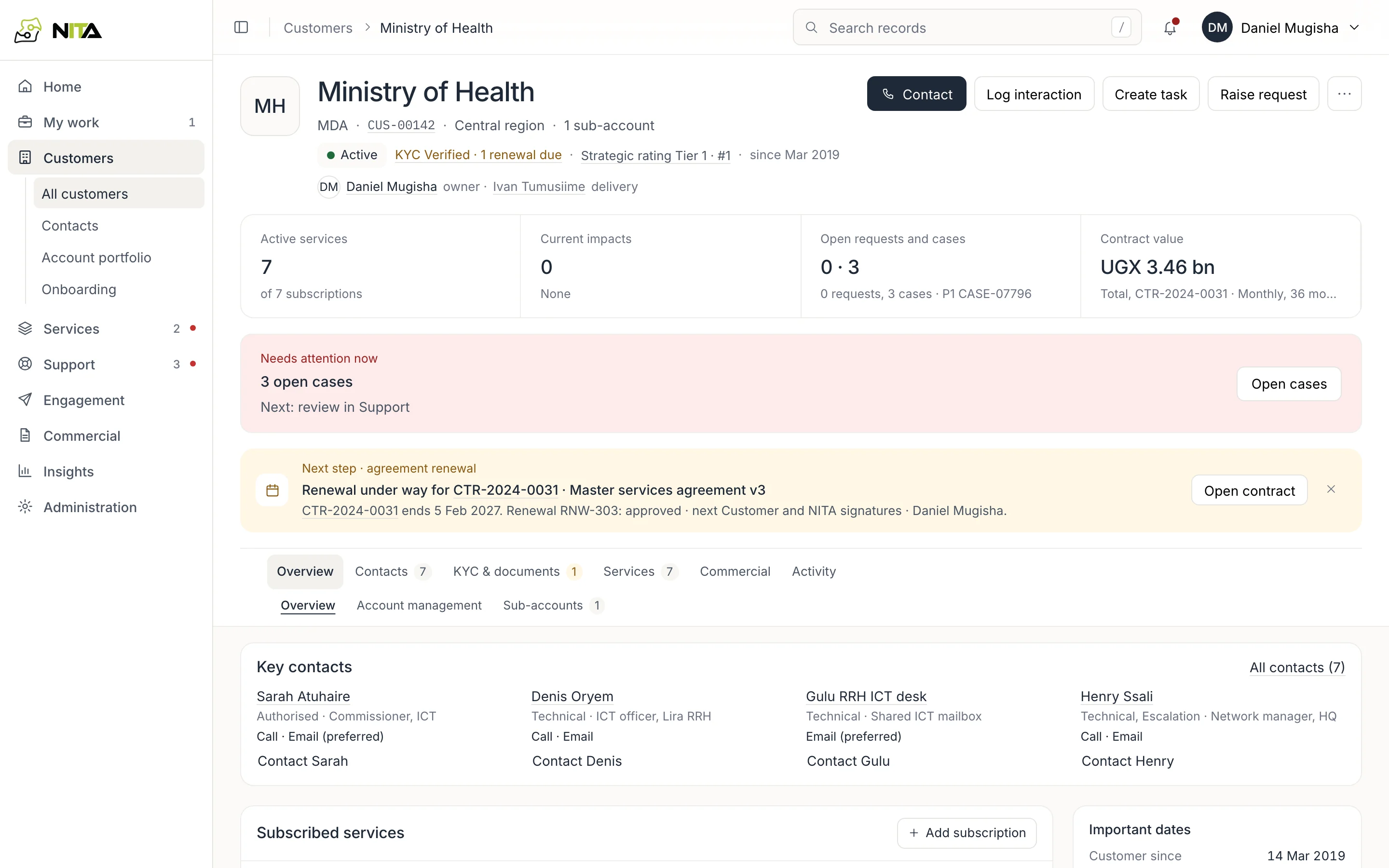
Open a customer and see every service they take, at which site, on which contract, with which SLA, and what is open against them today. Contacts carry their role (who signs, who gets technical notices, who to escalate to) and how they want to be reached.
- Account portfolio for each account manager
- KYC documents and review dates
- Contract end and notice dates
Requests
Service requests
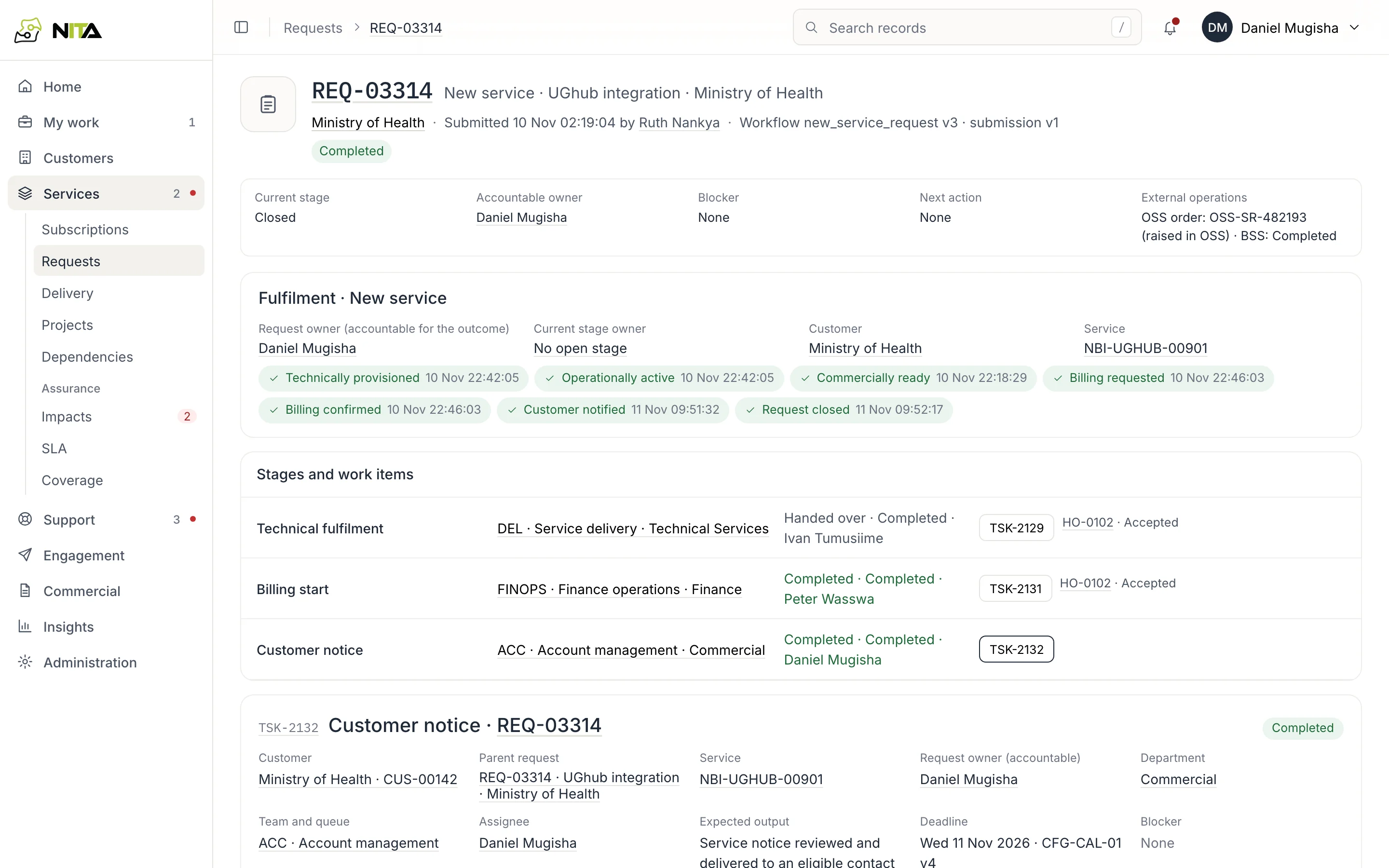
A request for a new service, upgrade, move or cessation goes to the right approvers, then to service delivery to provision in OSS, to finance to start billing in BSS, and to the account manager to notify the customer. Each team sees the requests waiting on it.
- OSS order, circuit and activation date recorded on the request
- Billing start filled in from the customer and contract
- Customer notice sent from the request
Outages
Outages
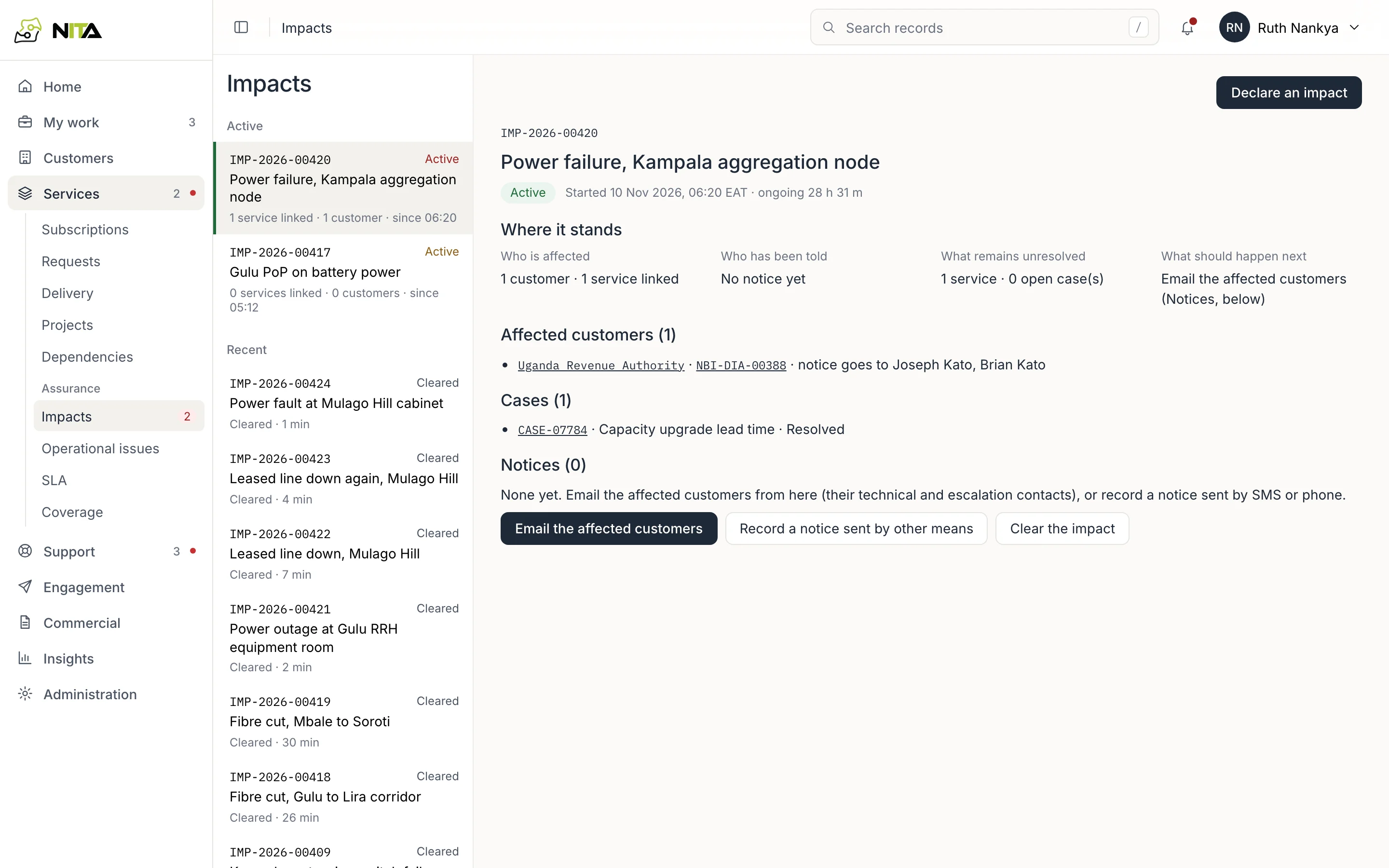
When a fibre is cut or a node loses power, declare the outage and add the affected circuits. The customers on those circuits and their technical and escalation contacts are listed; email them from the outage. Faults customers report are attached to it, and its duration goes into each service's SLA.
- Notices by email, or logged when given by phone or SMS
- Planned maintenance recorded the same way
- Outage history per service
SLA
SLA reporting
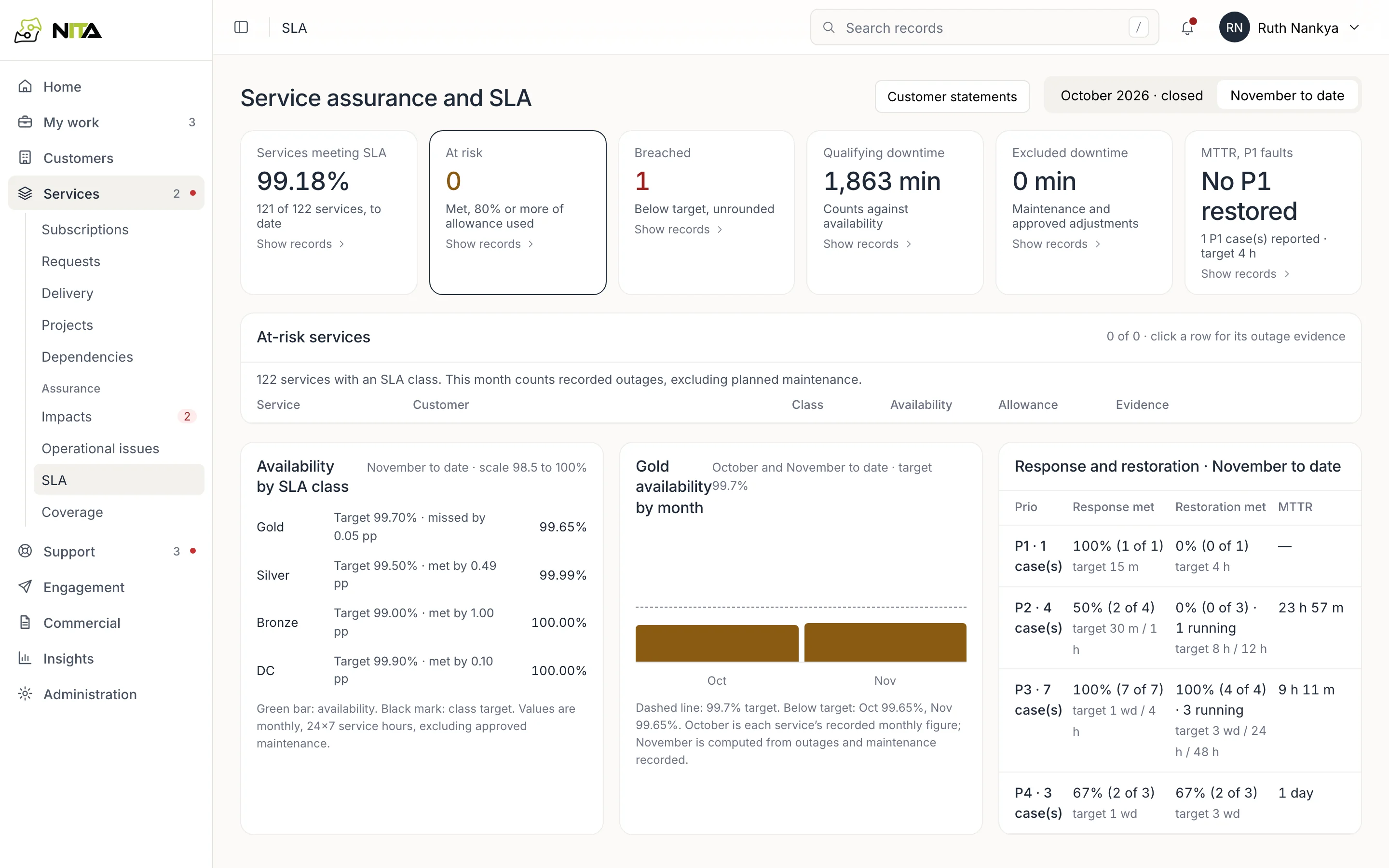
Availability is calculated per service from its outages, within the hours of its SLA class, excluding approved maintenance. See which services are at risk before the month ends, and send each customer a monthly statement.
- Gold, Silver, Bronze and data centre classes
- Response and restoration times per priority
- Monthly statement per customer
Faults
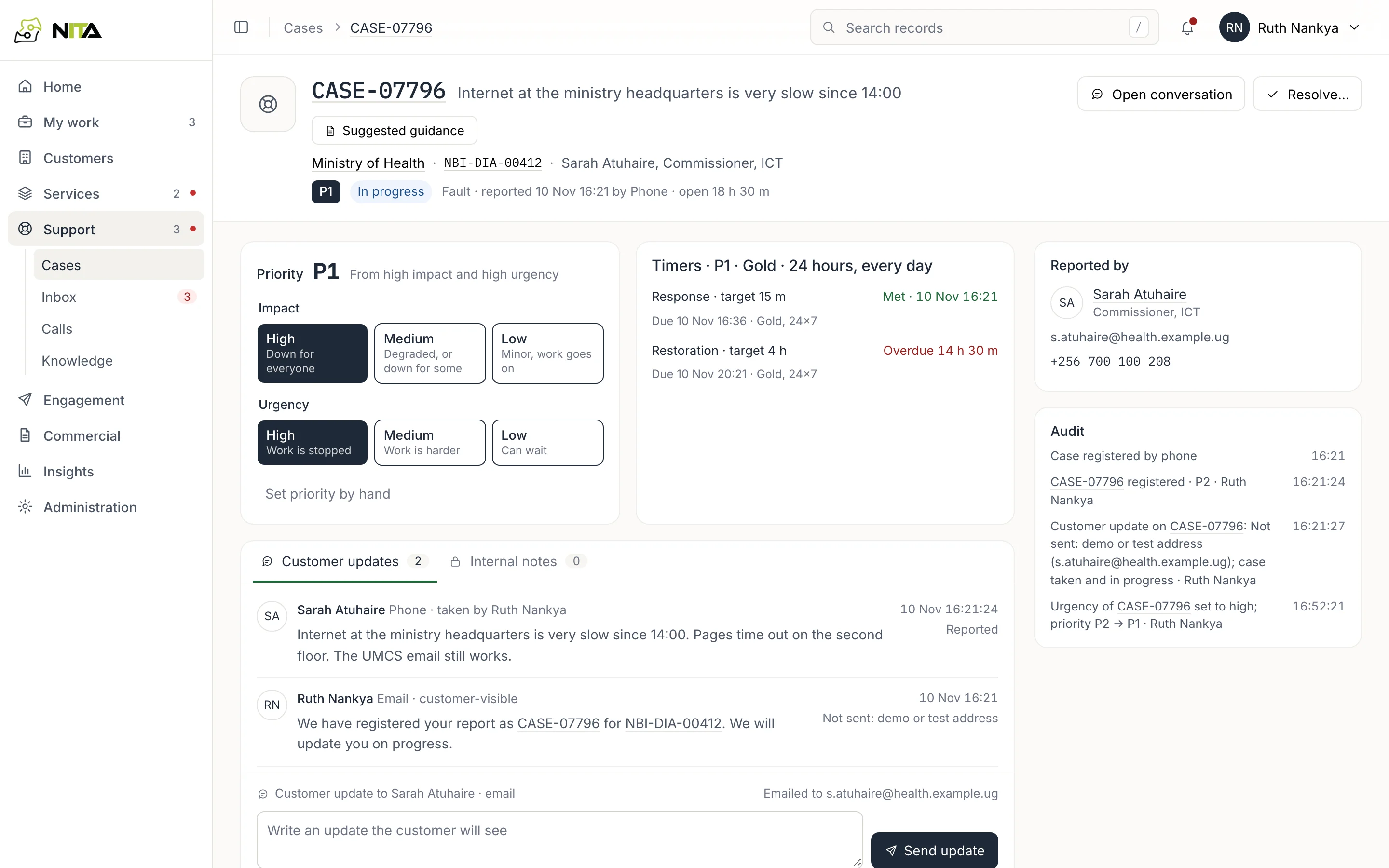
Fault cases
Log a fault against the customer's service. Priority comes from how many are affected and how urgent it is; response and restoration deadlines come from the service's SLA. Send the customer updates from the case, and escalate to the network team's incident system when needed.
- P1 to P4 priorities
- Deadlines in the service's working hours
- Updates by email or WhatsApp
Inbox and calls
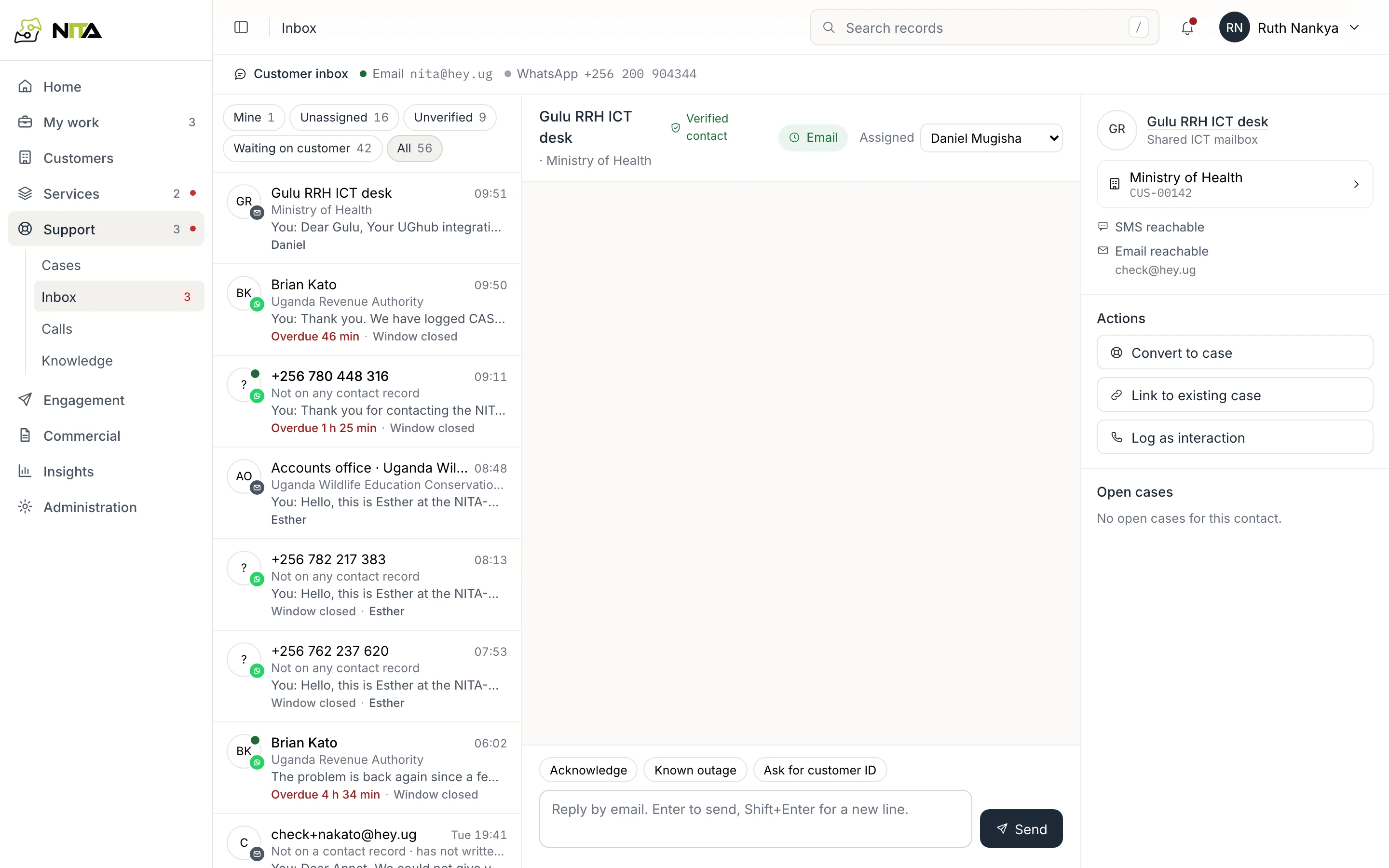
WhatsApp, email and calls
Customer messages on WhatsApp and email land in one inbox, matched to the contact who sent them. Reply, turn a message into a fault case, or call back on WhatsApp from the browser. Unknown numbers are confirmed before any service details are shared.
- Reply deadlines per channel
- Missed calls kept as callbacks
- Call history per contact
Commercial
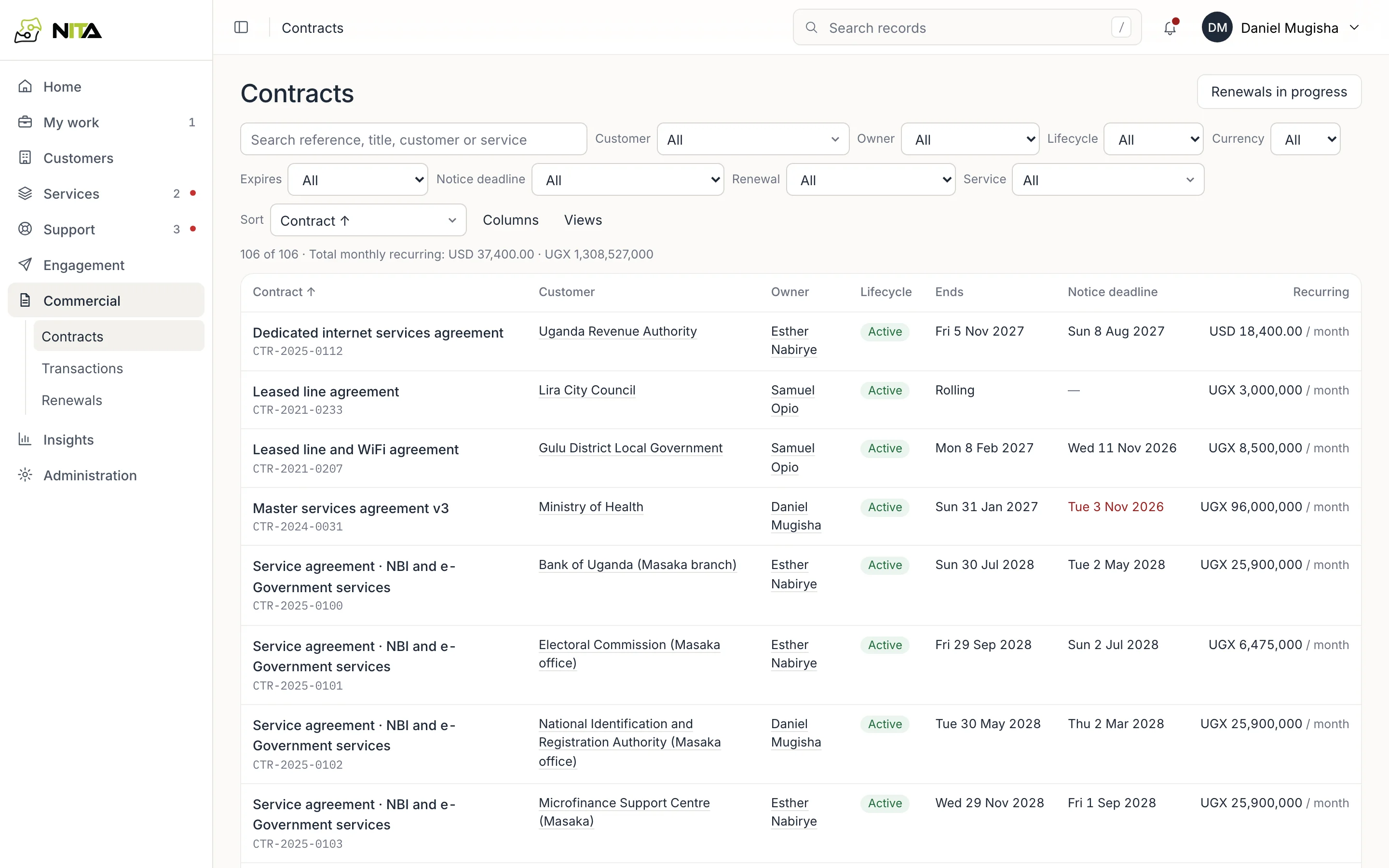
Contracts and renewals
Every contract with its term, notice deadline, charges and signed documents. See which contracts are coming up for notice, renew them through approval and signature, and send renewal reminders to the customer automatically.
- Filter by expiry and notice deadline
- Signed copies stored on the contract
- Invoices, payments and reminders
Engagement
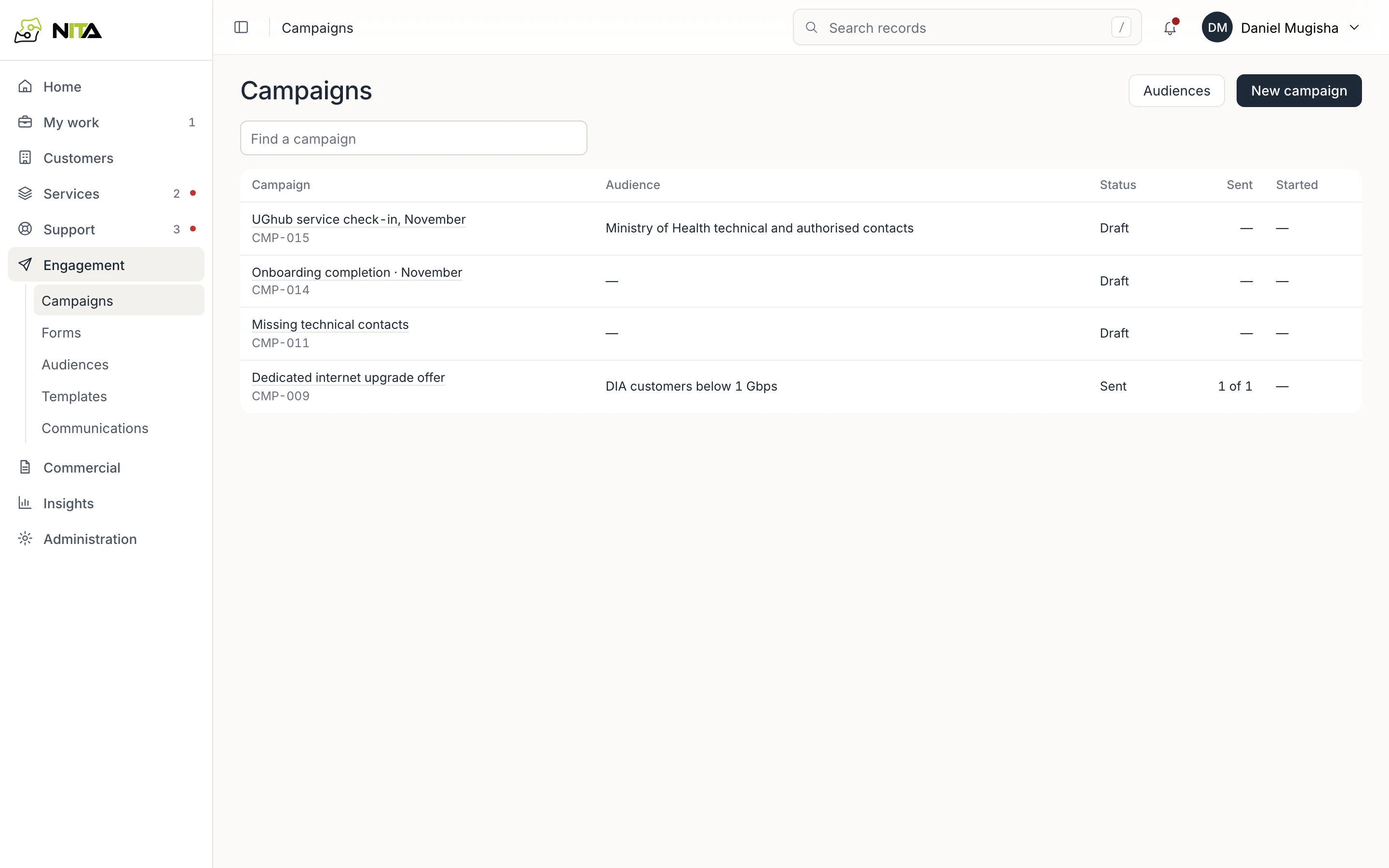
Notices and campaigns
Write customer messages from templates, pick the audience from customer and contact data, have a colleague review, and send. Contacts only receive what they consented to, on the channel they chose.
- Templates with versions
- Forms customers fill in online
- Delivery per recipient
Insights
Dashboards and reports
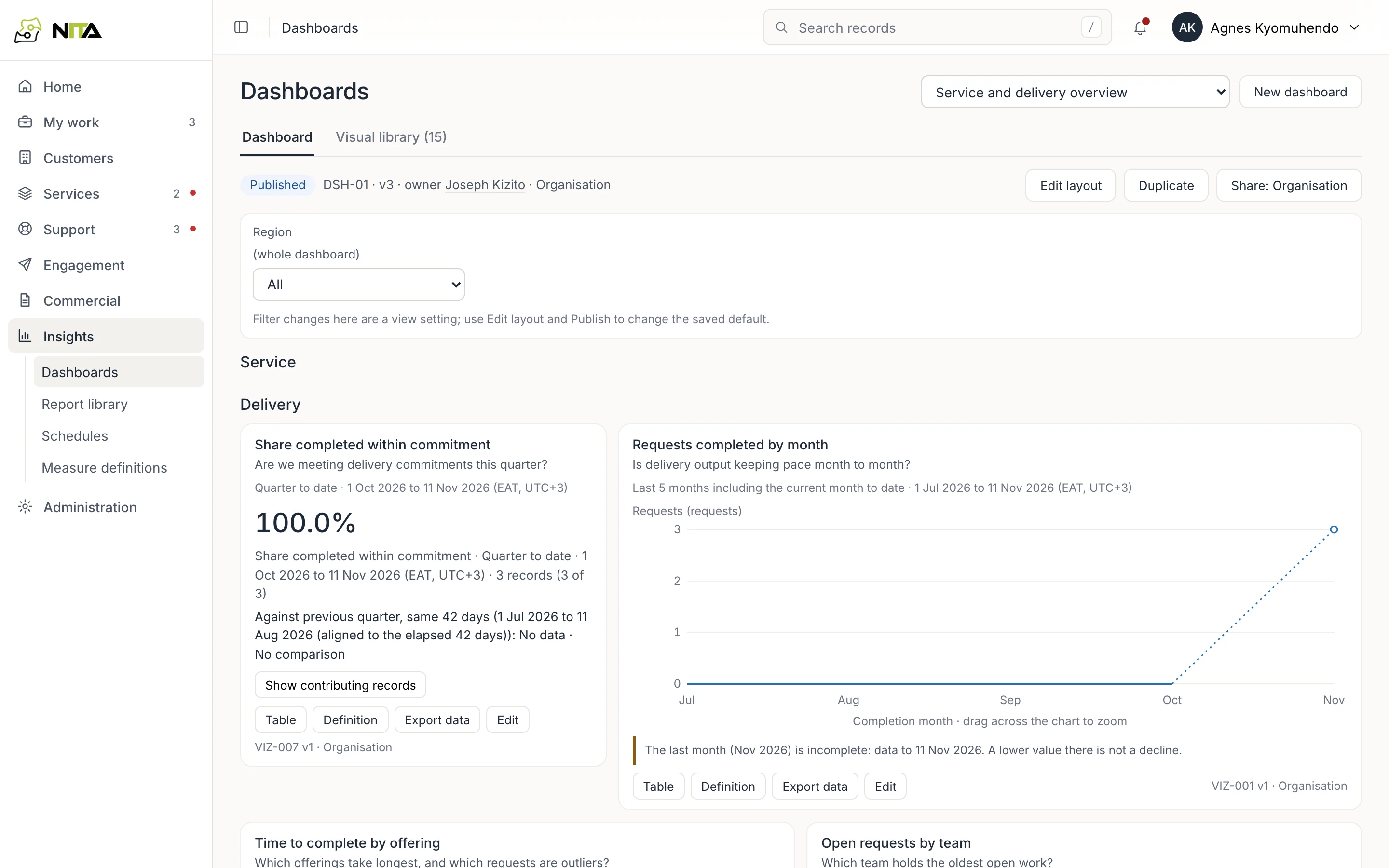
Dashboards and reports on delivery times, SLA performance and support workload. Click any number to see the requests, cases or services it counts, and schedule reports to arrive by email.
- Scheduled reports by email
- Export of the data behind each figure
- Region filter on dashboards
Administration
Set up your organisation
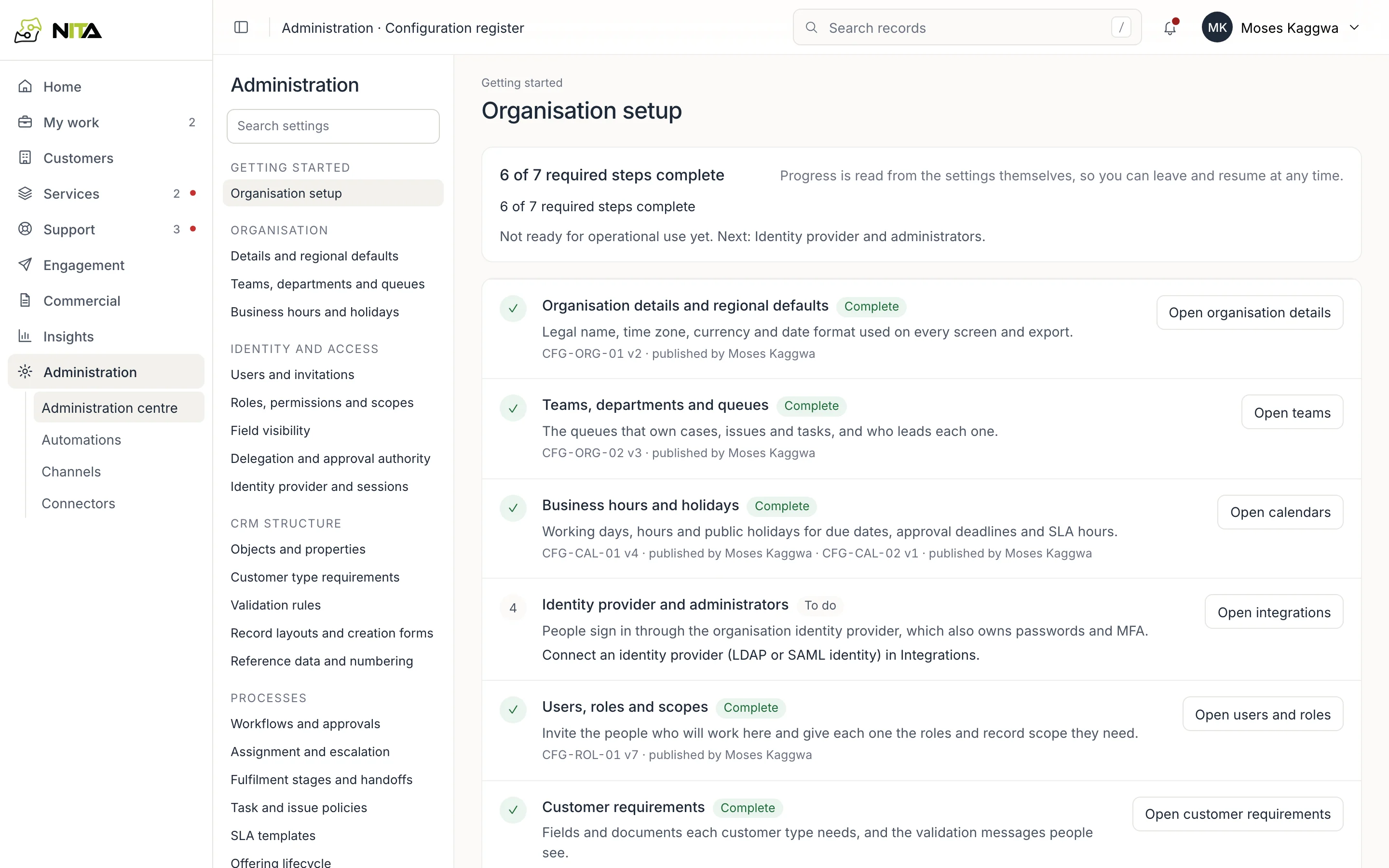
Set up teams and queues, working hours and public holidays, who can approve what and up to which limit, and automations such as renewal reminders. Connect OSS, BSS, your incident system, email and WhatsApp.
- Your name and logo
- Your service catalogue and SLA classes
- Working days and public holidays
Connects to
Your systems
OSS
Order references, circuits and activation dates.
BSS
Billing accounts, products, charges and billing start.
Incident system
Faults escalated with their incident reference.
Email and WhatsApp
Customer messages, notices and calls.
Sign-in
Your identity provider for staff accounts.
Your brand
Your name, logo, catalogue and SLA classes.