 CRM
Contracts
What you will learn
- Filtering contracts by expiry and notice deadline
- The contract record
- Contract documents
- Renewal: draft, approval, signature, successor contract
What you need
- An account manager sign-in
Commercial → Contracts.
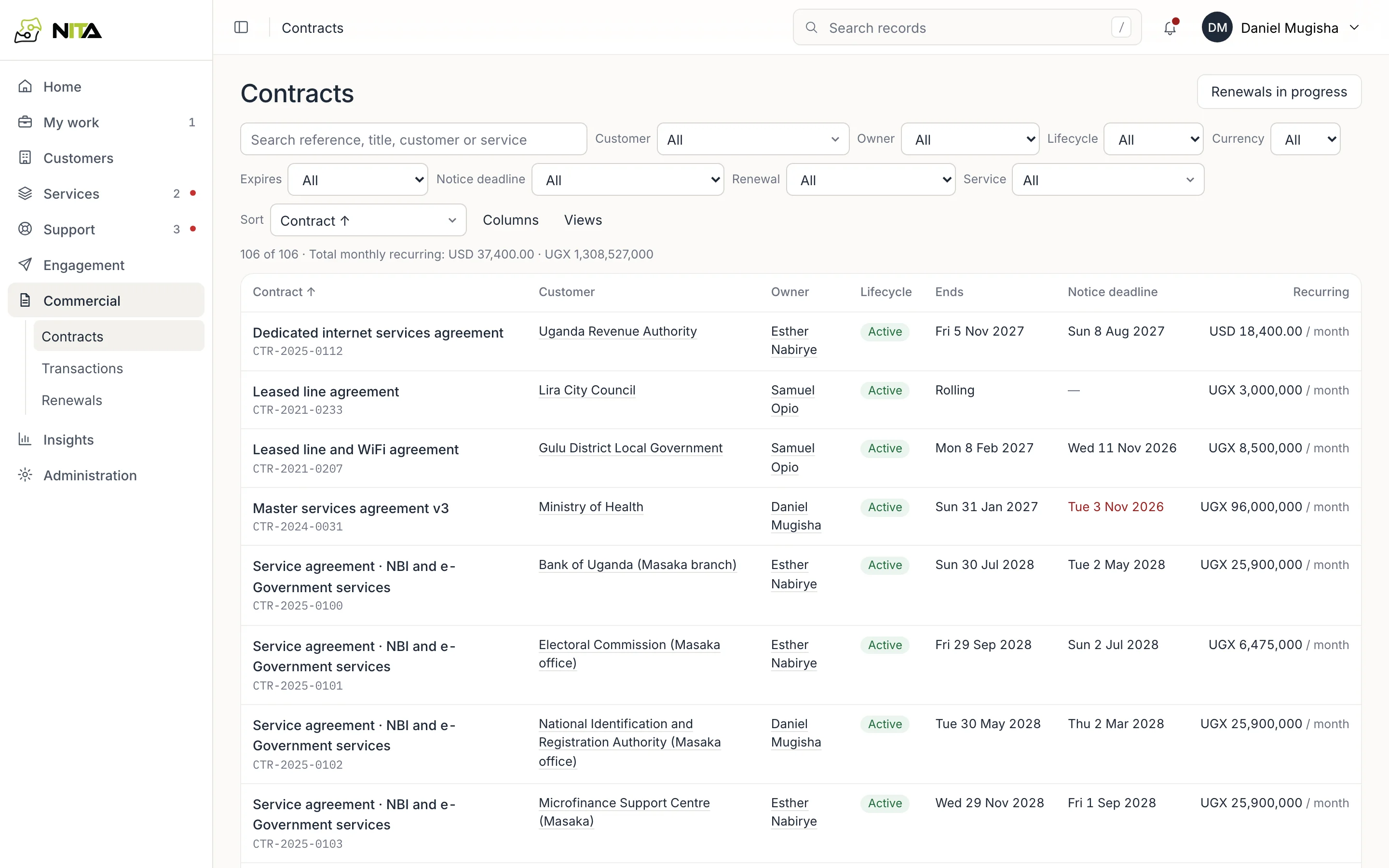
Columns: contract title and reference, customer, owner, lifecycle, end date, notice deadline and recurring charge. A notice deadline that has passed while the term continues is shown in red.
Filters: customer, owner, lifecycle, currency, Expires (within 90 days, within a year, already ended, rolling), Notice deadline (within 60 days, passed with the term not ended), Renewal (none started, in progress, renewed) and service. The total line gives monthly recurring charges per currency; currencies are not added together.
Renewals in progress opens Commercial → Renewals.
Contract record
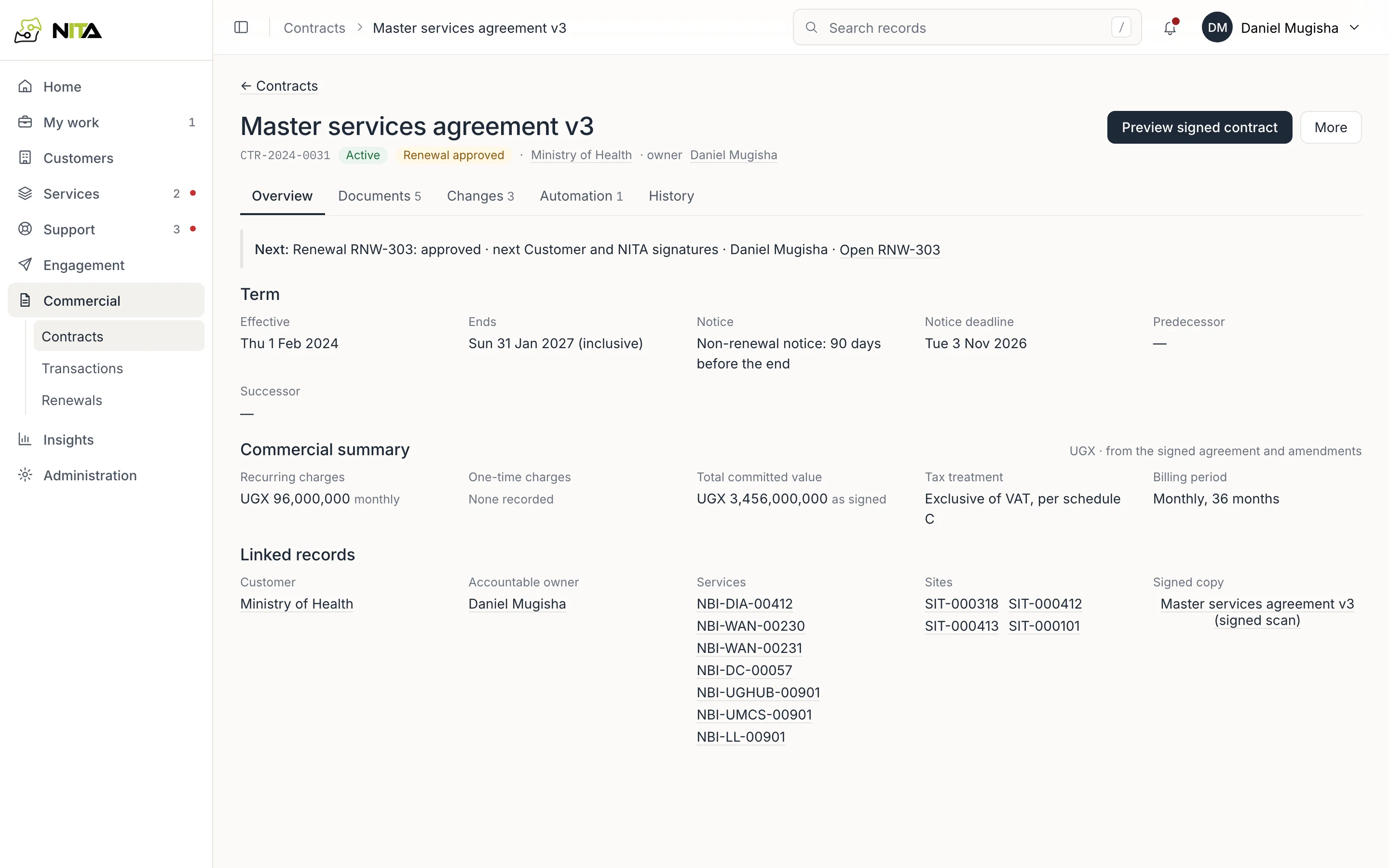
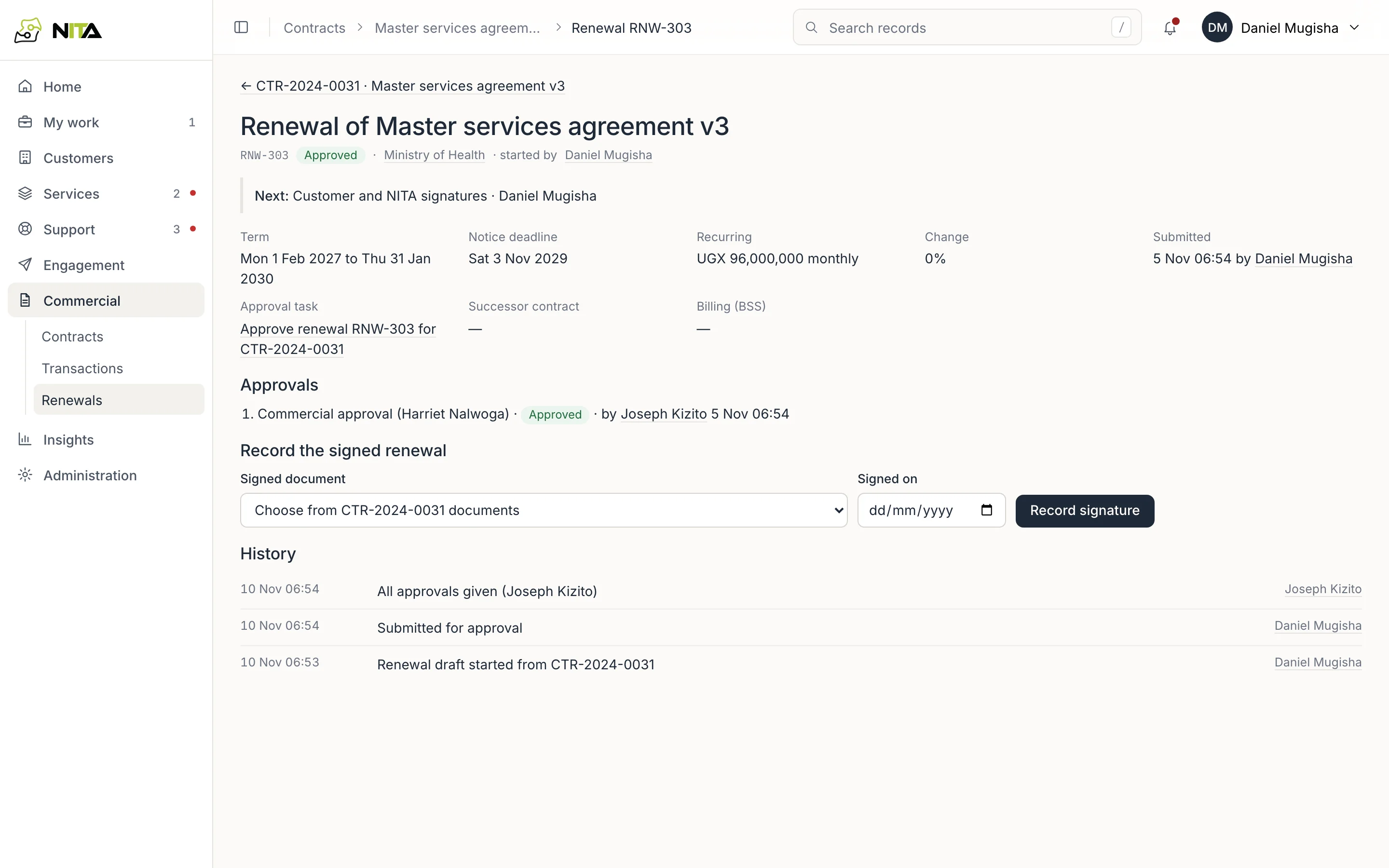
The header shows lifecycle and renewal state, customer and owner, and the next step, for example Renewal RNW-303: approved · next Customer and NITA signatures.
Overview:
- Term: effective date, end date, notice period and notice deadline, predecessor and successor contracts.
- Commercial summary: recurring and one-time charges, total committed value as signed, tax treatment and billing period, in the contract's currency. Pending amendments are excluded until signed.
- Linked records: customer, accountable owner, services, sites and the signed copy.
A new service whose billing start names this contract is added to its services when finance approves the billing start.
Other tabs: Documents, Changes (amendments and corrections), Automation (rules that act on this contract, such as the renewal reminder) and History.
Documents
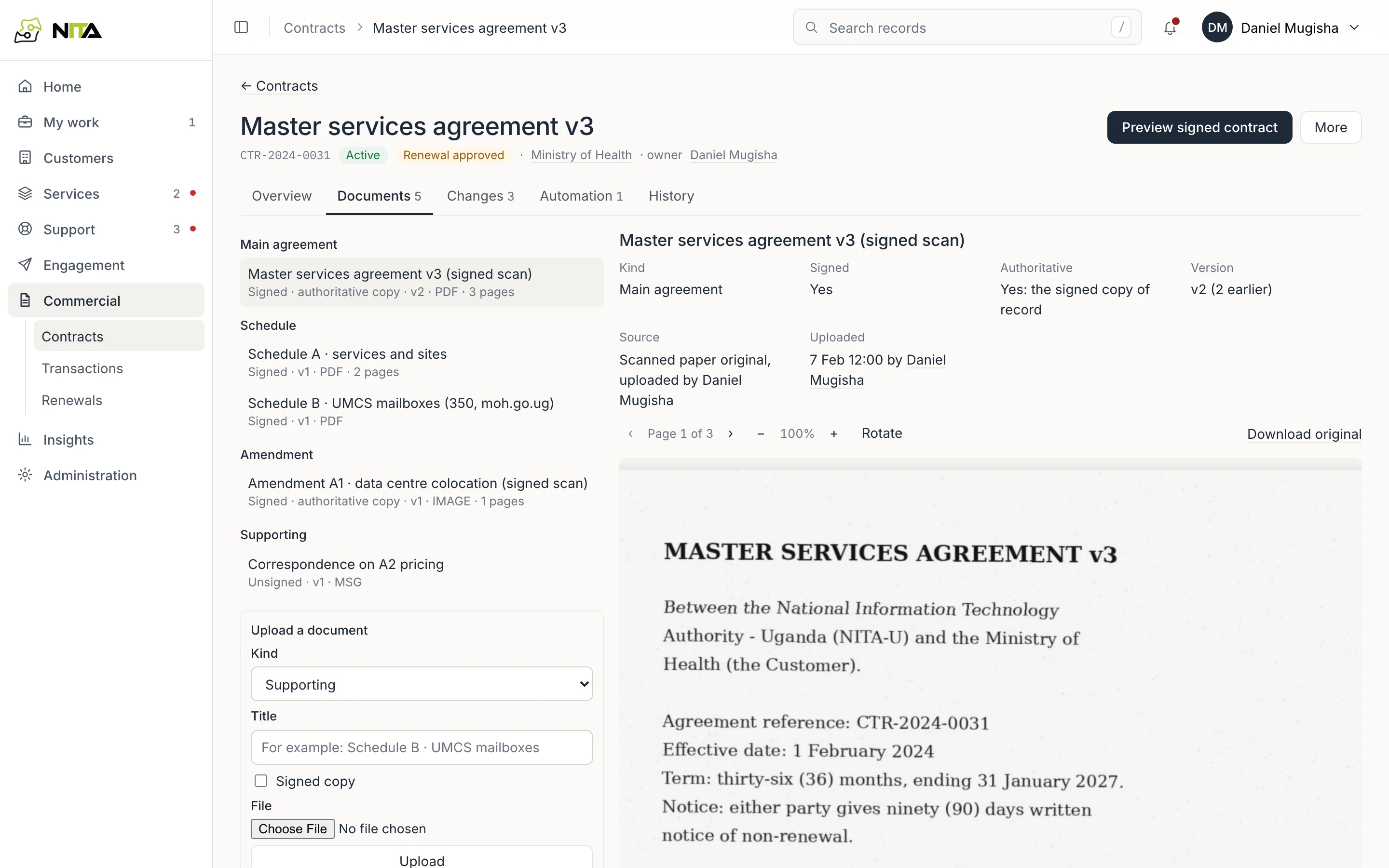
Documents are grouped as main agreement, schedules, amendments and supporting. Each shows whether it is signed, whether it is the authoritative copy, version, source and uploader. PDFs and images open in the viewer with page, zoom and rotate controls, and Download original.
Upload a document: kind, title, signed copy (yes or no) and the file. Files are checked before they are stored.
Renewals
Commercial → Renewals lists renewals with contract, customer, state (Draft, Awaiting approval, Approved, Signed, Effective, Withdrawn), next step and last change.
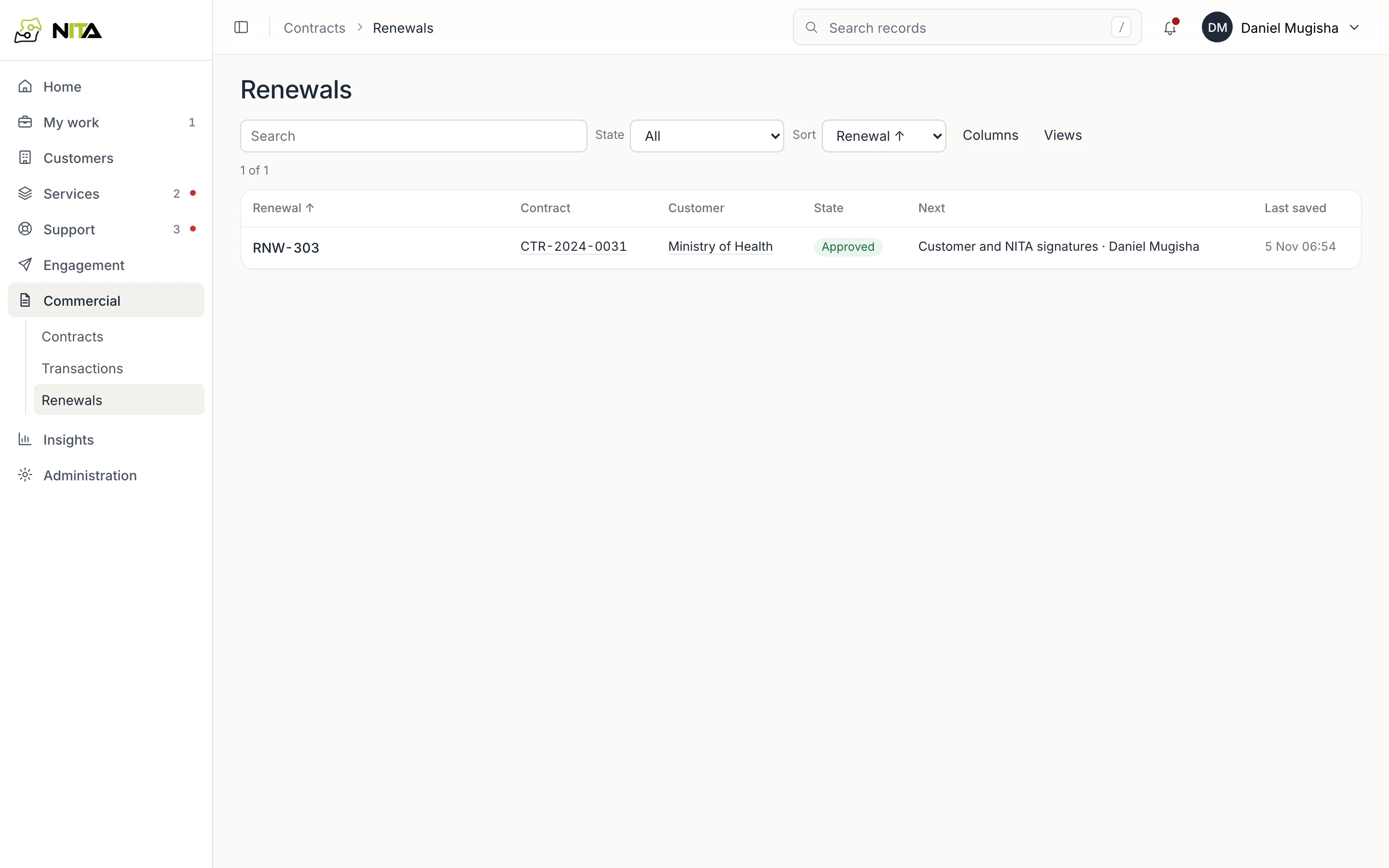
A renewal records the new term, notice deadline, recurring charge and change against the current contract, and its approvals.
- The account manager starts the renewal from the contract and submits it for approval.
- Commercial approval is given by a person whose authority covers it (see Approvals).
- When both parties have signed, upload the signed copy to the contract's Documents, then on the renewal choose it under Signed document, enter Signed on and Record signature.
- Recording the signature creates the successor contract with the signed copy as its main agreement, and prepares the BSS charge change for finance.
The Contract renewal reminder automation emails the customer's authorised contacts before the expiry date; see Organisation configuration.