 CRM
Loft CRM
CRM for network operators
Take requests for new services, deliver them through OSS and BSS, handle outages and faults, and report SLAs to your customers.
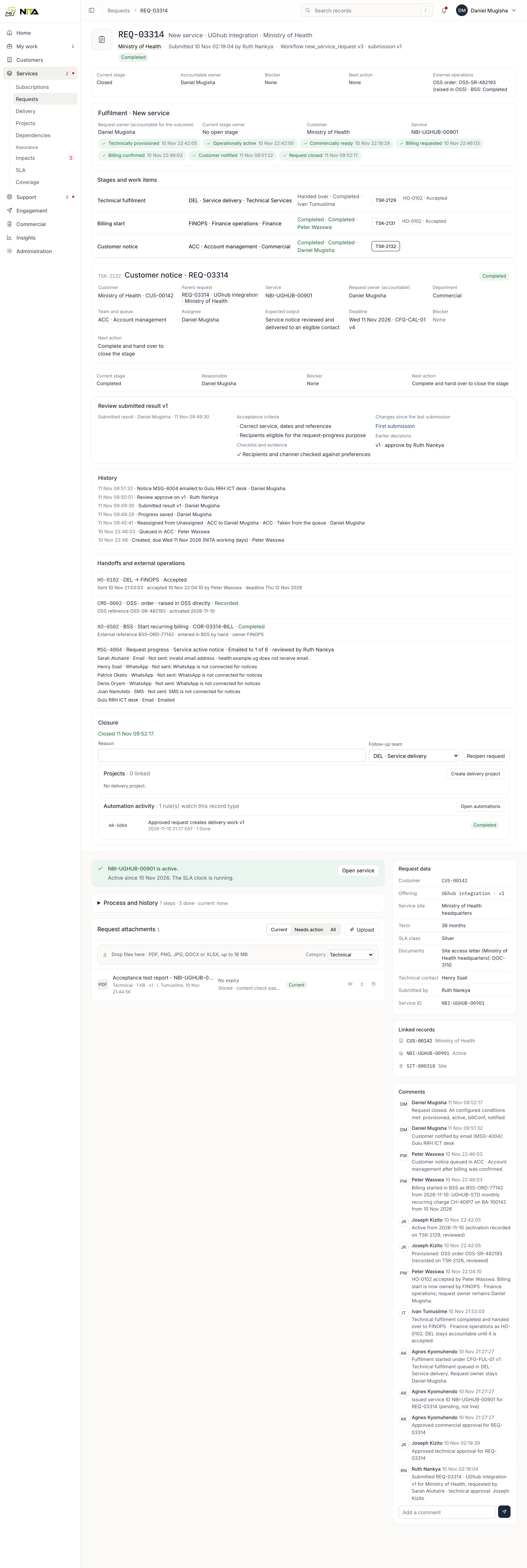
A new service
From request to monthly statement
Sales, engineering, finance and support each see the requests waiting on them.
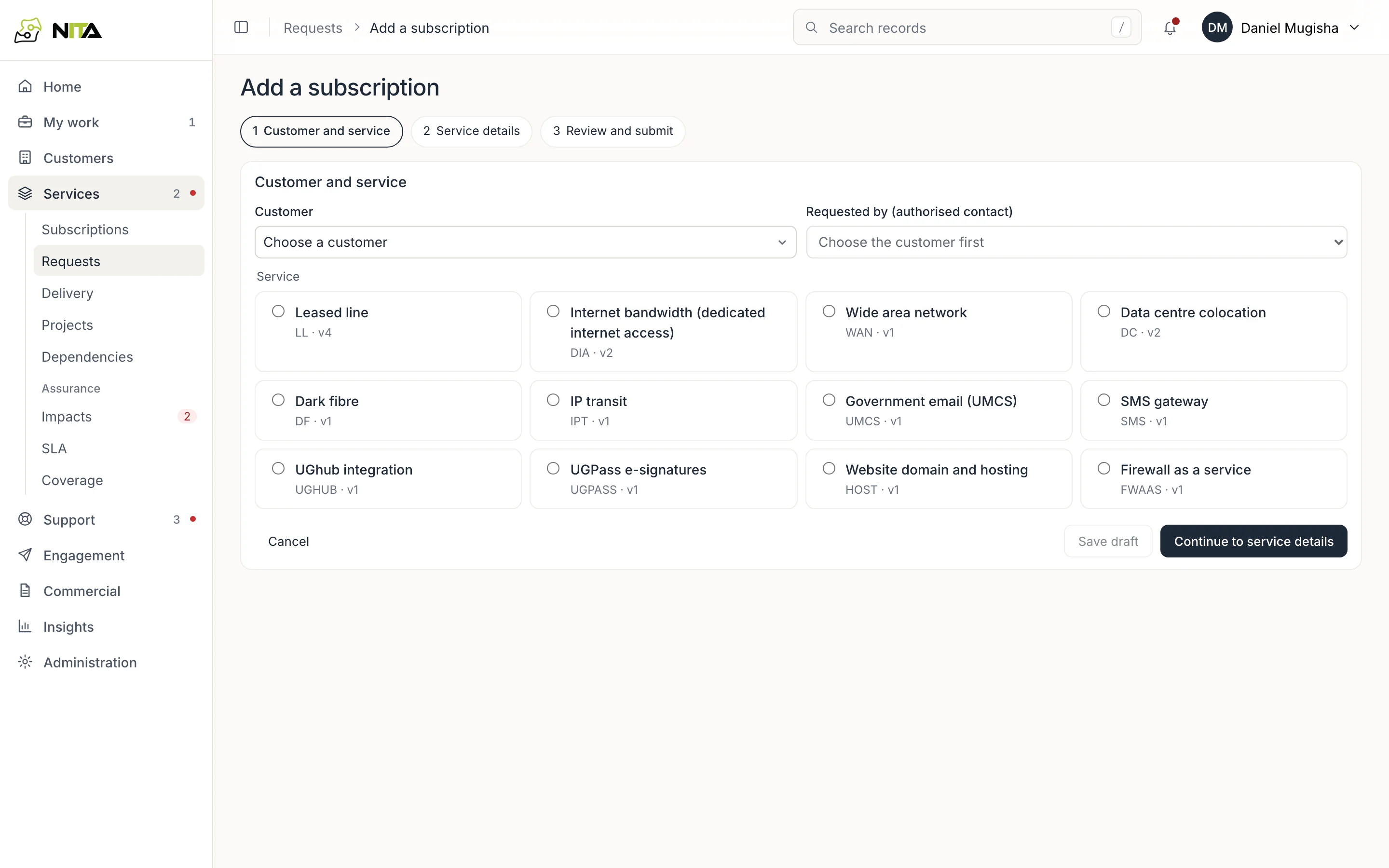
Raise the request
The account manager enters the customer, service, site, term and SLA class, and attaches the documents the service needs.
- Services from your catalogue
- Missing documents flagged before submitting
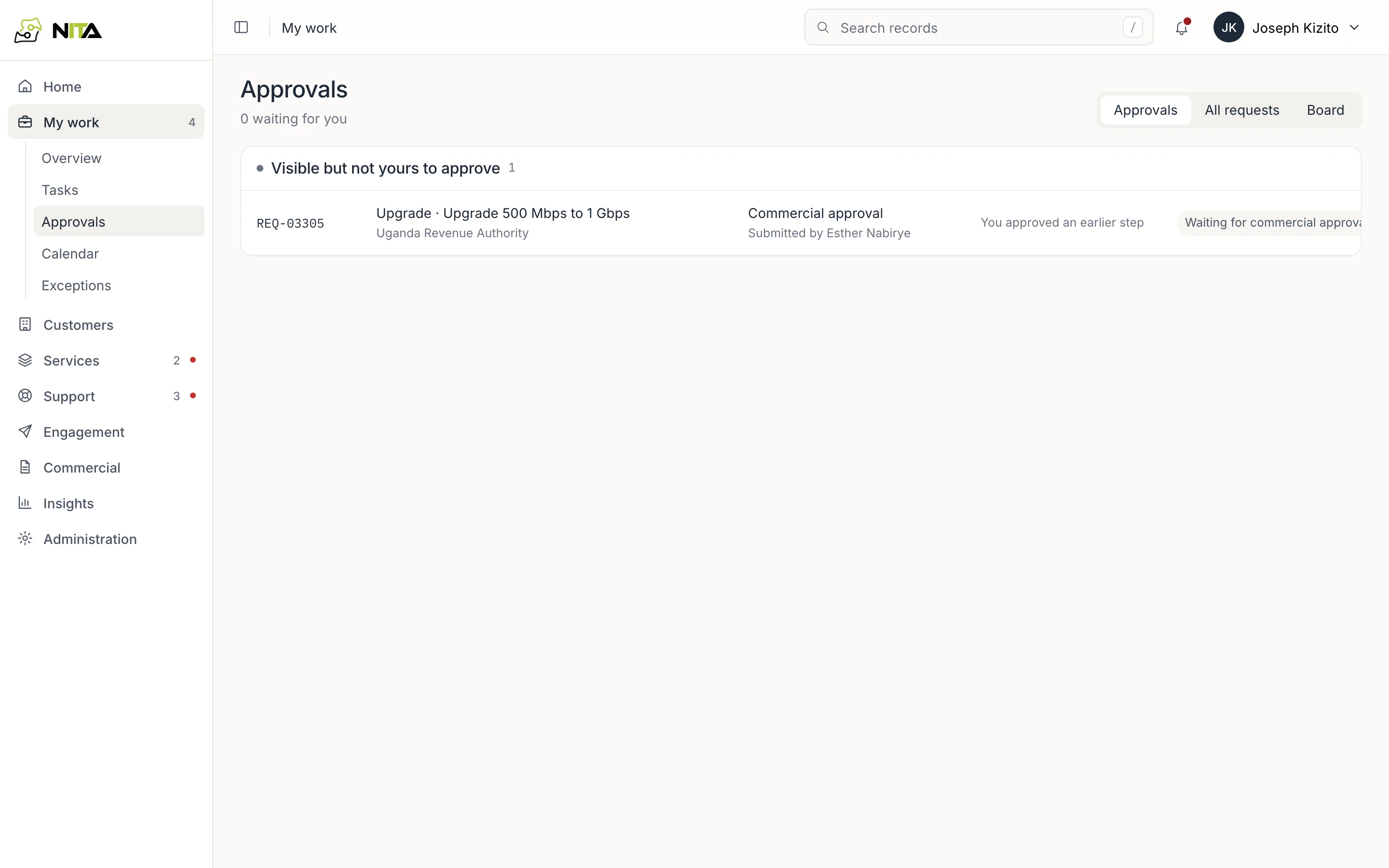
Approve it
Technical and commercial approval go to people allowed to approve that request, skipping anyone on leave.
- Approval limits you set
- Nobody approves their own work
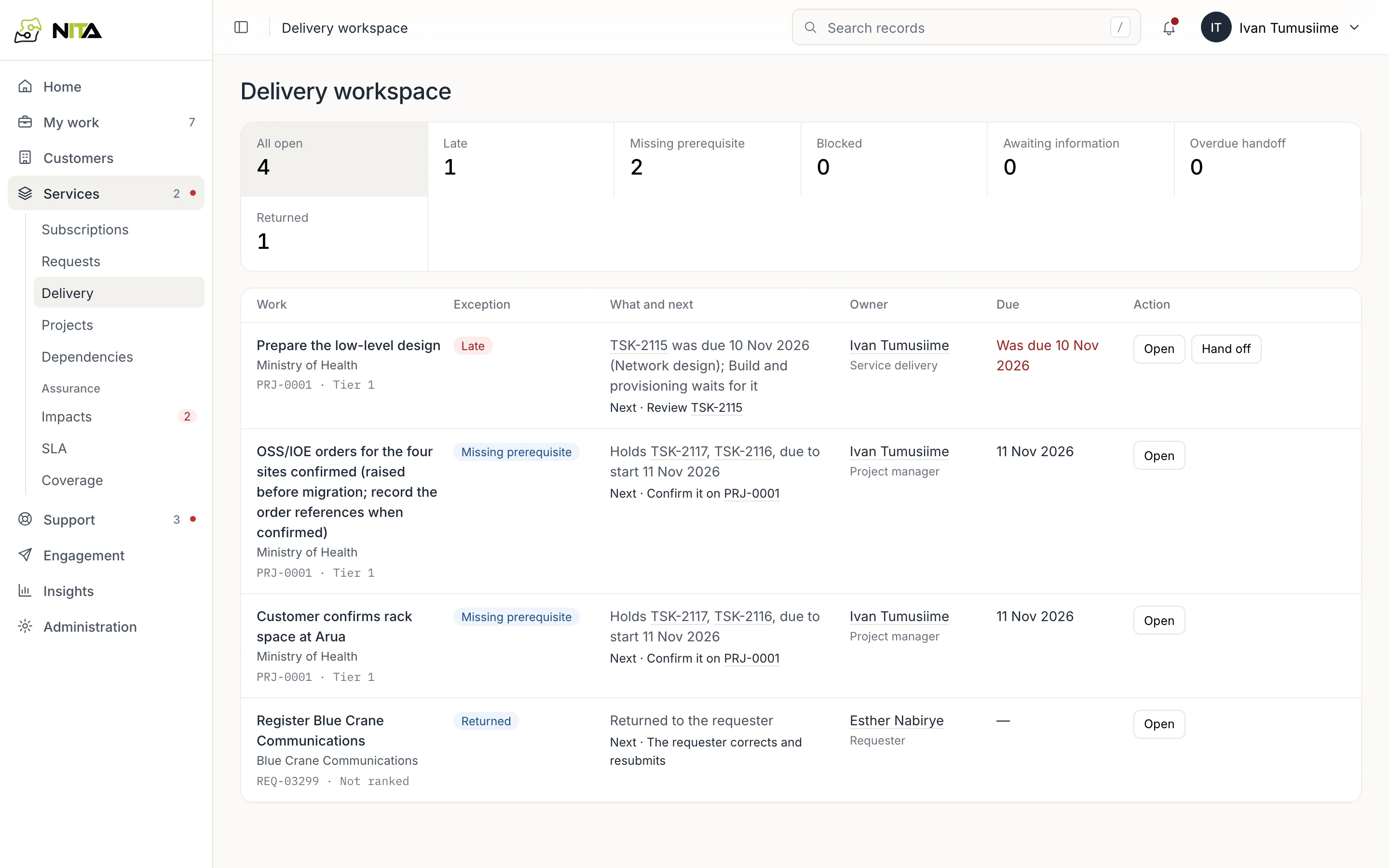
Provision it
Service delivery provisions in OSS and records the order reference, circuit, activation date and test result, with the acceptance report.
- Work waiting on other teams shown as blocked
- A second engineer reviews the result
Start billing
Finance receives the request with the BSS account, product, contract and start date already filled in, checks them and records the BSS reference.
- Billing starts from the activation date
- The service is added to its contract
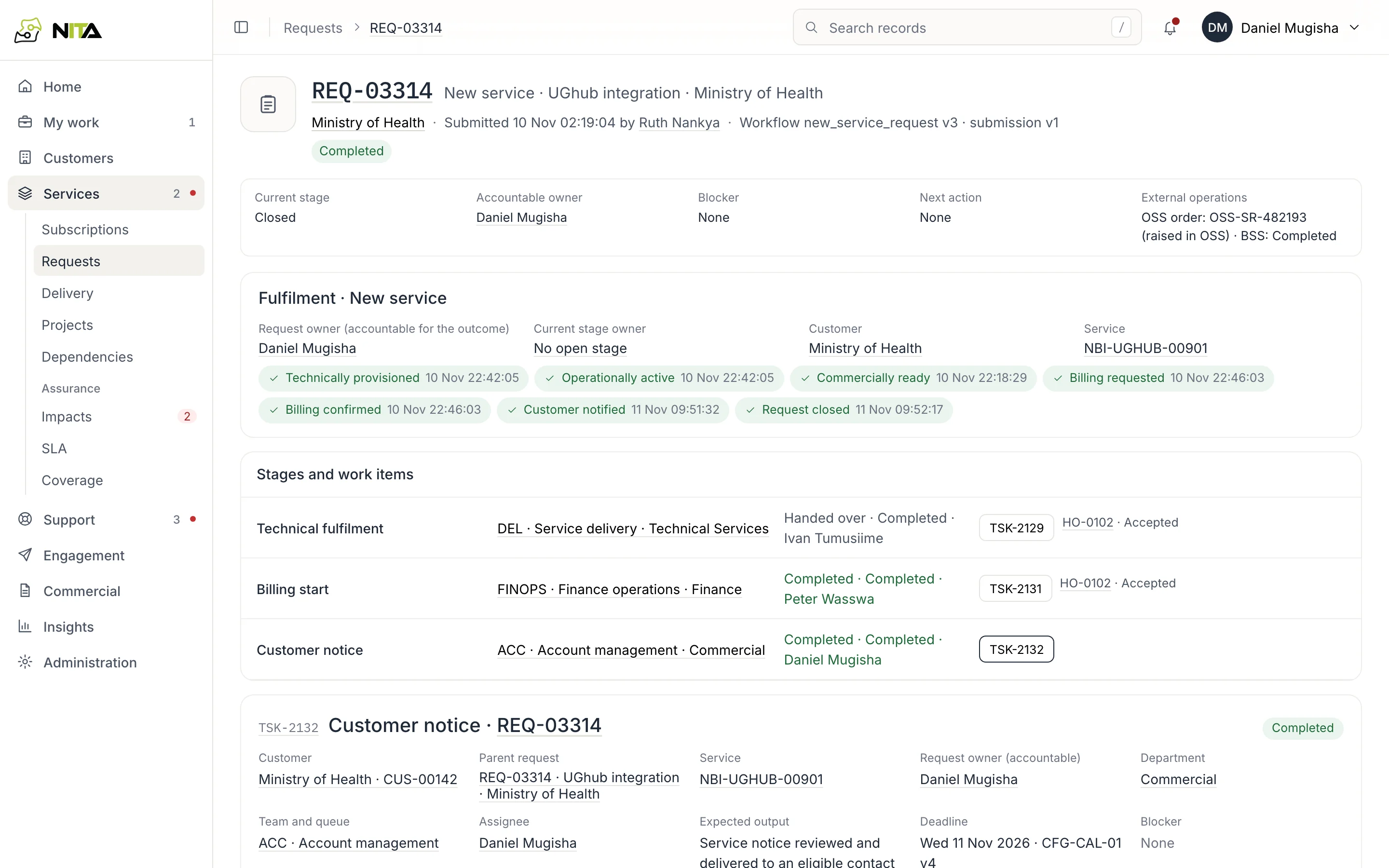
Tell the customer
The customer's technical and authorised contacts are told the service is live, by email, after a colleague checks the notice.
- Delivery shown per recipient
- The request closes once the customer is told
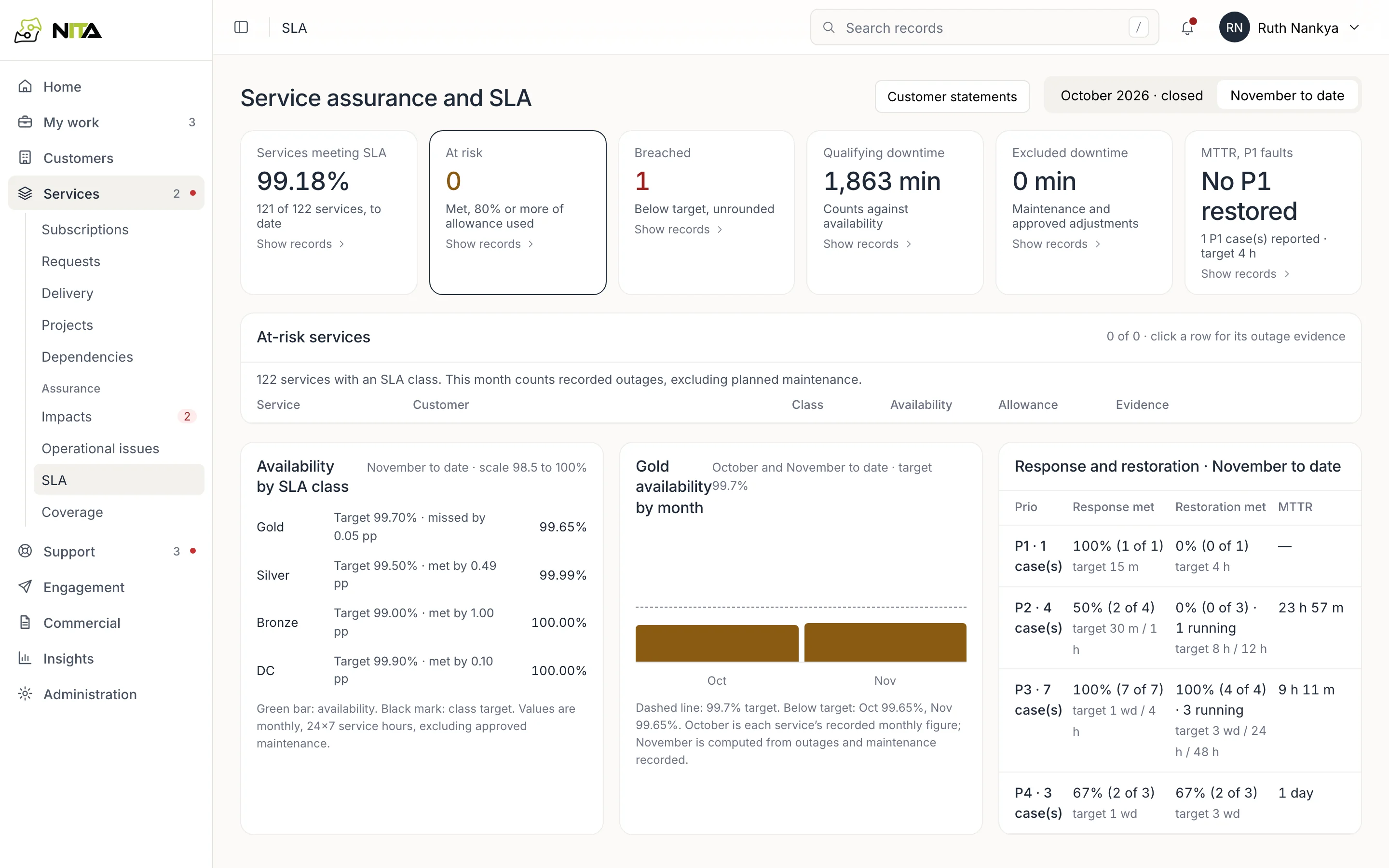
Run the service
From activation, outages and faults count against the service's SLA, and the customer receives a monthly statement.
- Availability per service
- Renewal reminders before the notice date
Product
What you can do
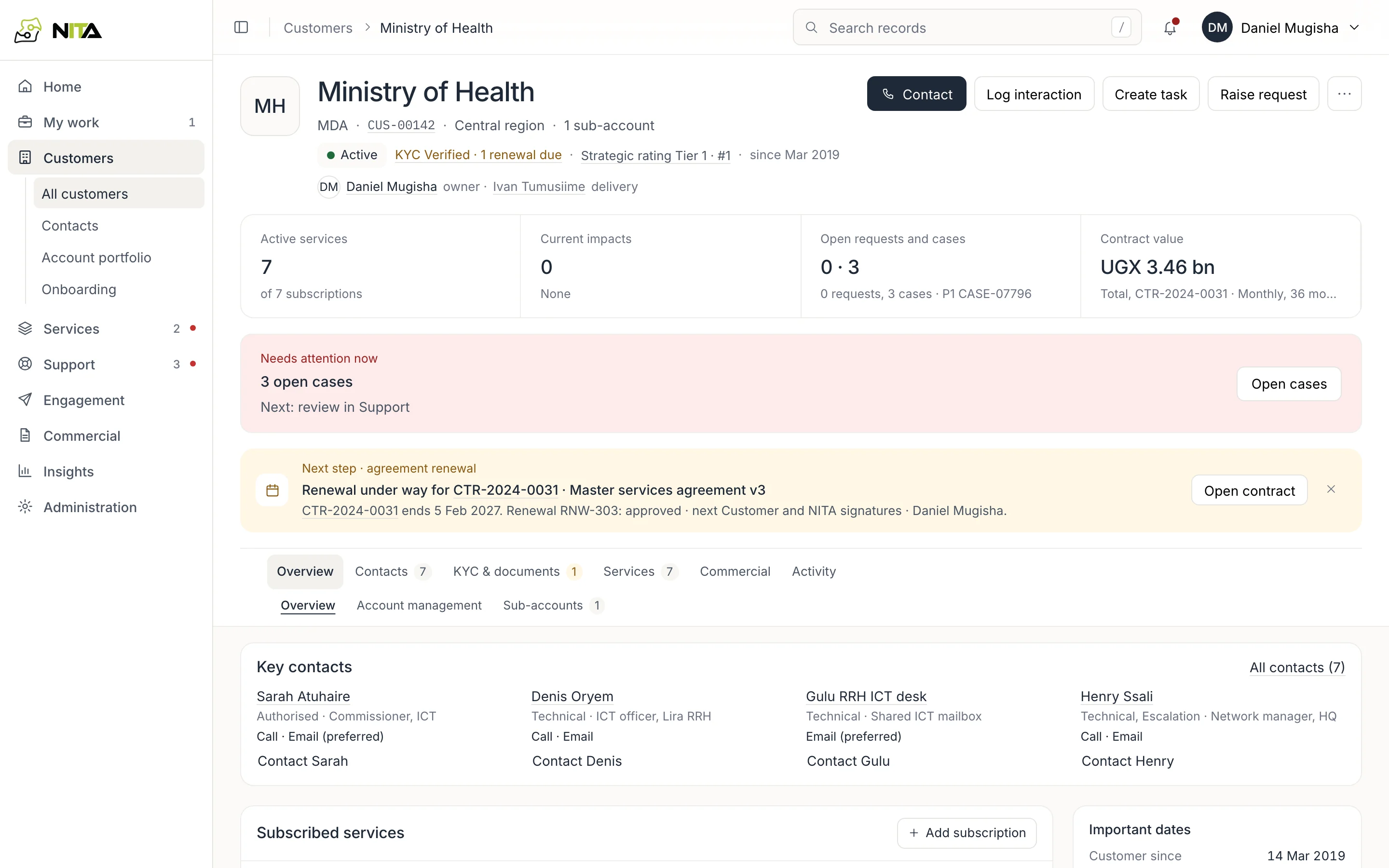
Customers
One page per customer: services, sites, contacts, contracts, open faults and requests.

Service requests
Raise a request for a new service, approve it, provision it, start billing and tell the customer.
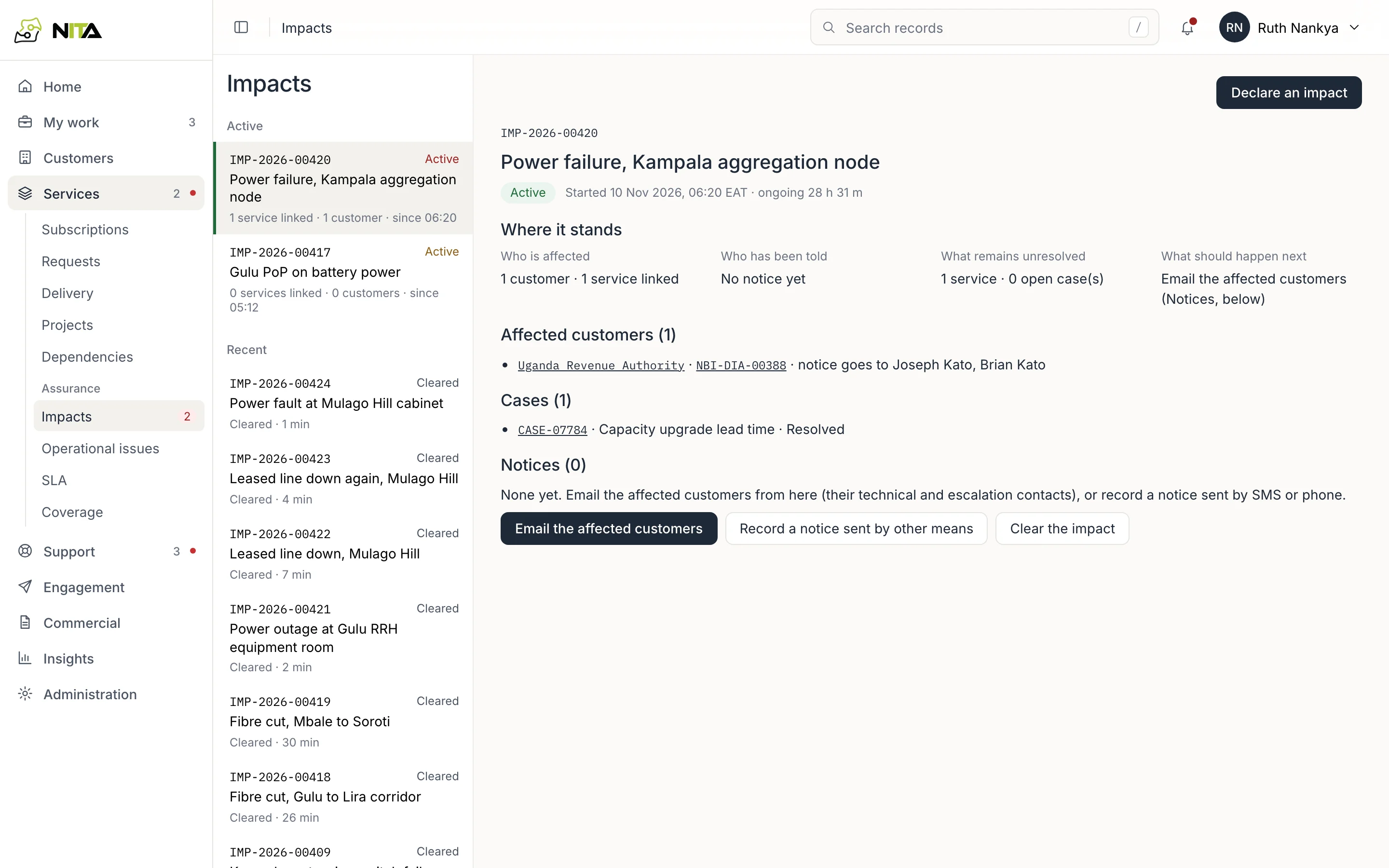
Outages
Declare an outage, see which customers it hits, and notify their technical contacts.

SLA reporting
Availability per service and customer from recorded outages, and monthly statements.
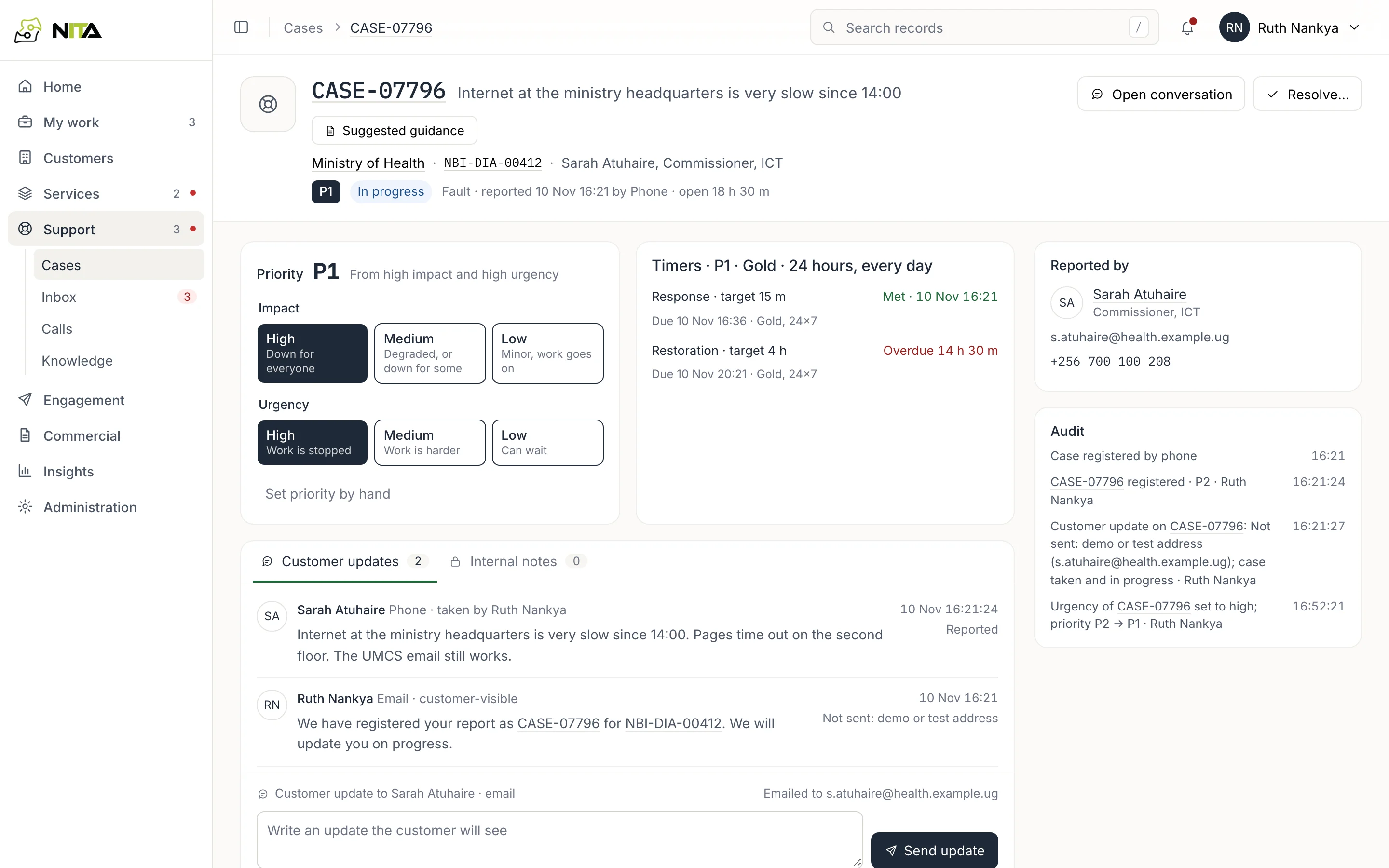
Fault cases
Log faults from any channel and work them against response and restore times.
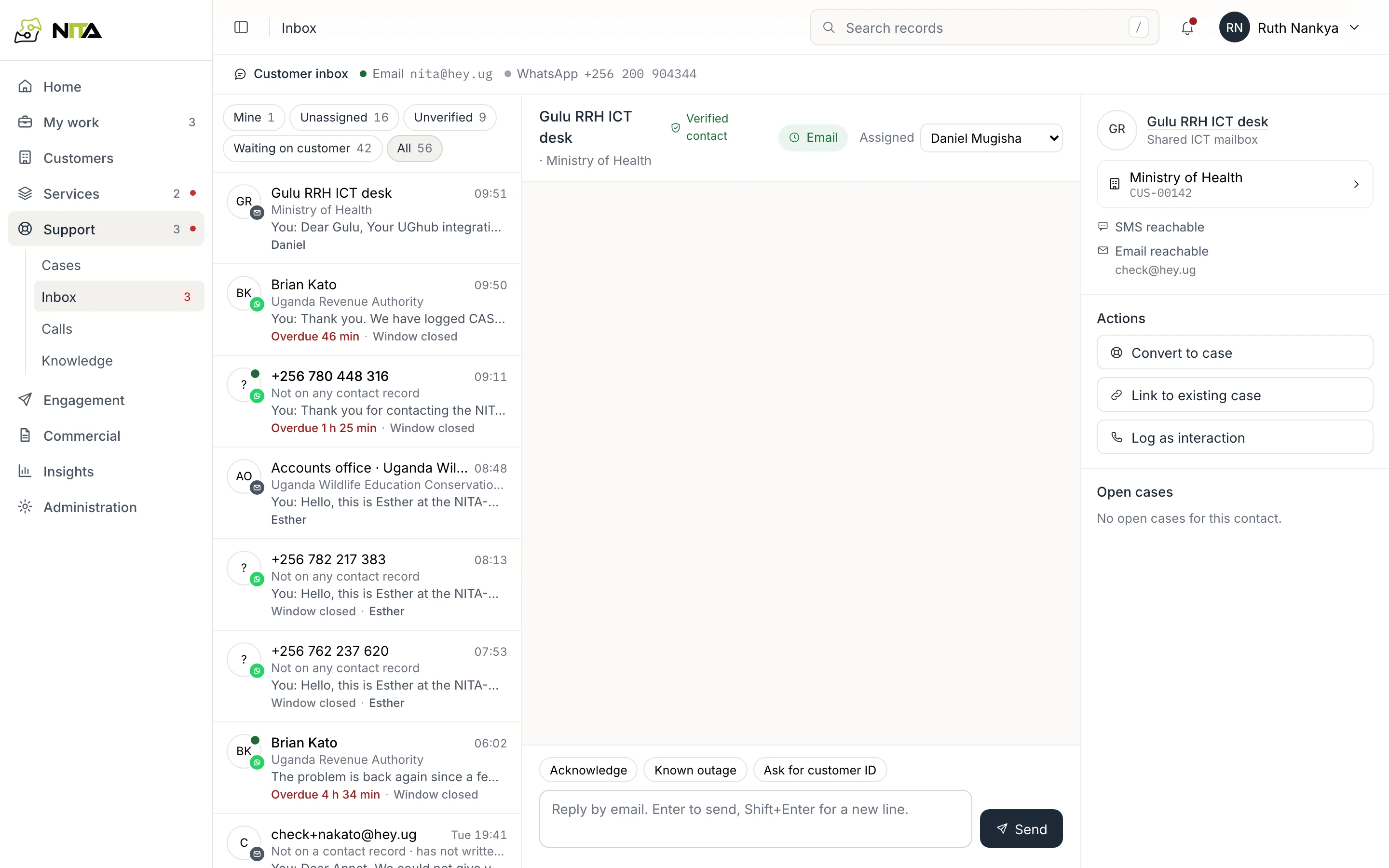
WhatsApp, email and calls
Answer WhatsApp, email and calls in one place, linked to the customer.
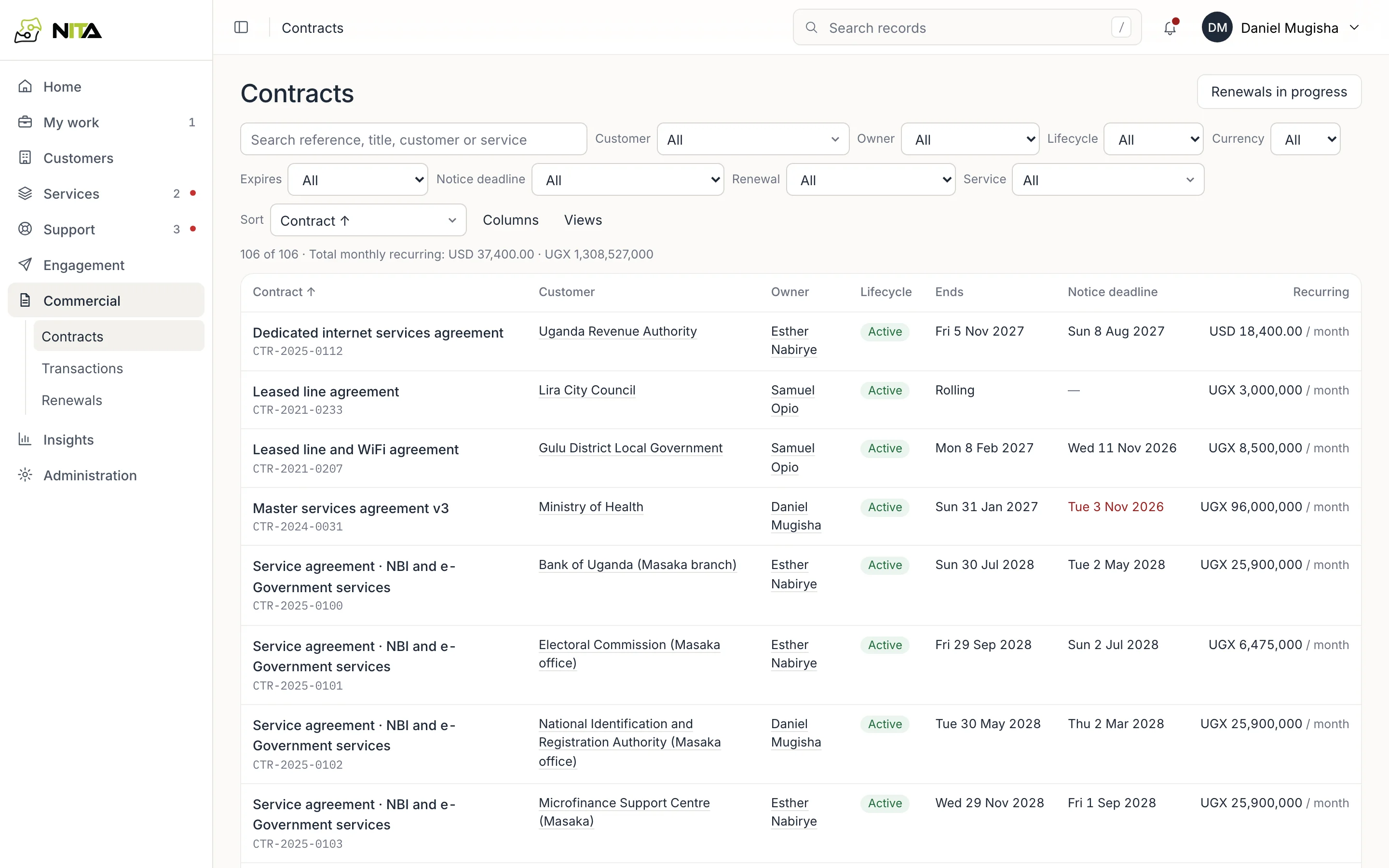
Contracts and renewals
Contracts, notice dates and renewals for every customer.
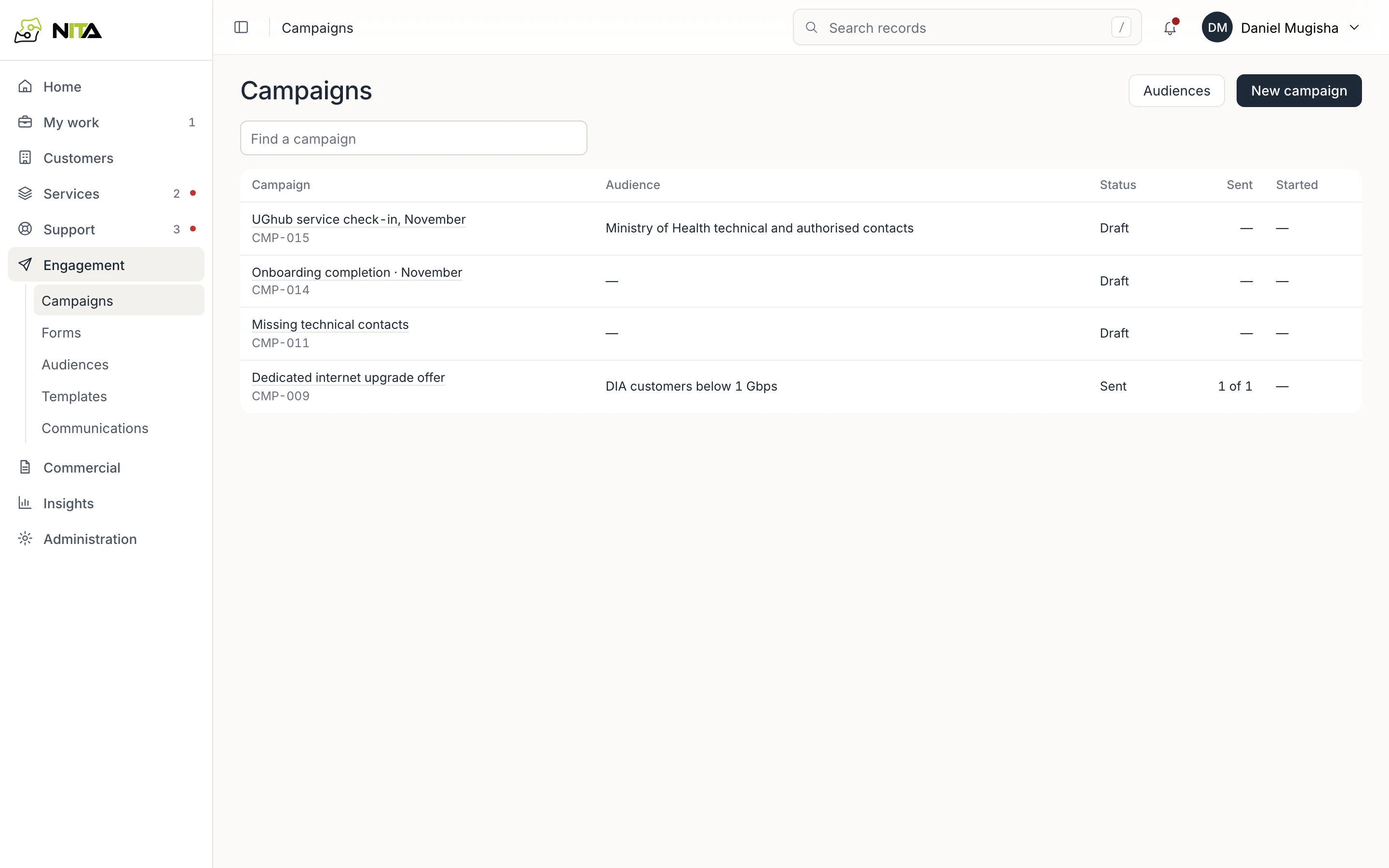
Notices and campaigns
Send notices and campaigns to the right contacts, on the channel they agreed to.
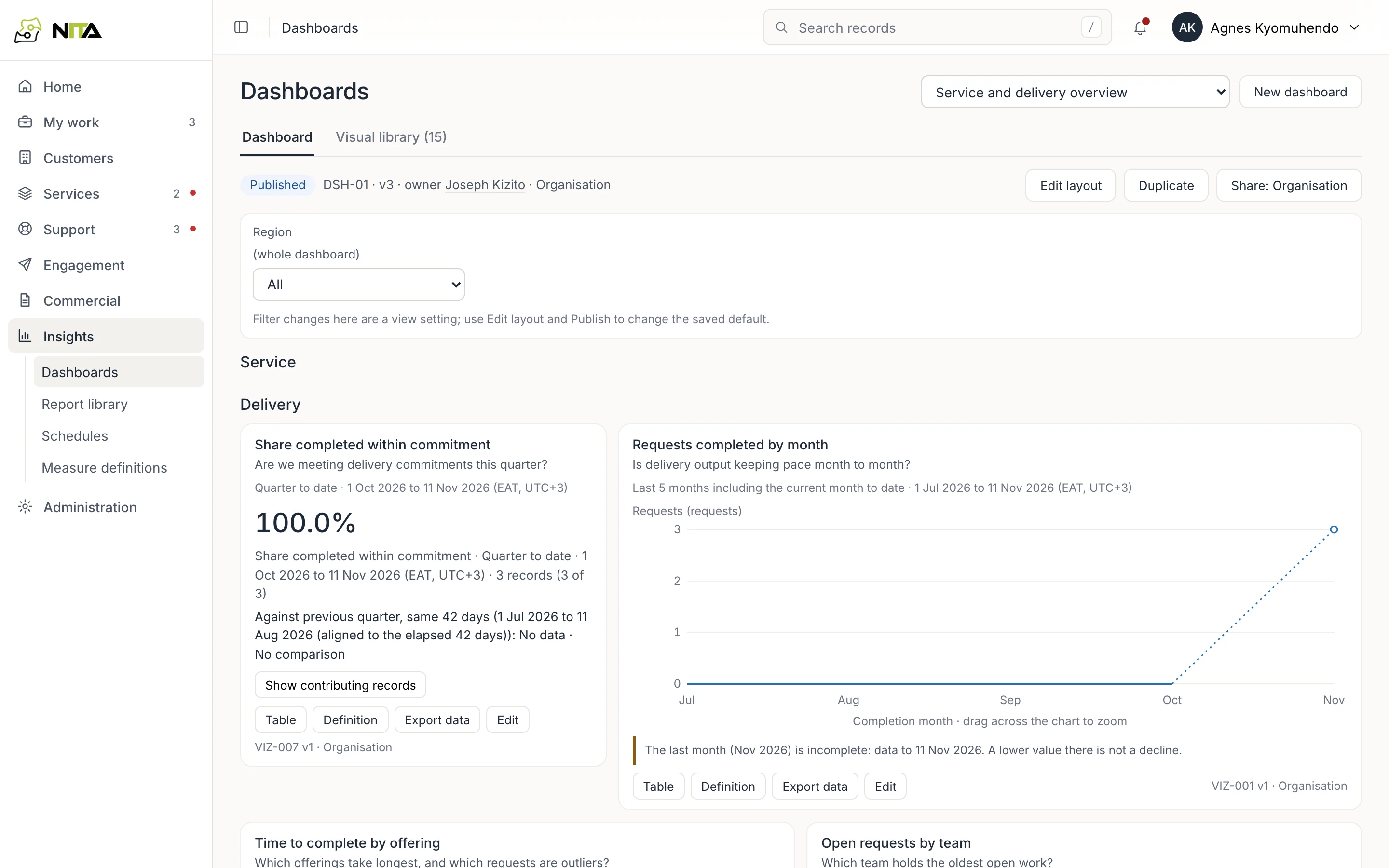
Dashboards and reports
Delivery, SLA and support figures, with the records behind each number.
Guides
Guides for each team
Each guide walks through one task in the product, with screenshots and short videos.
Product tour
Home, search, record headers and the workspaces.
My work and tasks
What waits for you, your team's tasks as a list, board or calendar, a task record, and exceptions to clear.
Customer records
The customer header, contacts and consent, services, KYC documents and key dates.
Demo workspace
A national backbone operator's customers, services, requests and faults. Sign in as an agent, account manager, engineer, approver, finance, management or administrator.