 CRM
My work
What you will learn
- Reading My work
- Finding tasks with views and filters
- Working a task
- The work calendar
- Clearing exceptions
What you need
- Any sign-in; this guide uses Service delivery
My work → Overview.
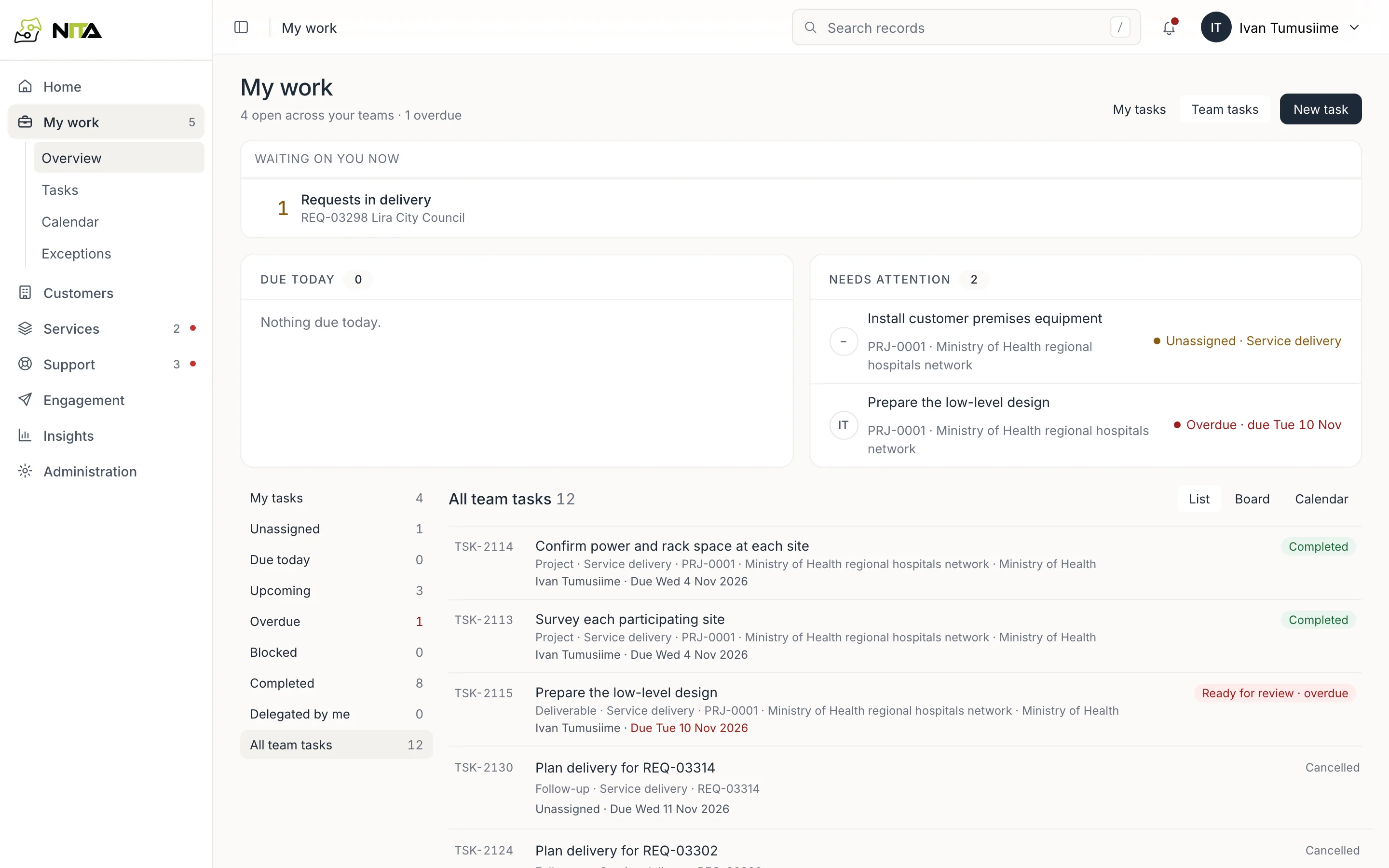
- Waiting on you now: requests, approvals and reviews that need your role, with a count and the first records.
- Due today and Needs attention: your tasks that are due, overdue, blocked or unassigned in your team's queue.
- The side list counts your tasks by state: mine, unassigned, due today, upcoming, overdue, blocked, completed, delegated by me.
- All team tasks lists every task in your teams, as a list, board or calendar.
My tasks and Team tasks switch the scope. New task creates a task with a team, assignee and due date in working days.
Tasks
My work → Tasks.
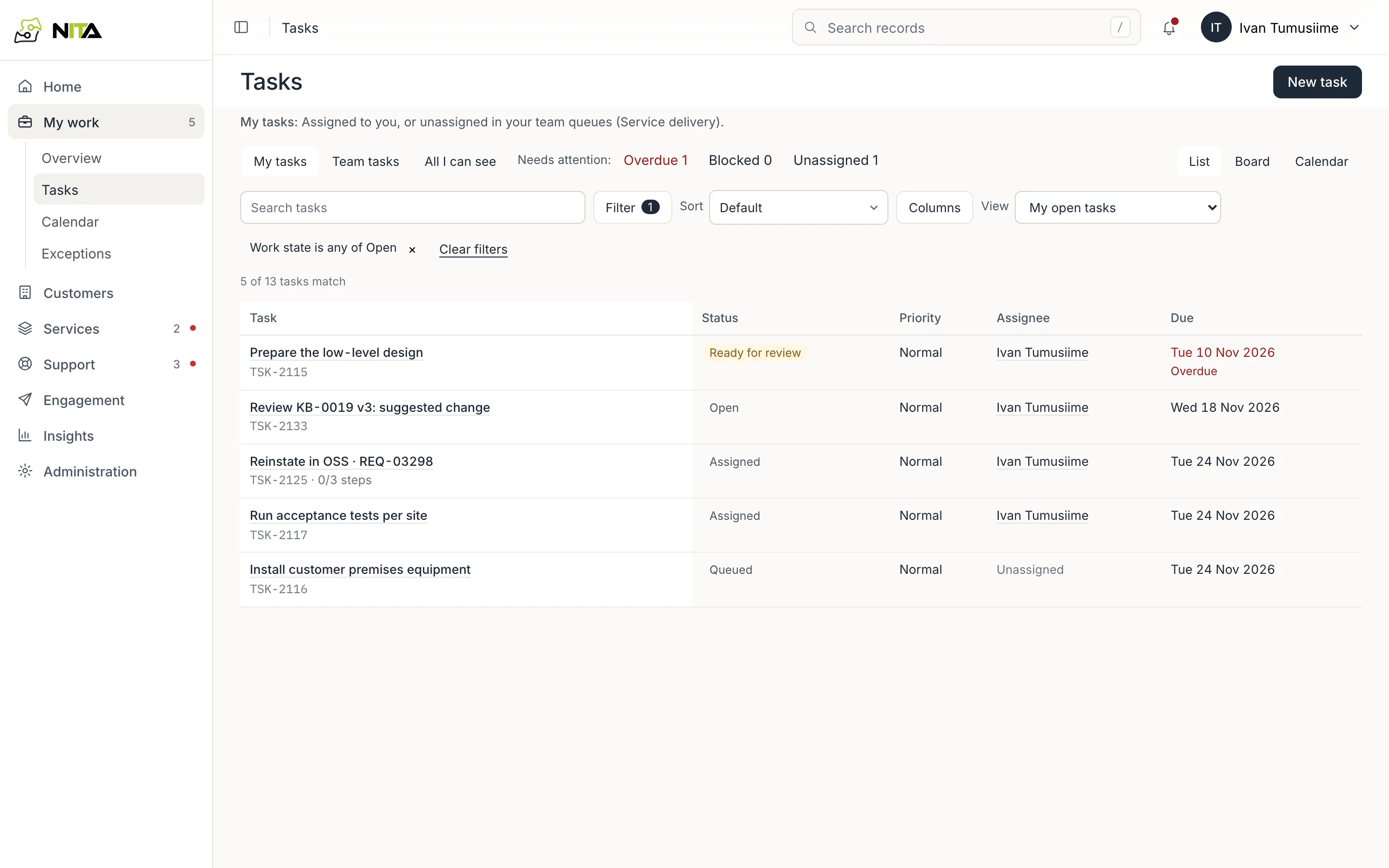
Saved views: my open tasks, team open tasks, unassigned, overdue, blocked, due in the next 7 days, everything you can see, delegated by me, completed and cancelled. Add filters, sort, choose columns, and Save current view… to keep your own.
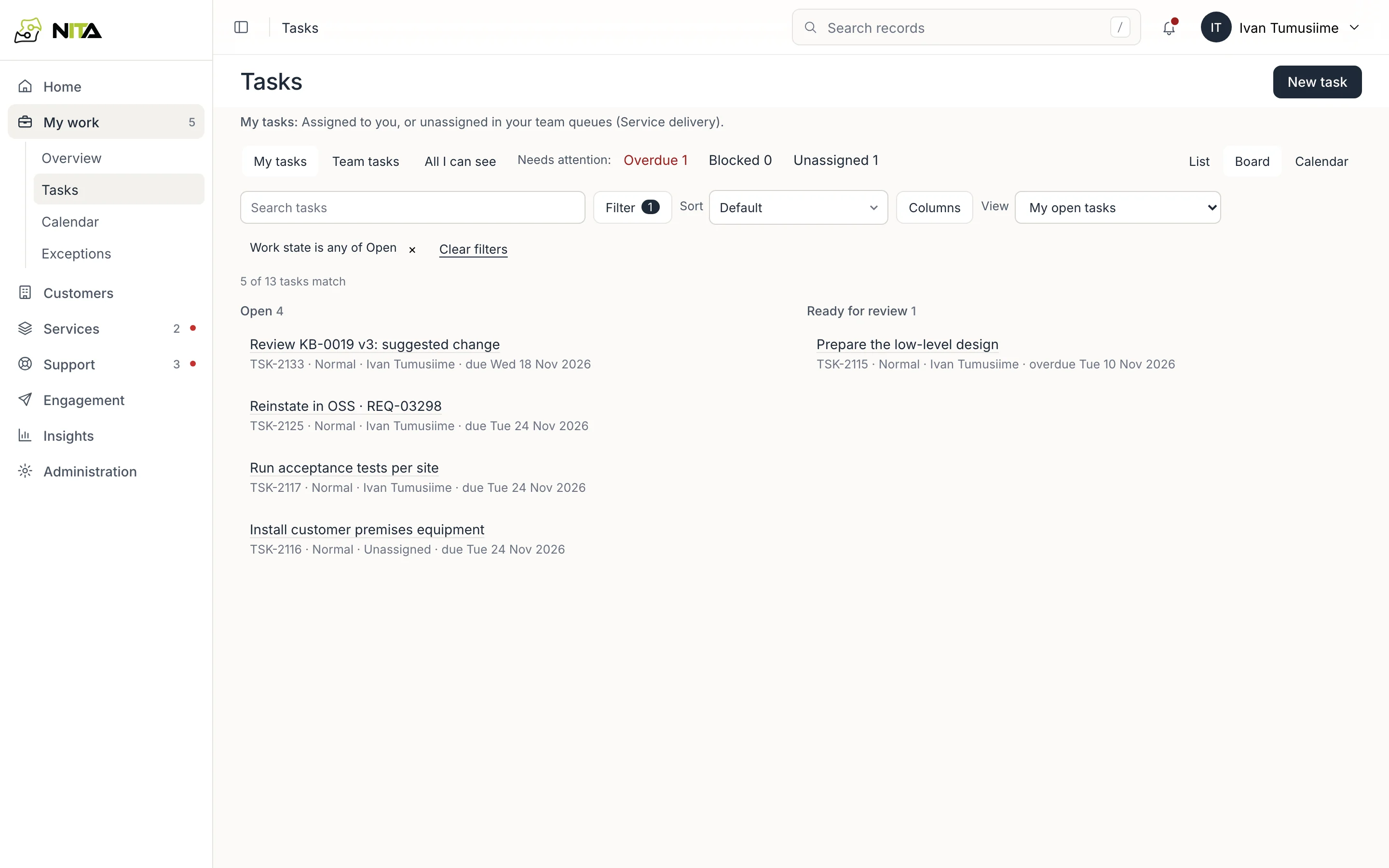
Board groups the same tasks by state.
A task
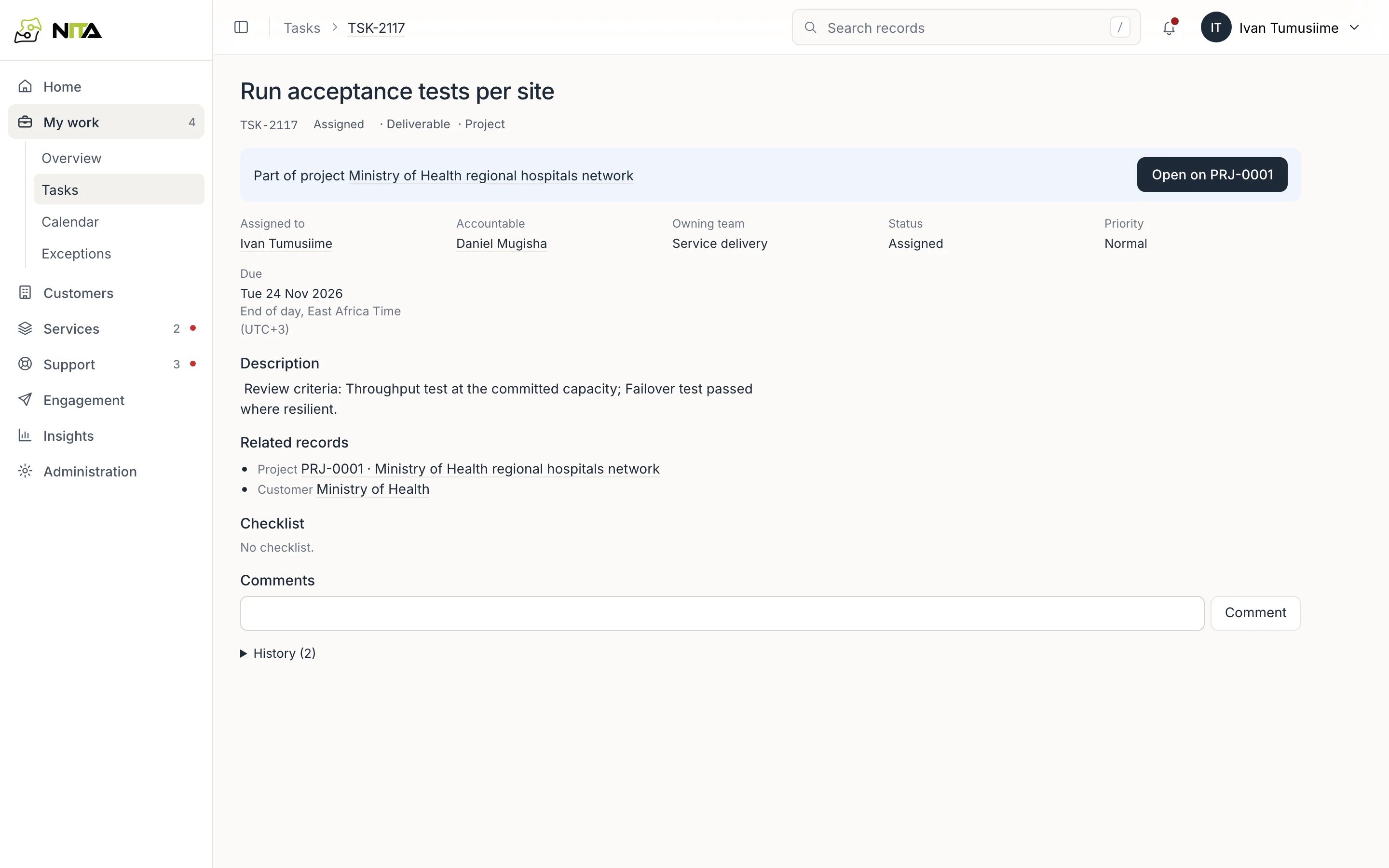
A task shows its assignee, the accountable person, owning team, status, priority and due date, and the project, request or customer it belongs to. A task that is part of a request or project names that record's owner as accountable.
Use the checklist, comments and history on the task. Work belonging to a request stage or project opens on that record.
Work calendar
My work → Calendar shows open tasks by due date, with project milestones (◆) on the days they fall.
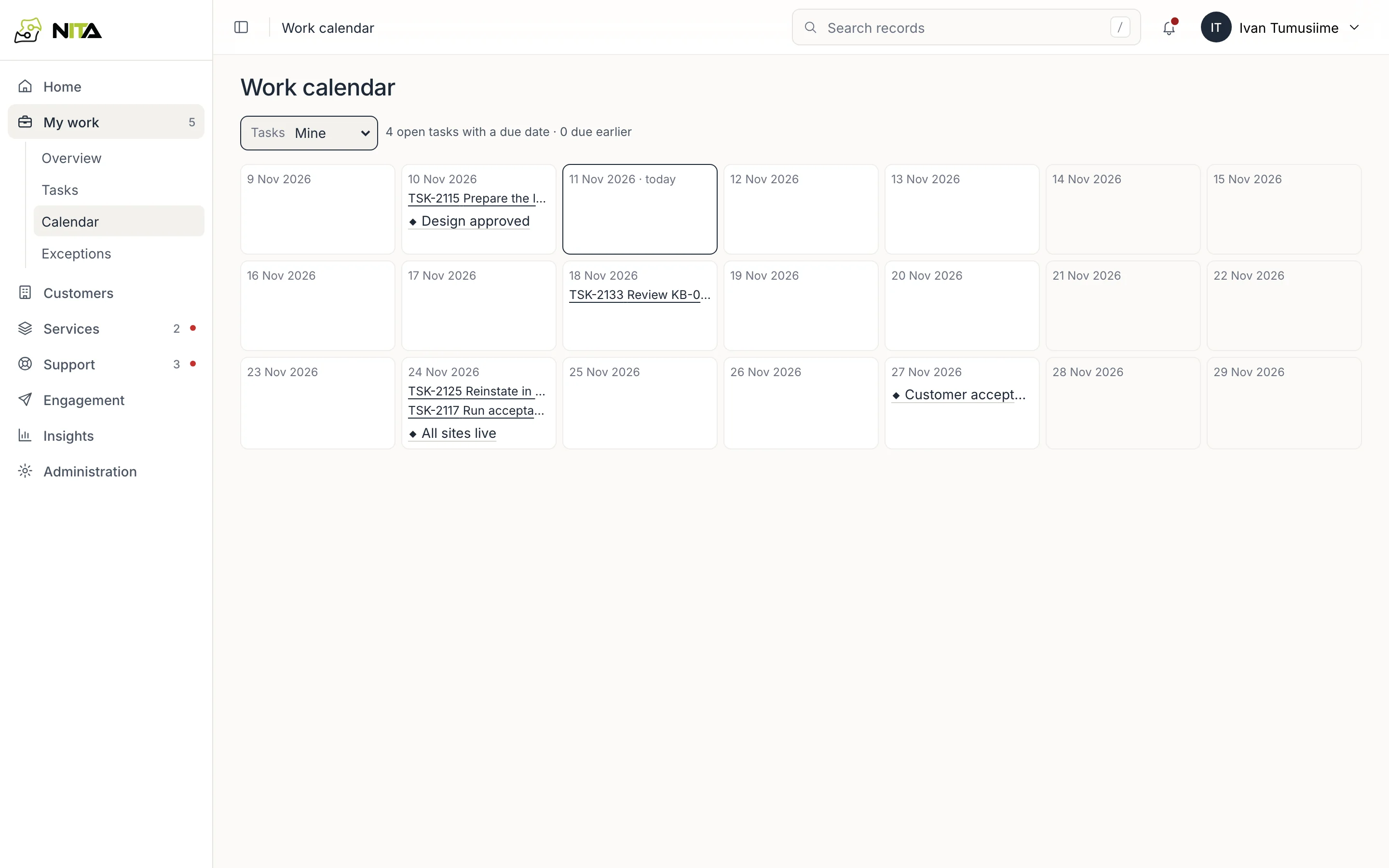
Switch between Mine, My teams and All visible.
Exceptions
My work → Exceptions lists what has gone wrong and needs a person: failed automation runs, overdue handovers and returned work.
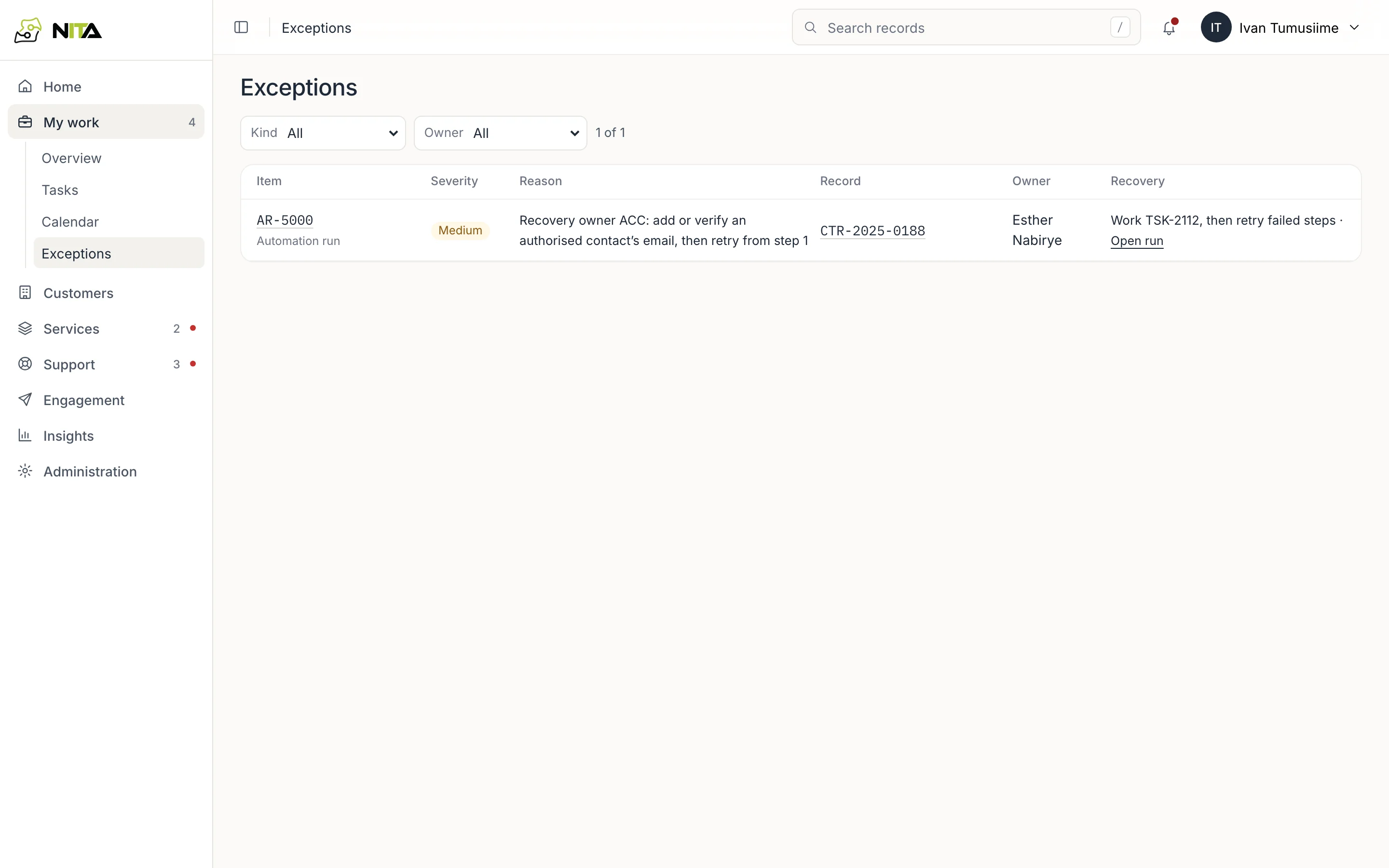
Each row shows the item, severity, the reason, the record it concerns, the owner and the recovery step, for example Work TSK-2112, then retry failed steps. Open run opens a failed automation run.