 CRM
Conversations
What you will learn
- Contact matching
- Unknown senders
- The WhatsApp 24-hour window
- Converting a conversation to a case
What you need
- A customer operations sign-in
Support → Inbox lists WhatsApp and email conversations, newest first, with sender, customer and reply target.
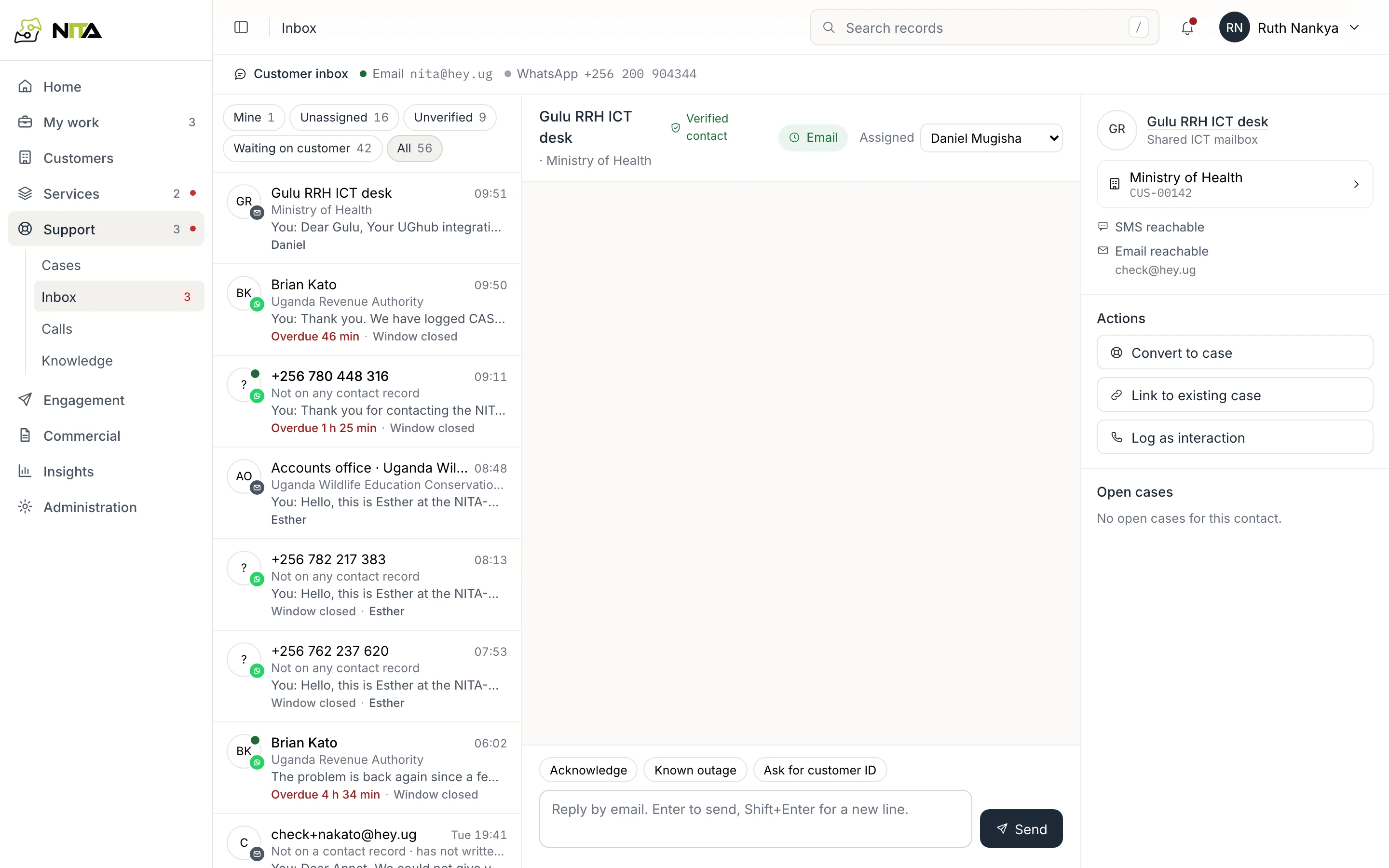
Filters: Mine, Unassigned, Unverified, Waiting on customer, All. Reply targets are 15 minutes for WhatsApp and one day for email; overdue conversations show the time overdue.
Contact matching
Senders are matched to contacts by phone number or email address in any format (0772…, +256 772…, 256772…).
For a number not on any contact record, case and service details are hidden. Ask for the customer ID and name, then Link number to a contact.
Replying
WhatsApp accepts free-text replies for 24 hours after the customer's last message; the thread shows whether the window is open. After it closes, only approved templates can be sent.
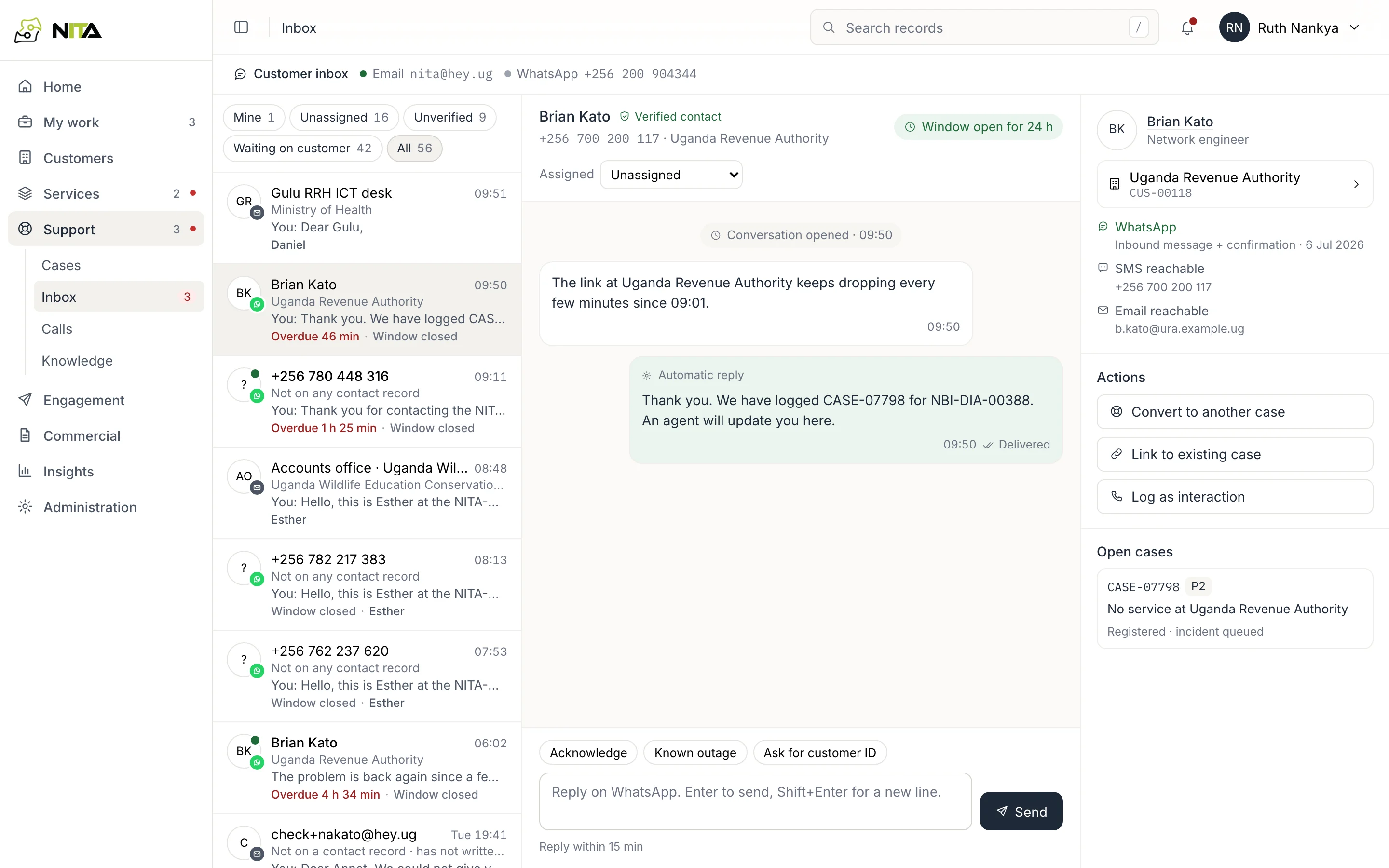
Quick replies (Acknowledge, Known outage, Ask for customer ID) fill the reply box. Enter sends; Shift+Enter adds a line.
Conversation to case
Convert to case opens case registration with customer, contact and channel filled in, and links the conversation to the case. Link to existing case links it to an open case.
Later customer replies in the conversation appear on the case. See Fault cases.