 CRM
Onboarding records
What you will learn
- The onboarding stages
- Inviting a client
- Reminding, resending and revoking
- The onboarding record and KYC review
- Approval and activation
What you need
- An account manager sign-in
Customers → Onboarding lists organisations being onboarded.
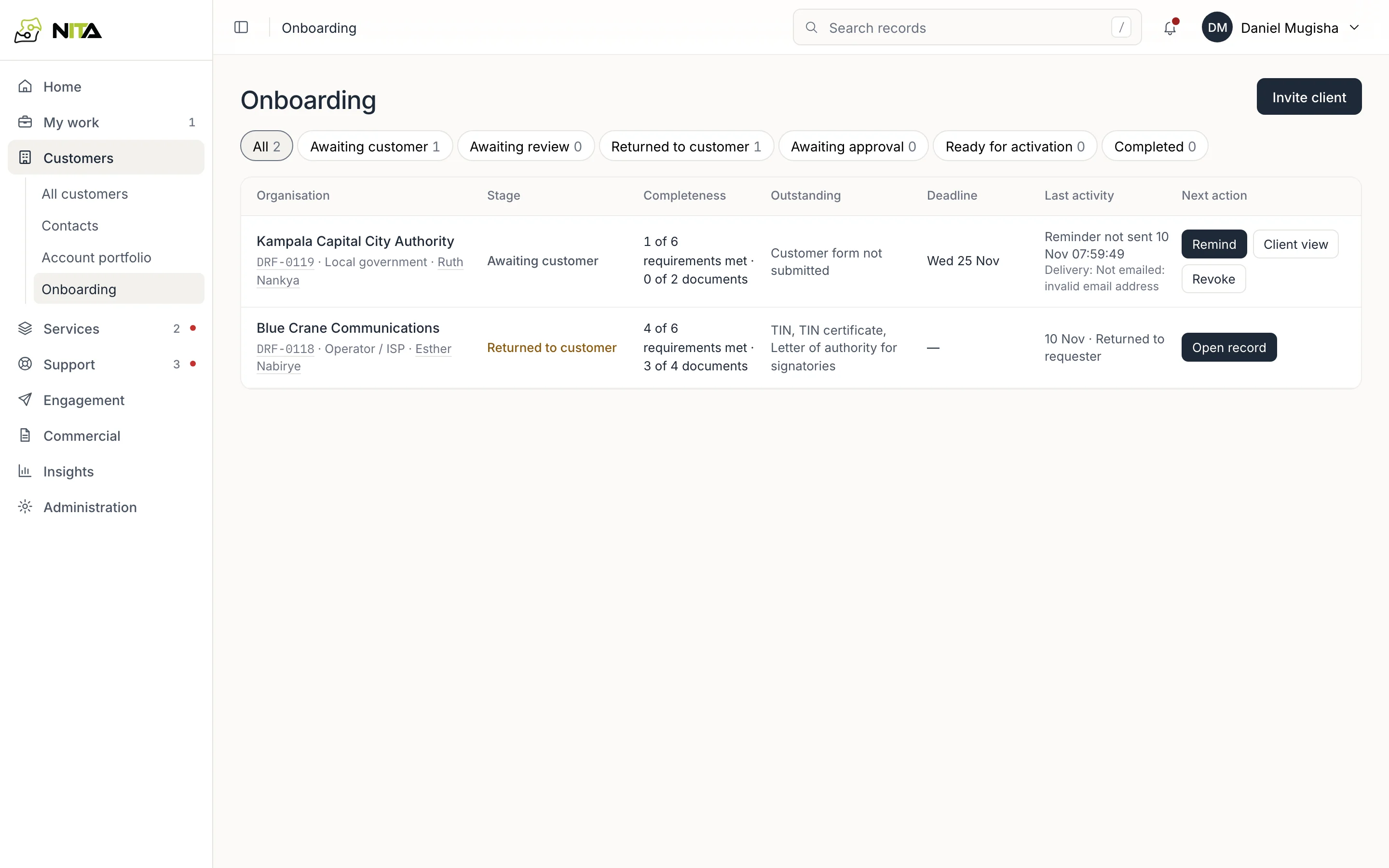
| Column | Content |
|---|---|
| Stage | Awaiting customer, Awaiting review, Returned to customer, Awaiting approval, Ready for activation, Completed |
| Completeness | Requirements met and documents uploaded |
| Outstanding | What blocks the next stage, for example TIN, TIN certificate |
| Deadline | When the invitation link closes |
| Last activity | Latest event, with email delivery state for invitations |
| Next action | Remind, Review documents, Approve, Activate, Open record |
The tabs filter by stage, with counts.
Invite a client
Invite client:
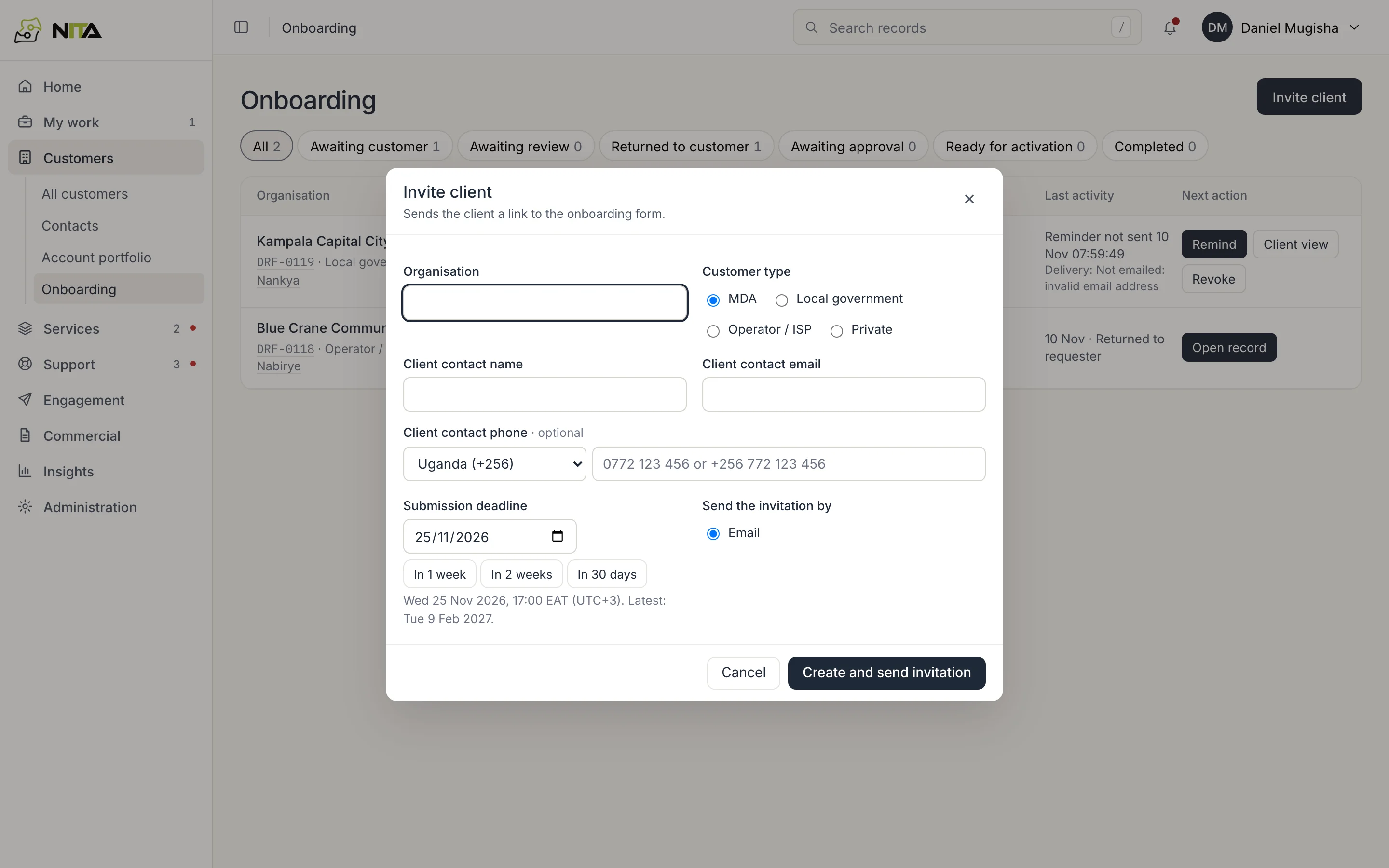
- Organisation and Customer type (MDA, Local government, Operator / ISP, Private). The type sets the required KYC documents.
- Client contact name, email and optional phone.
- Submission deadline: a date, or In 1 week, In 2 weeks, In 30 days. The link closes at 17:00 EAT on that day.
- Create and send invitation emails the link.
The client completes the onboarding form on the customer portal: organisation details, addresses, contacts and documents.
Remind, resend, revoke
- Remind emails the client again while the invitation is open. Delivery is shown under Last activity; an address that cannot be emailed is shown as not emailed.
- Resend issues a new link after expiry. Saved answers are kept.
- Revoke closes the link.
- Client view opens the form as the client sees it.
The onboarding record
Open a record from the list.
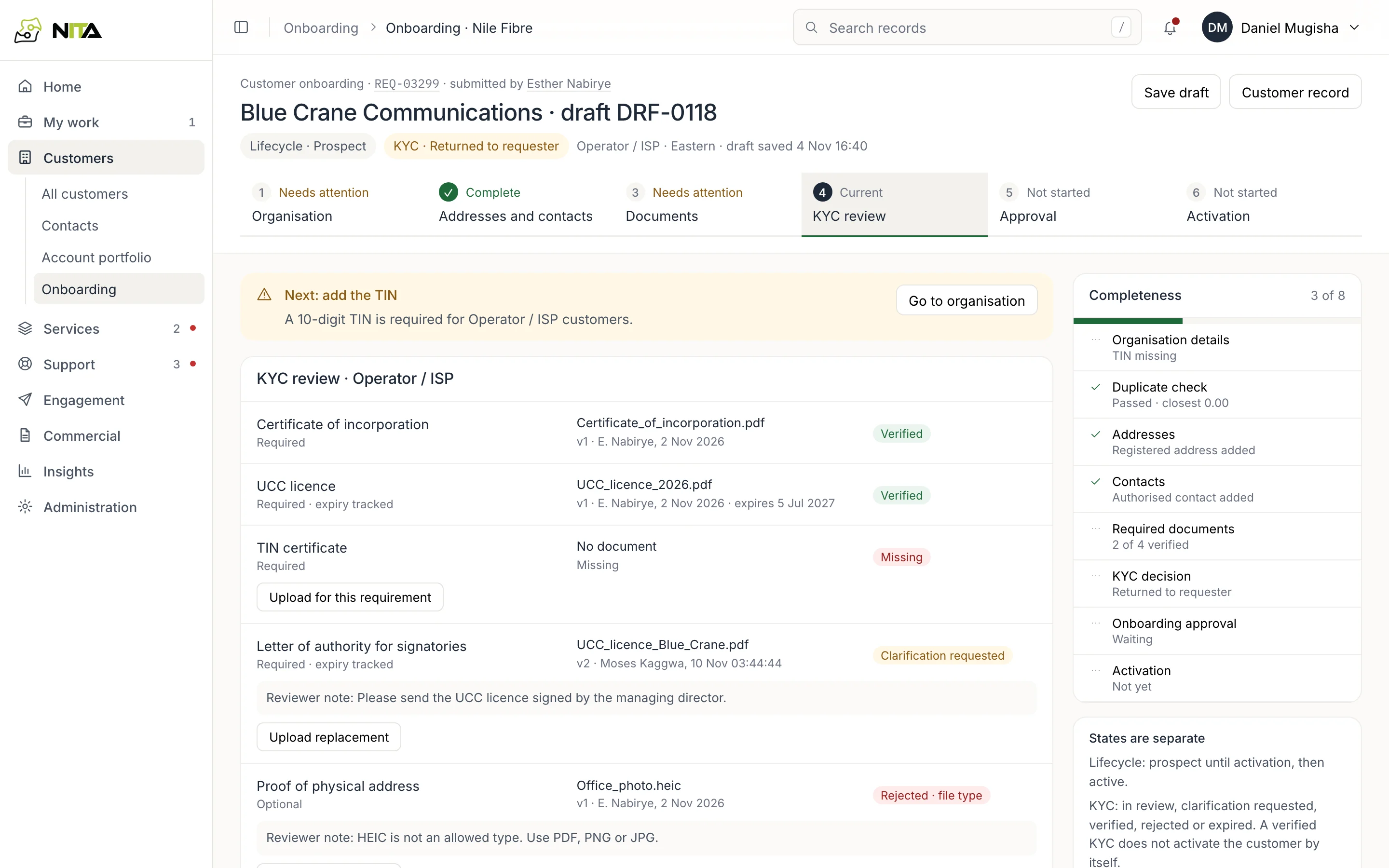
The header shows lifecycle (Prospect until activation), KYC state, customer type and region. Six steps: Organisation, Addresses and contacts, Documents, KYC review, Approval, Activation. Each step shows Complete, Needs attention, Current or Not started, and the record states the next step, for example Next: add the TIN.
KYC review lists each required and optional document for the customer type:
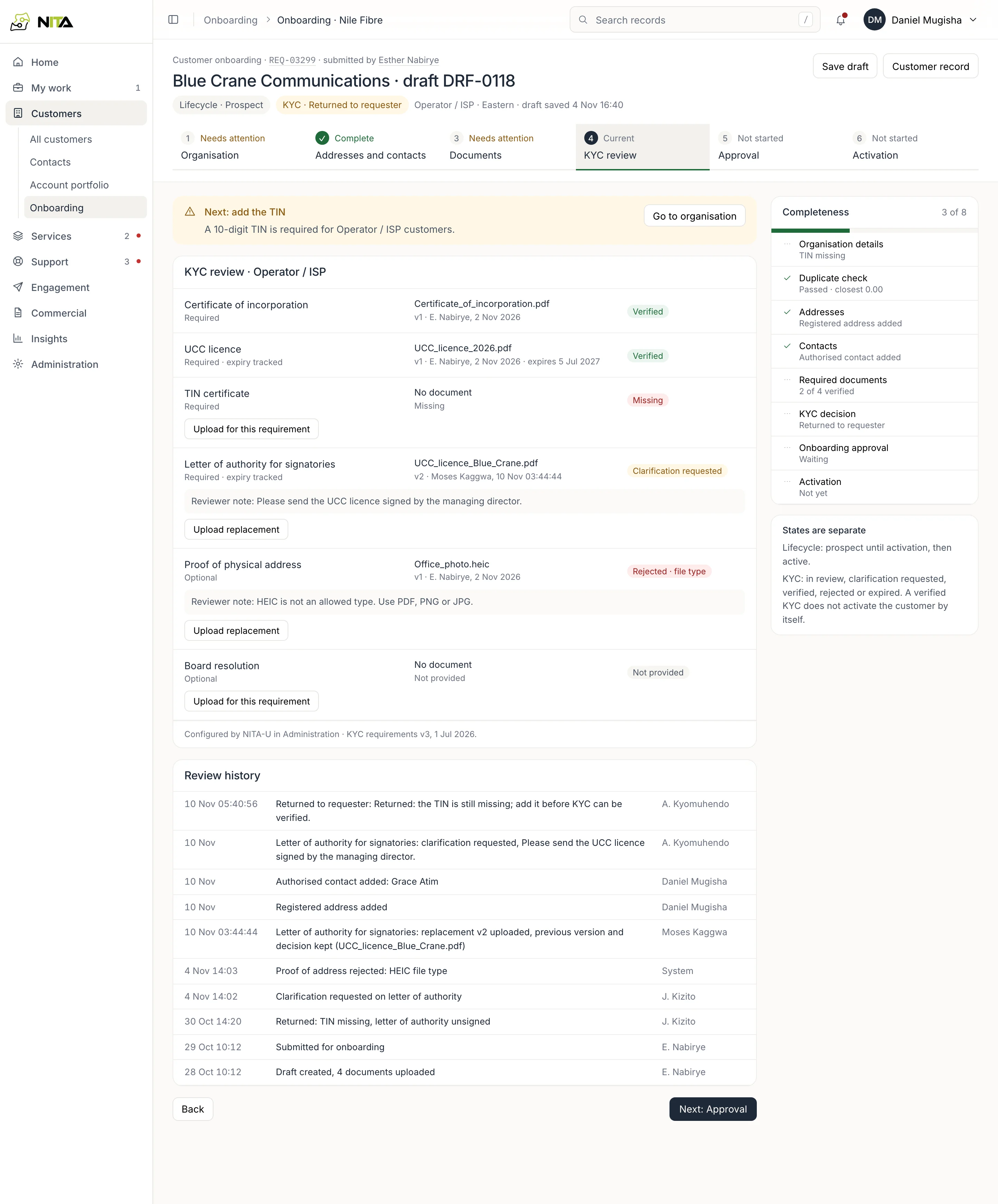
- Verified, Rejected (with the reason, for example file type), Clarification requested (with the reviewer's note) or Missing.
- Upload replacement adds a new version; the previous version and its decision are kept.
- Review history records each submission, return, decision and upload with the person and time.
A record returned after review shows Returned to customer with the outstanding items until they are resolved.
Approval and activation
When all required documents are verified, KYC is verified and the record moves to Awaiting approval. After approval it is Ready for activation; Activate issues the customer ID and the organisation becomes a customer. See Customer records.