 CRM
Projects
What you will learn
- The project overview
- Work packages, dependencies and prerequisites
- Timeline and milestones
- Risks and issues
- Customer acceptance and closure
What you need
- A service delivery sign-in
Services → Projects lists projects with customer, project manager, state, next milestone and how many tasks are blocked.
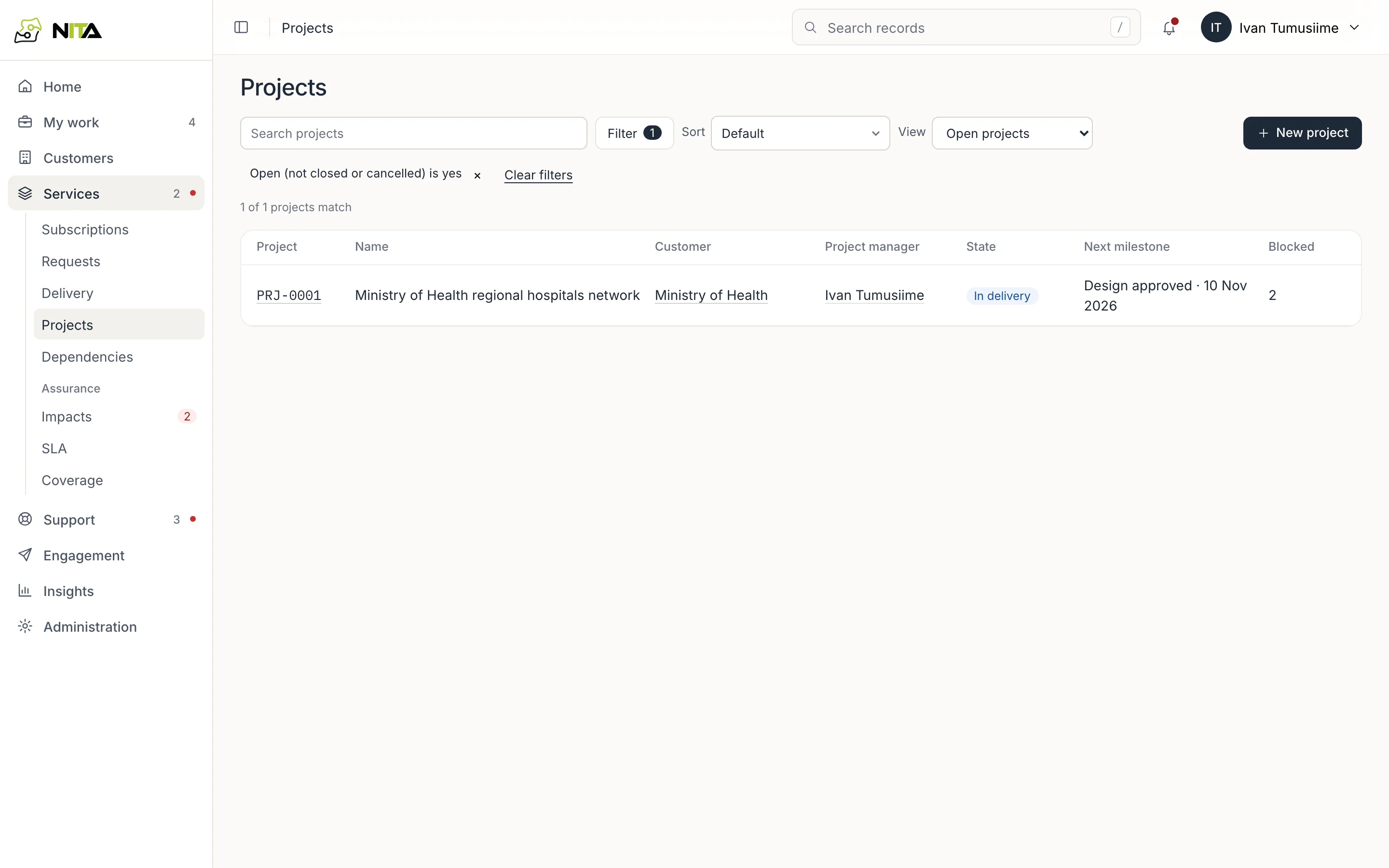
New project starts a project, usually from a project template.
Overview
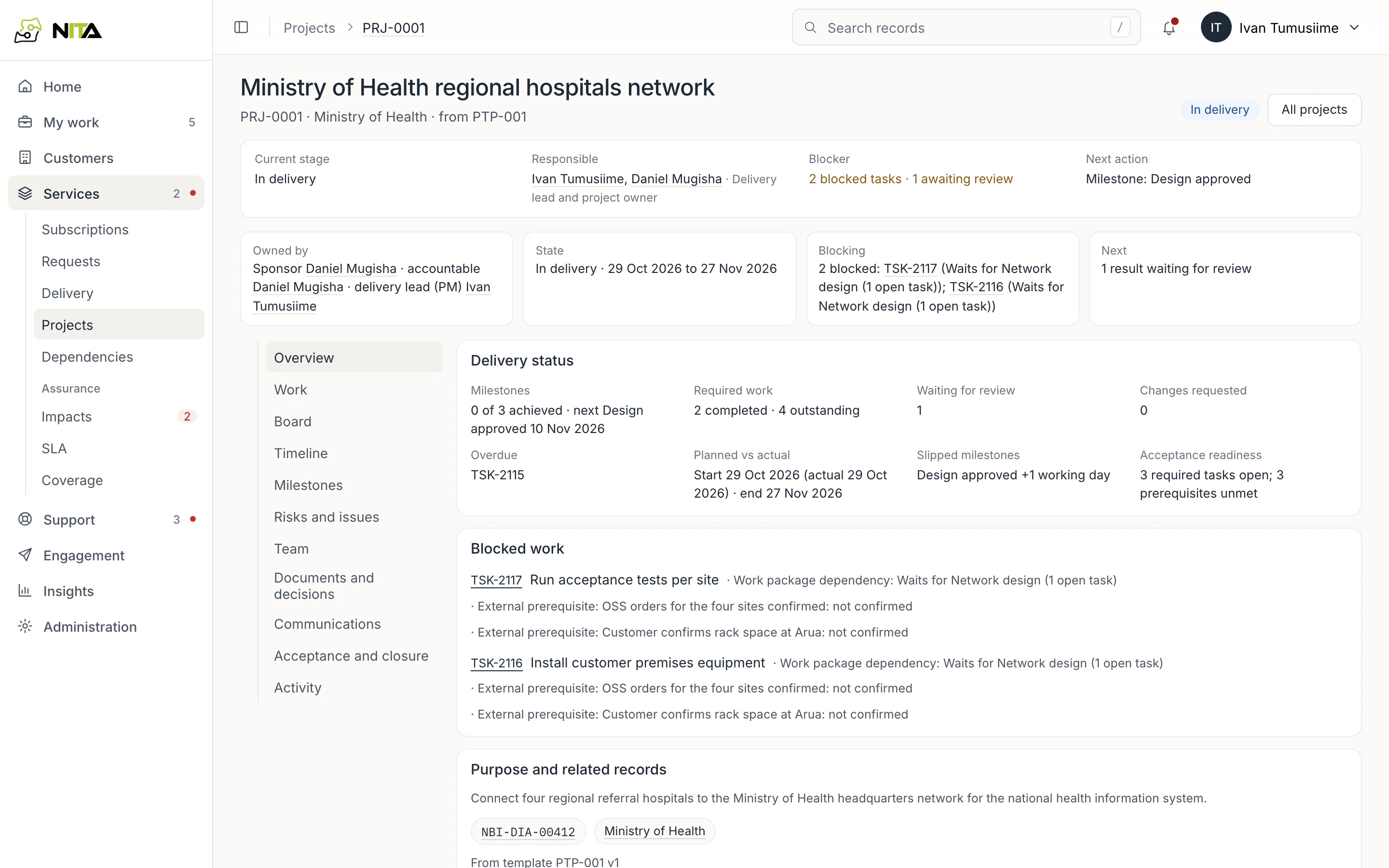
The header gives the current stage, the people responsible, what is blocking it and the next action. Owned by names the sponsor, the accountable owner and the delivery lead.
Overview shows:
- milestones achieved, the next one, and any milestone past its date with how many working days it has slipped;
- required work completed and outstanding, results waiting for review, and overdue tasks;
- planned against actual start and end;
- Blocked work: each blocked task with what it waits for, either another work package or an external prerequisite such as the customer confirming rack space;
- upcoming deadlines;
- purpose, scope, and the services and customer it delivers for.
Work
Work lists work packages in order, each with its team and dates, and the tasks inside it.
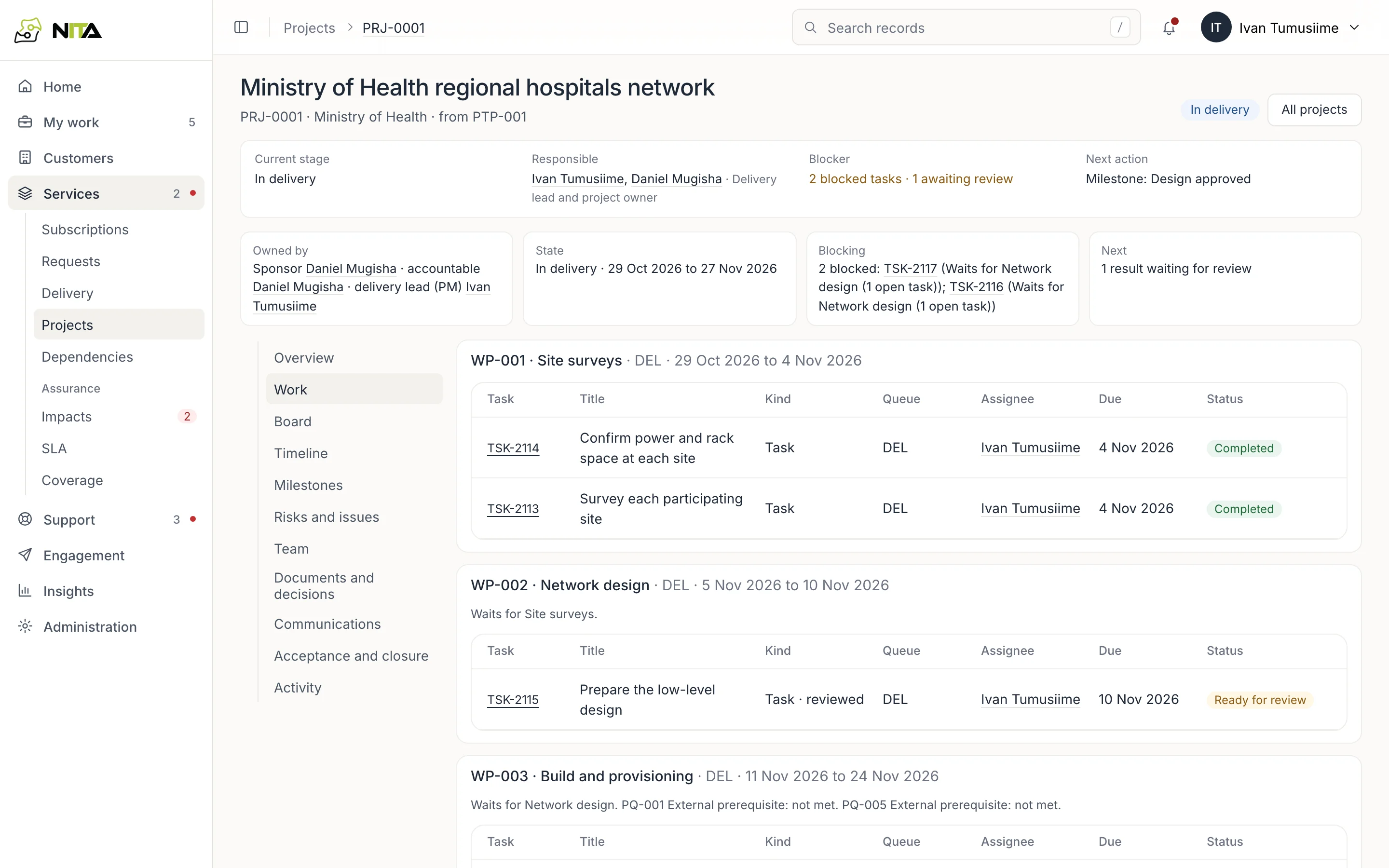
A work package can wait for another work package to finish, and for external prerequisites to be met. Its tasks stay blocked until then.
Timeline and milestones
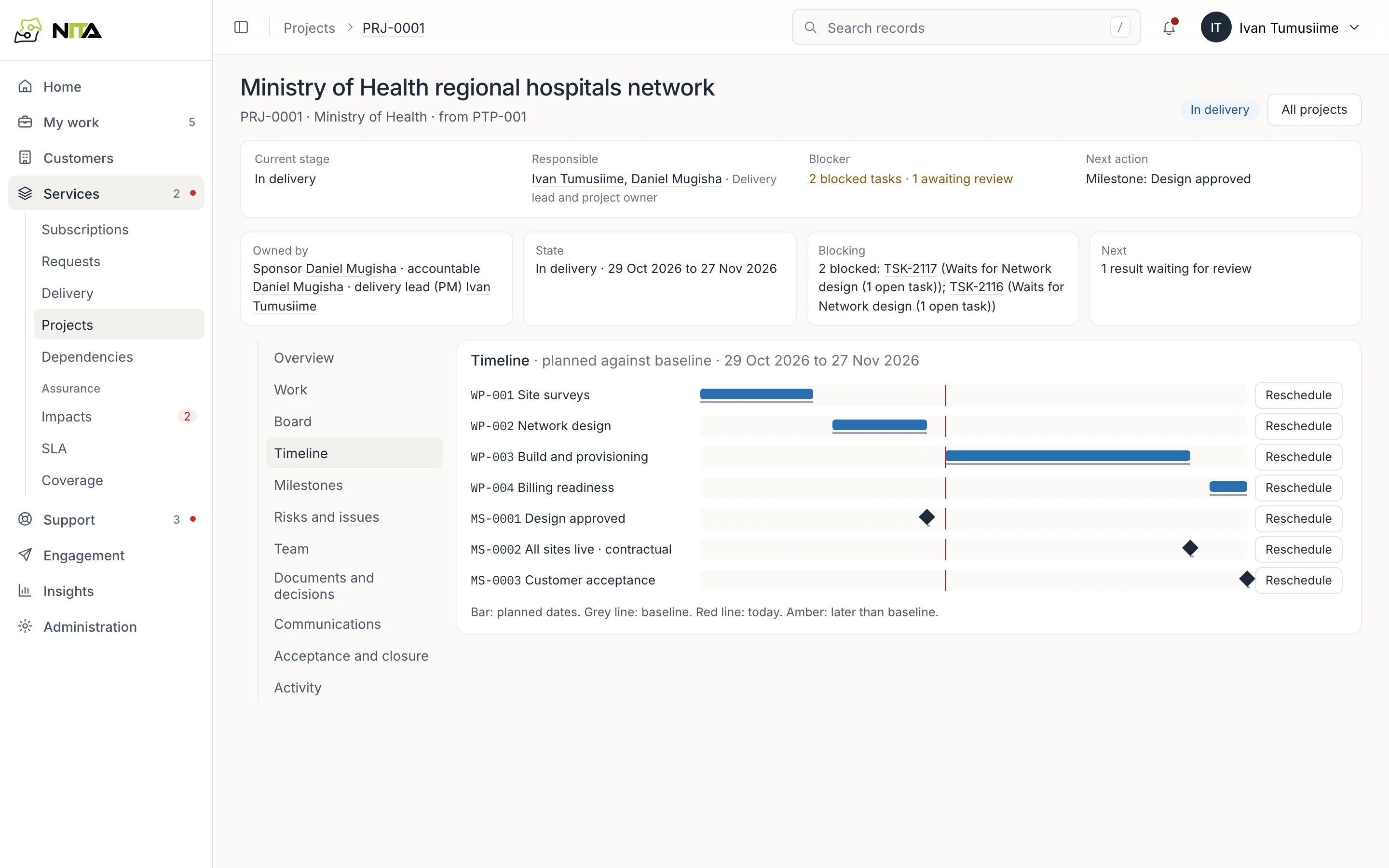
Timeline draws each work package and milestone against its baseline dates, with today marked. Reschedule moves one.
Milestones lists baseline, planned and achieved dates. Mark achieved records a milestone once the work it depends on is complete. A contractual milestone is marked as such.
Risks and issues
Risks and issues lists each risk or issue with its impact and owner. Add one with kind, description, owner and impact; Close it when it no longer applies.
Acceptance and closure
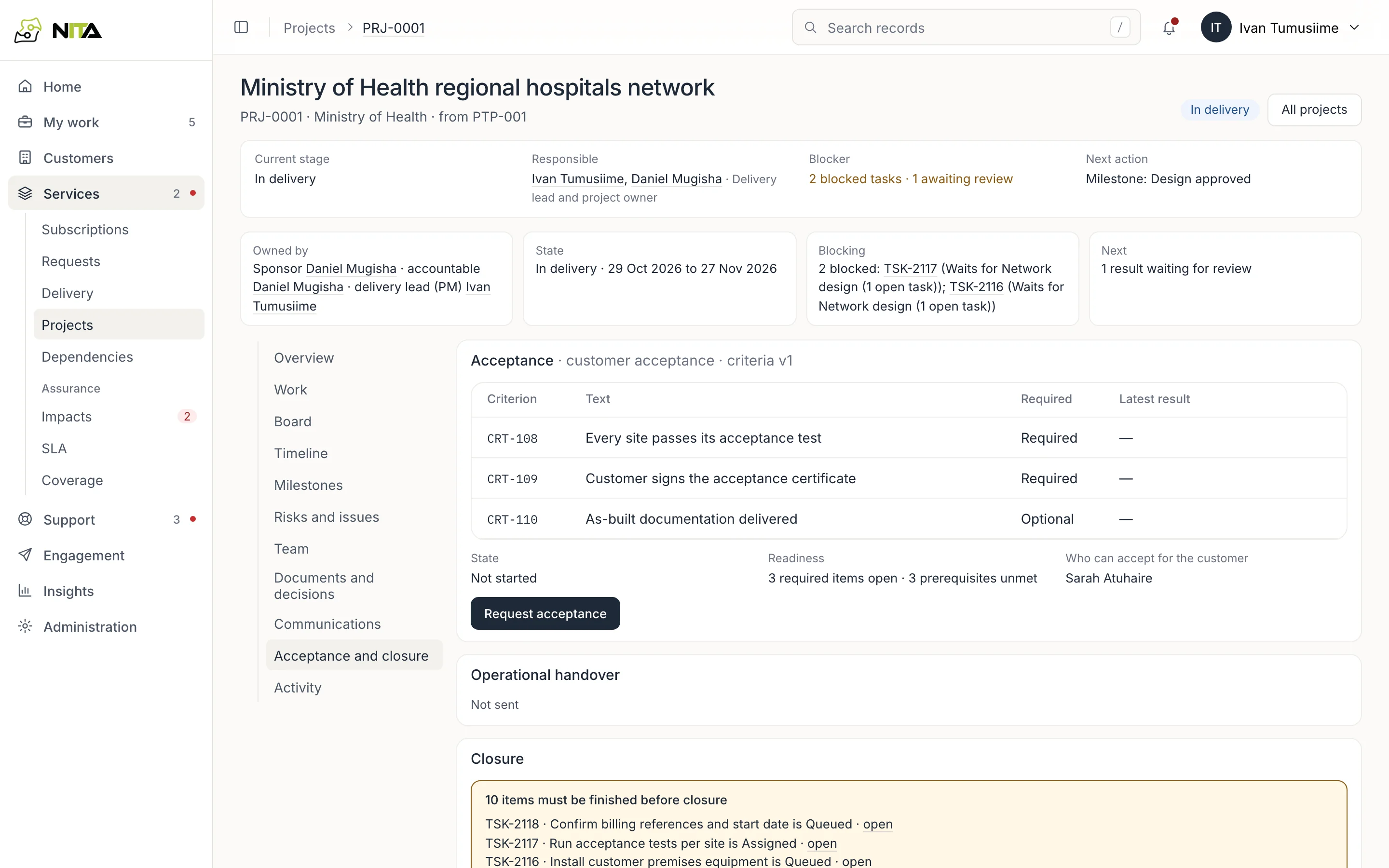
- Acceptance lists the criteria (required or optional) and the latest result for each, and who can accept on the customer's behalf. Request acceptance asks them.
- Operational handover passes the delivered service to the team that will run it.
- Closure lists every task and milestone still open. A project closes when none are left.
Other tabs: Board, Team, Documents and decisions, Communications and Activity.