 CRM
What goes here
What you will learn
- What belongs in operational issues
- The issue board
- Reporting an issue
- Working an issue to resolution
What you need
- A customer operations or network operations sign-in
An operational issue is an internal problem for one of your teams: a possible duplicate customer, a failed integration message, a broken process. Customer faults are cases; service disruptions are outages.
The board
Services → Operational issues.
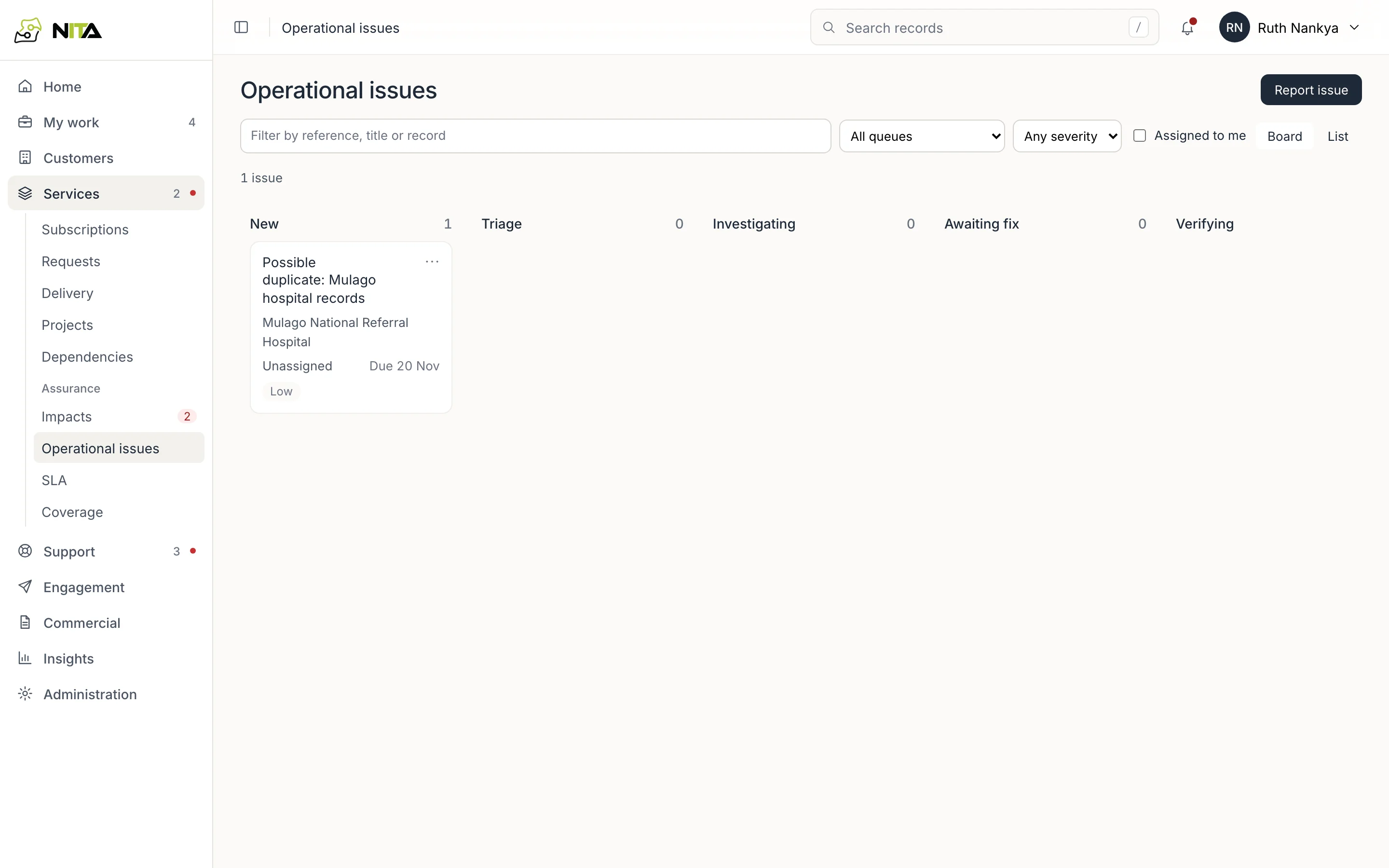
Issues are grouped by state: New, Triage, Investigating, Awaiting fix, Verifying, Resolved. Each card shows the record it concerns, the assignee, the due date and the severity.
Filter by queue (service delivery, network operations, integration operations, finance operations, customer support, account management, data stewardship), by severity, or to issues assigned to you. Switch between Board and List.
An issue
Open an issue from the board.
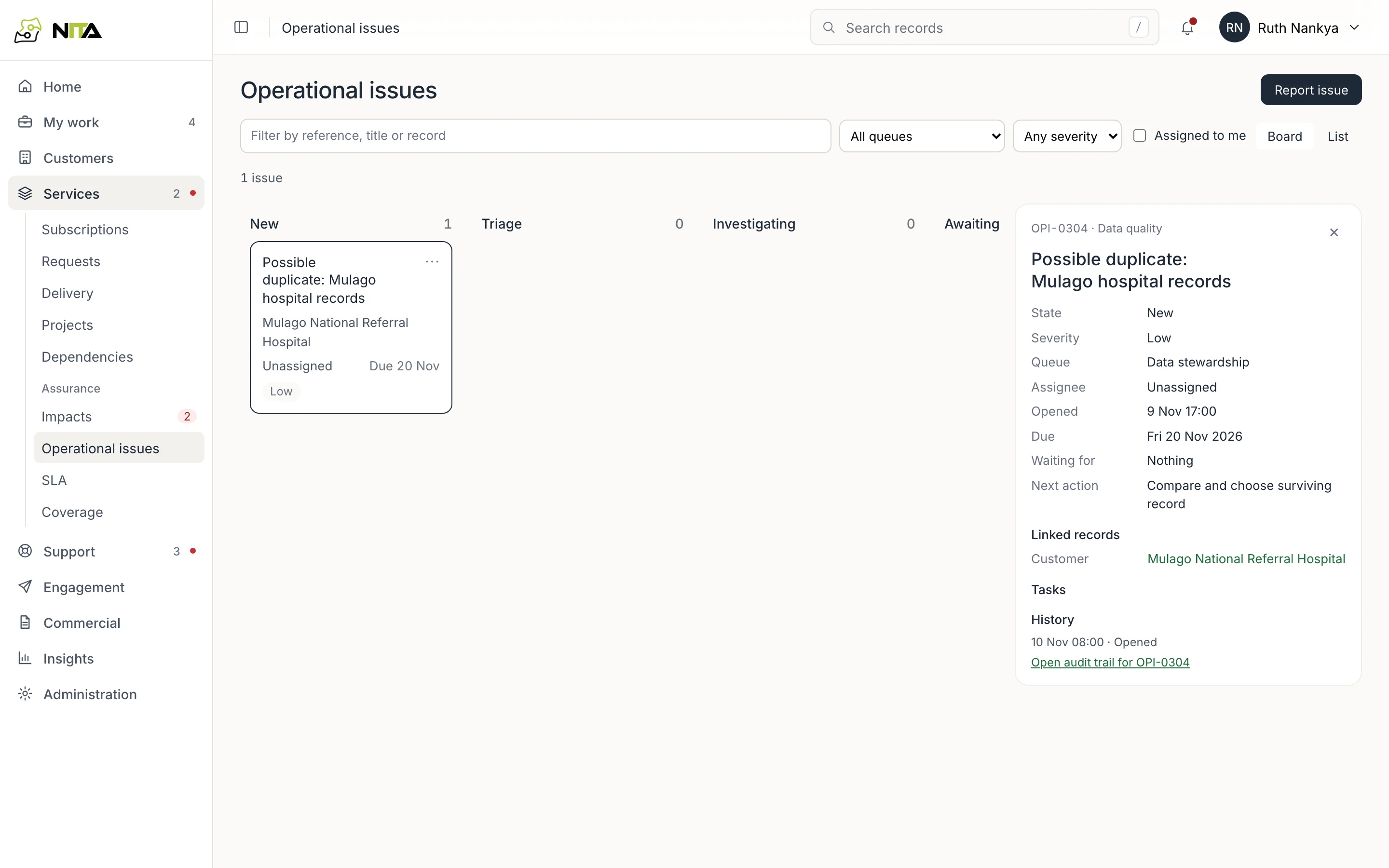
The issue shows its state, severity, queue, assignee, when it was opened and when it is due, what it is waiting for, and the next action, for example Compare and choose surviving record. Linked records, tasks and history are kept on the issue, and Open audit trail lists every change.
Move the issue through its states as the work progresses, and record the resolution when it is fixed.
Report an issue
Report issue:
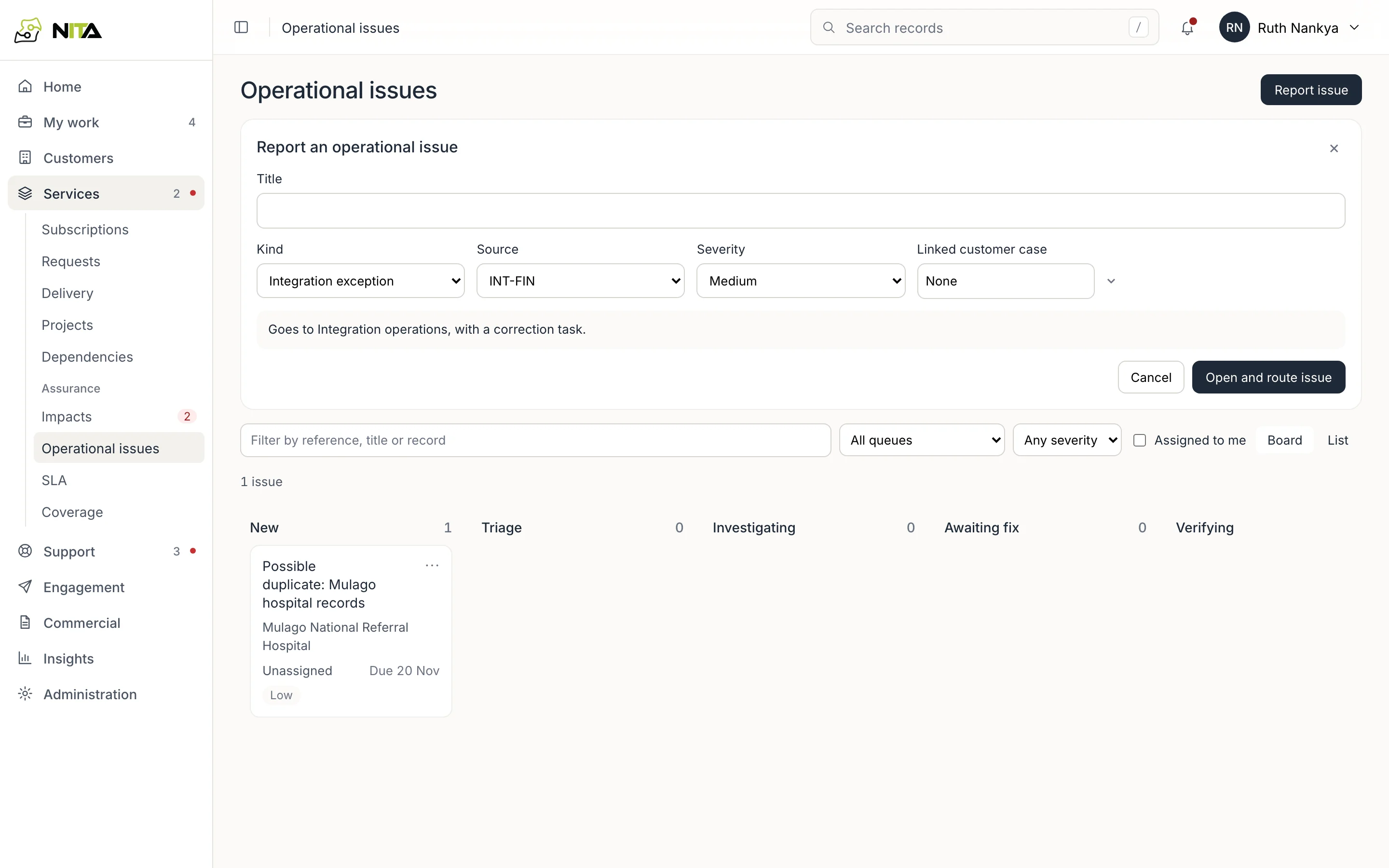
- Title.
- Kind and Source (an integration, a quality check, or manual).
- Severity.
- Linked customer case, if a customer is affected.
The form shows which team the issue goes to. Open and route issue creates it in that team's queue.