 CRM
Step 1 of 3 · 2 min
Articles
What you will learn
- Finding an article
- Following its steps on a case
- Copying the standard customer response
- Suggesting a change
What you need
- A customer operations sign-in
Support → Knowledge lists articles with their state: Approved, or Review overdue when an article has passed its next review date.
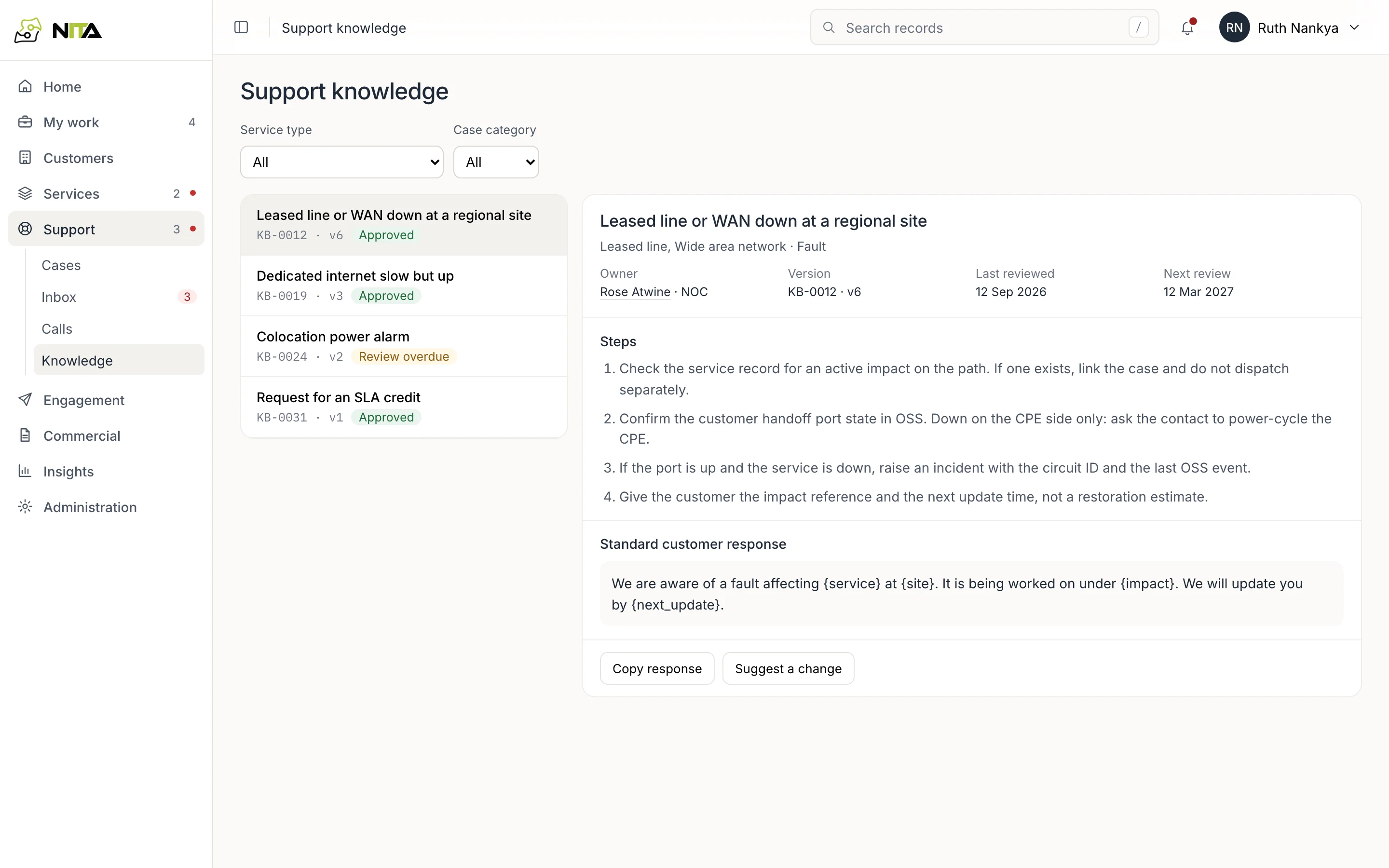
Filter by service type (leased line, wide area network, dedicated internet access, data centre colocation, all services) and case category (fault, enquiry, billing).
Each article shows:
- the services and categories it applies to;
- its owner, version, last review and next review;
- Steps to follow, in order;
- a Standard customer response with fields in braces, such as
{service},{site}and{next_update}, filled from the case.
Step 2 of 3 · 2 min
From a case
On a case, Suggested guidance opens the articles that match the case's service type and category.
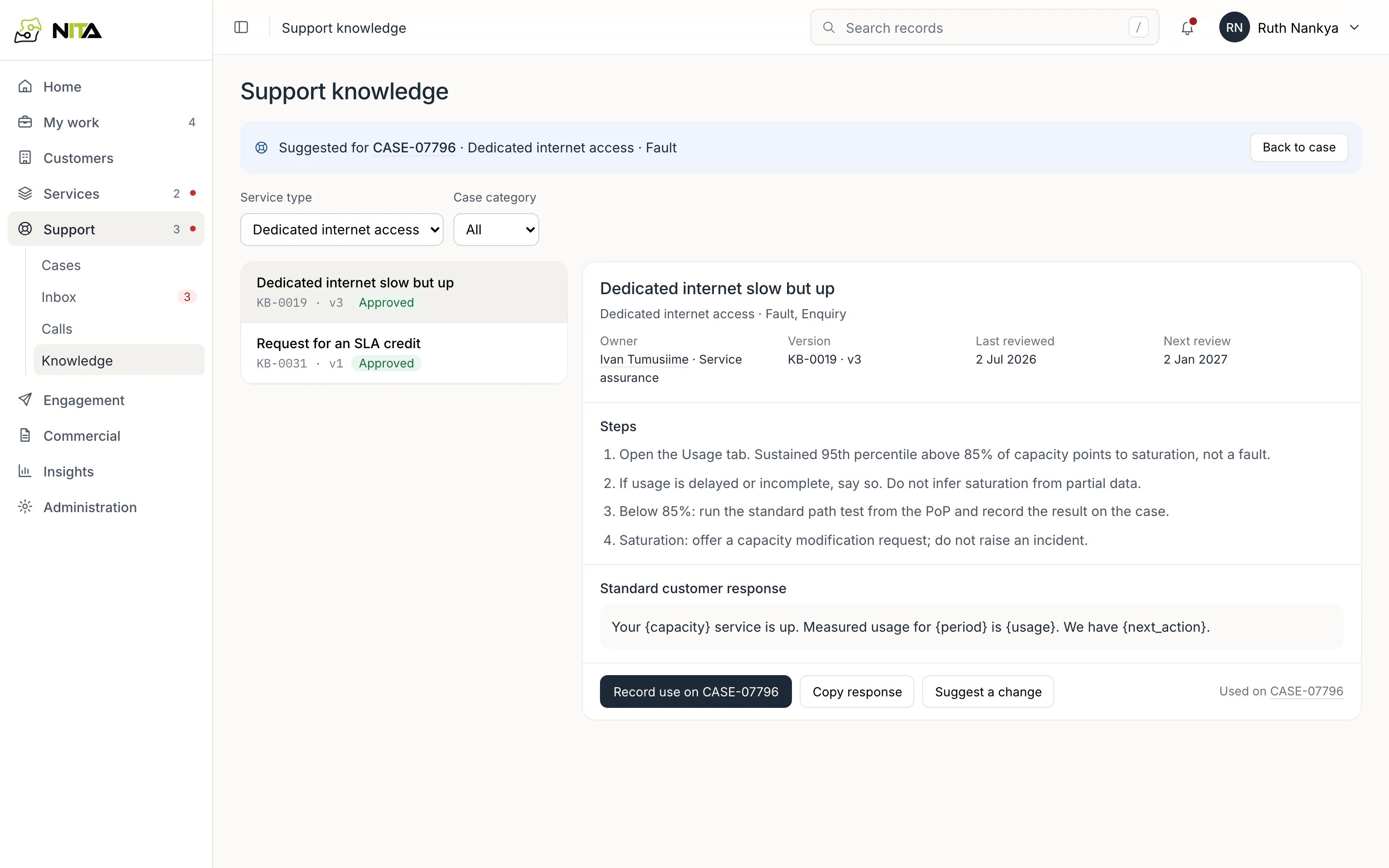
- Follow the steps and record the results on the case.
- Copy response copies the standard response with the service, site, impact and capacity from the case filled in. Any field the case does not hold stays in braces, and the confirmation says how many are left.
- Record use on CASE-07796 (with your case's ID) notes on the case that the article was used.
- Back to case returns to the case.
Step 3 of 3 · 1 min
Keeping articles right
Suggest a change creates a review task for the article's owner, linked to the article and to the case you were working. Each article has a review date; overdue reviews are shown in the list.