 CRM
Campaigns
What you will learn
- Building an audience from customer and contact data
- Writing a campaign from a template
- Checking reach and the message before sending
- Following delivery
What you need
- An account manager sign-in
Engagement → Campaigns lists campaigns with audience, status, how many were sent, and when sending started.
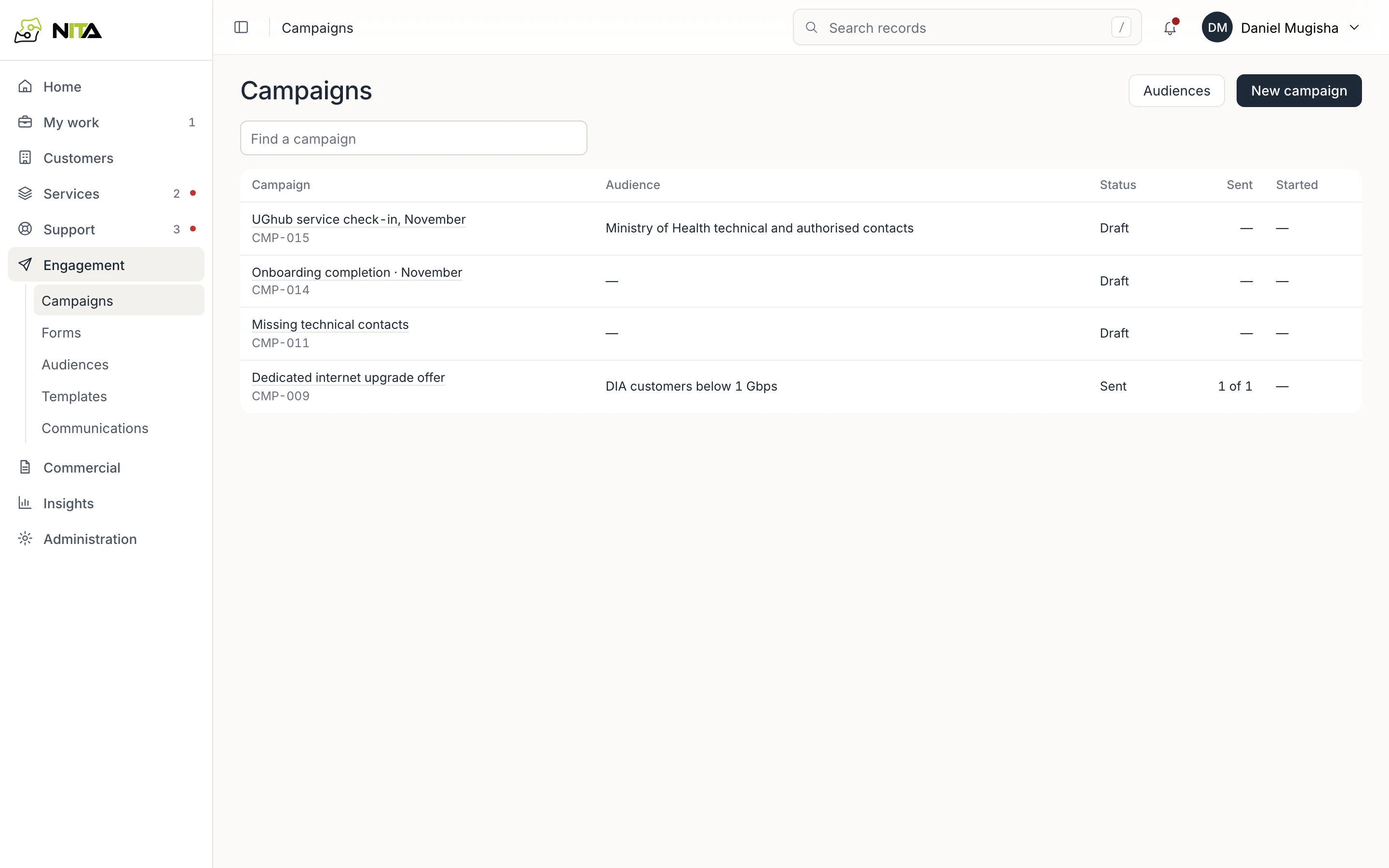
New campaign starts a draft. Audiences opens the audience list.
Audiences
An audience is a saved selection of contacts.
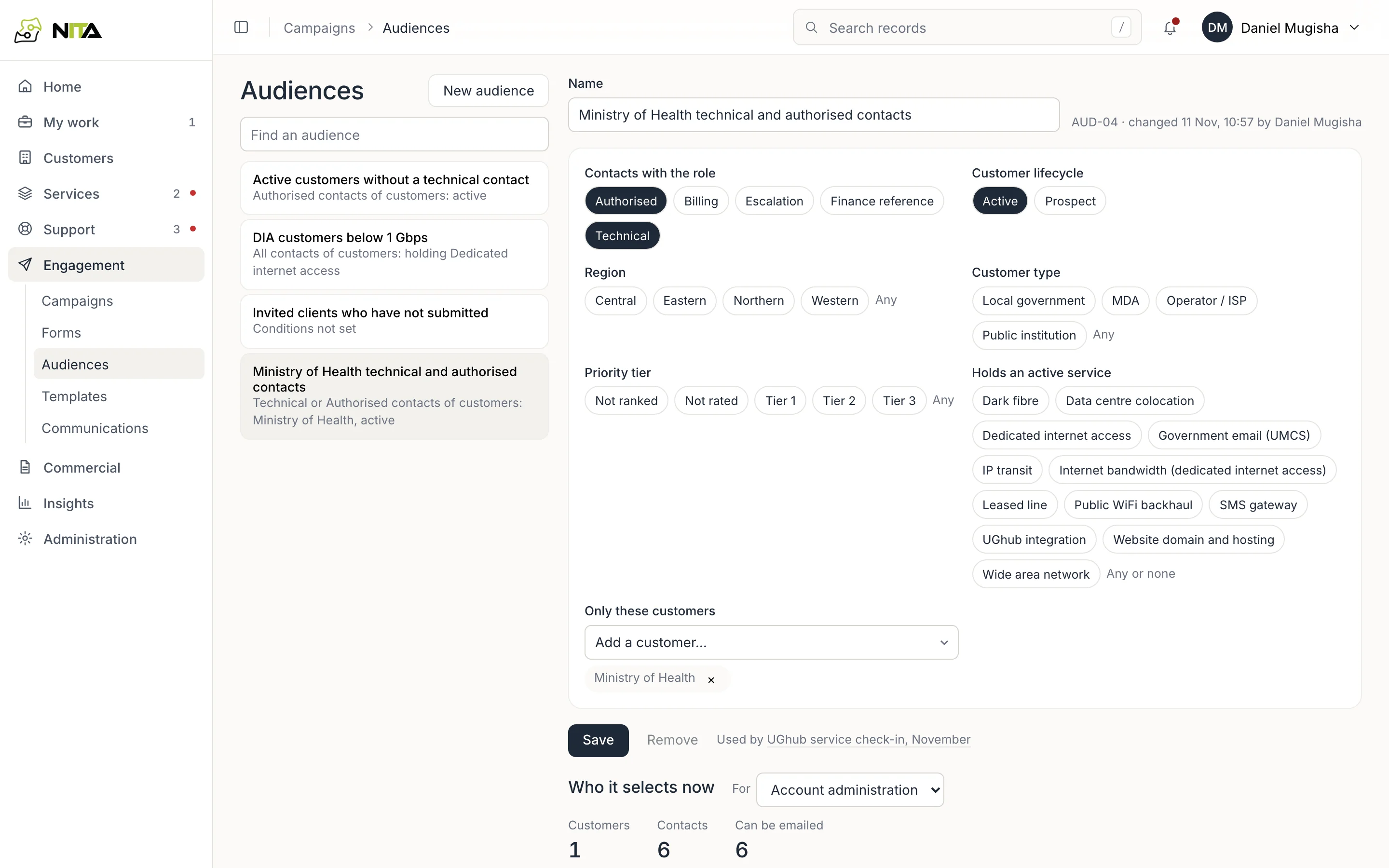
Set any of:
- Contacts with the role: Authorised, Billing, Escalation, Finance reference, Technical.
- Customer lifecycle: Active or Prospect.
- Region, Customer type, Priority tier.
- Holds an active service: one or more services from your catalogue.
- Only these customers: named customers.
Who it selects now shows the number of customers and contacts, and how many can be emailed, for the purpose you choose (Account administration or Promotion). For Promotion, contacts without recorded marketing consent are not counted. The list below shows each contact, customer, roles and email.
An audience with no conditions selects nobody. Used by shows the campaigns that use it.
Write the campaign
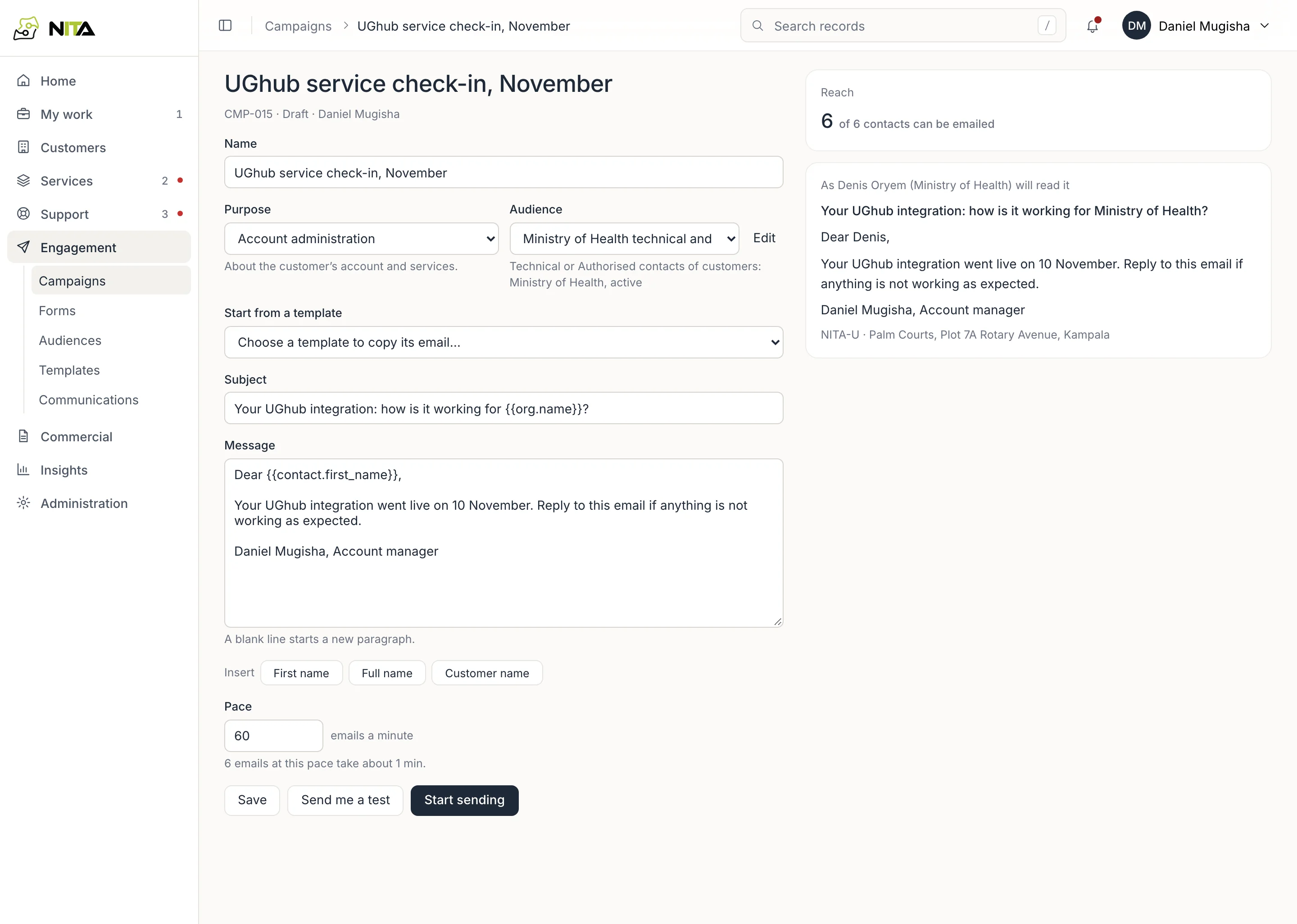
- Name and Purpose.
- Audience.
- Start from a template, or write the Subject and Message. A blank line starts a paragraph. Insert adds the recipient's first name, full name or customer name.
- Pace: emails per minute. The time the whole send will take is shown.
Reach shows how many contacts can be emailed, and the message exactly as one named recipient will read it.
Send me a test emails it to you. Save keeps the draft. Start sending sends it.
Follow delivery
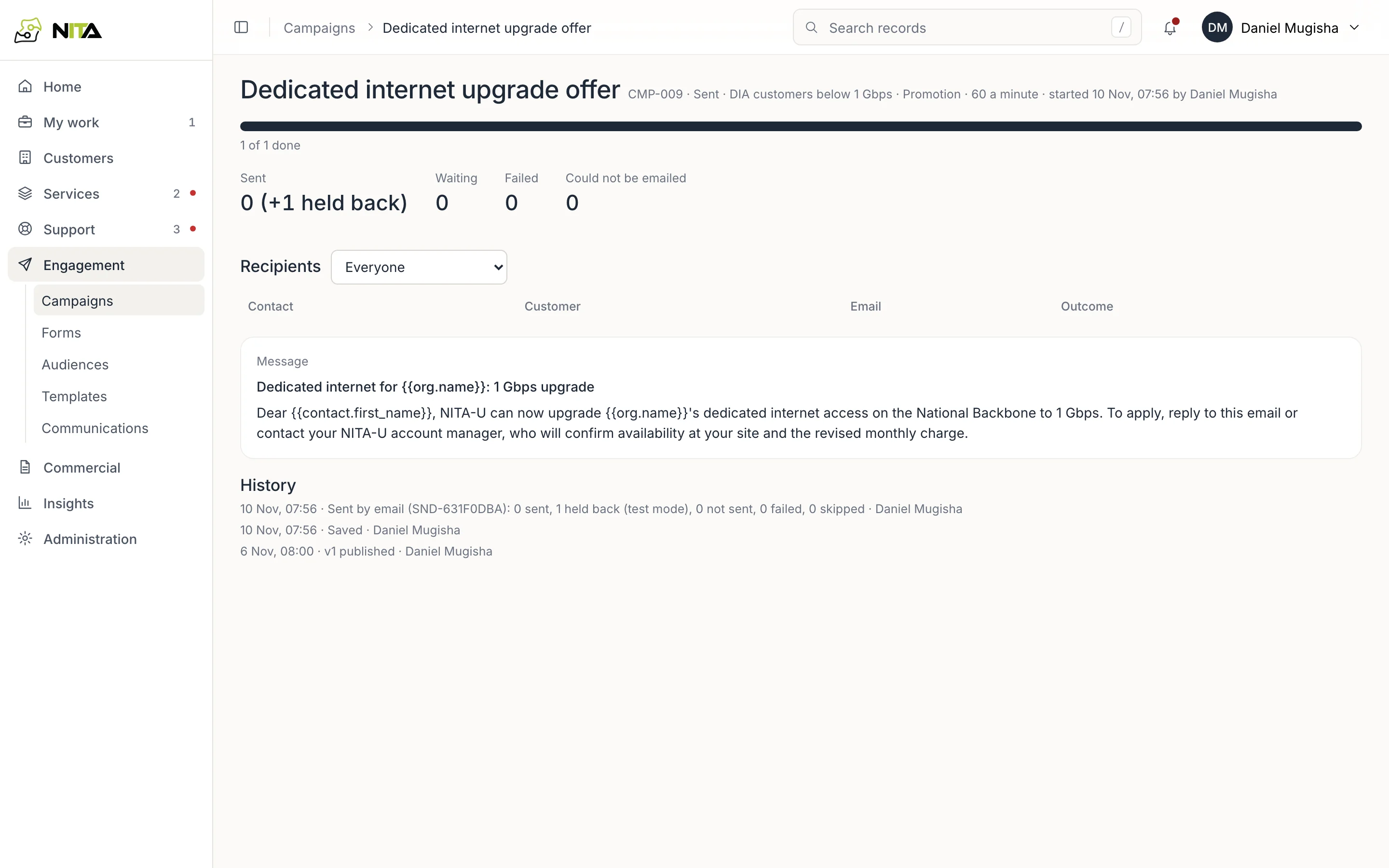
A started campaign shows how many are sent, waiting, failed, held back or could not be emailed, with one row per recipient and the outcome of each. Sending can be paused, resumed or stopped; failed sends can be retried, and sending pauses itself if sends keep failing.
Templates
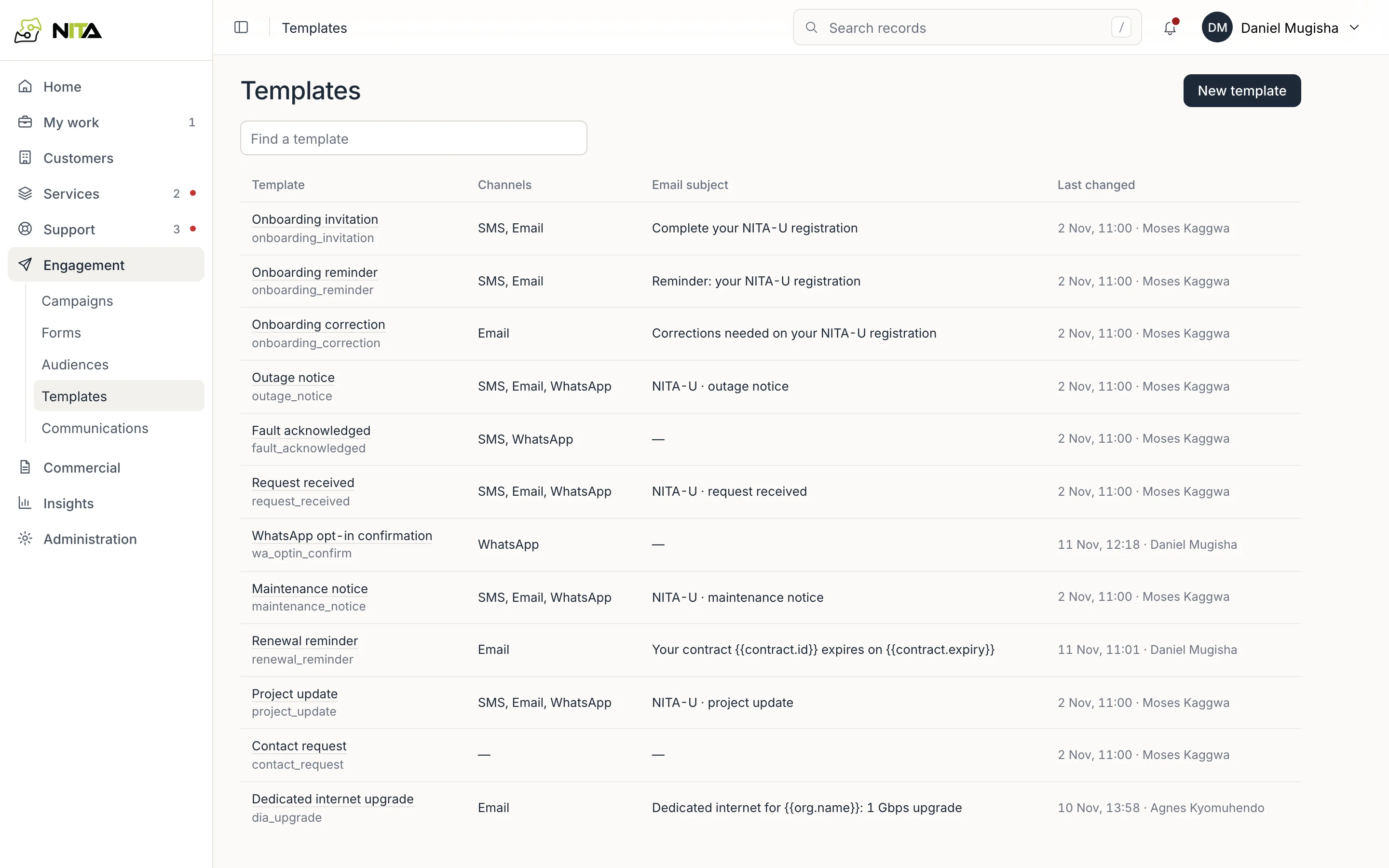
Engagement → Templates lists message templates with their channels and email subject.
A template has an email subject and message, and an SMS text where used. Fields such as {{org.name}} and {{contact.first_name}} are filled in when sent.
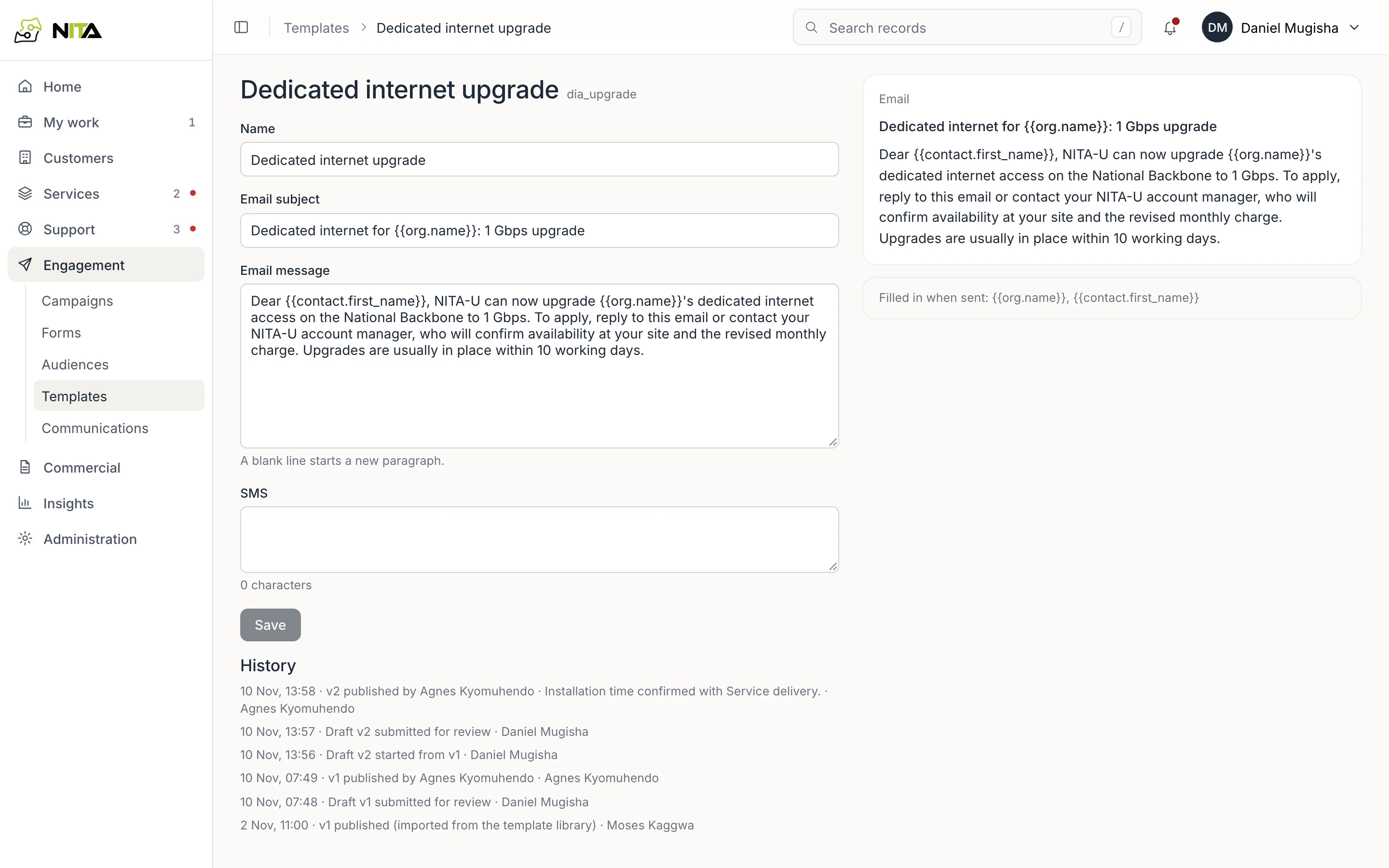
History shows each change with who made it and when. An earlier wording can be restored.