 CRM
What waits for finance
What you will learn
- The billing start stage of a request
- Invoices, payments and their statuses
- Recording a payment
- Payment reminders and disputes
What you need
- A finance operations sign-in
My work for finance operations lists overdue invoices with the amount outstanding past due, disputed invoices, and billing start stages waiting in the Finance operations queue.
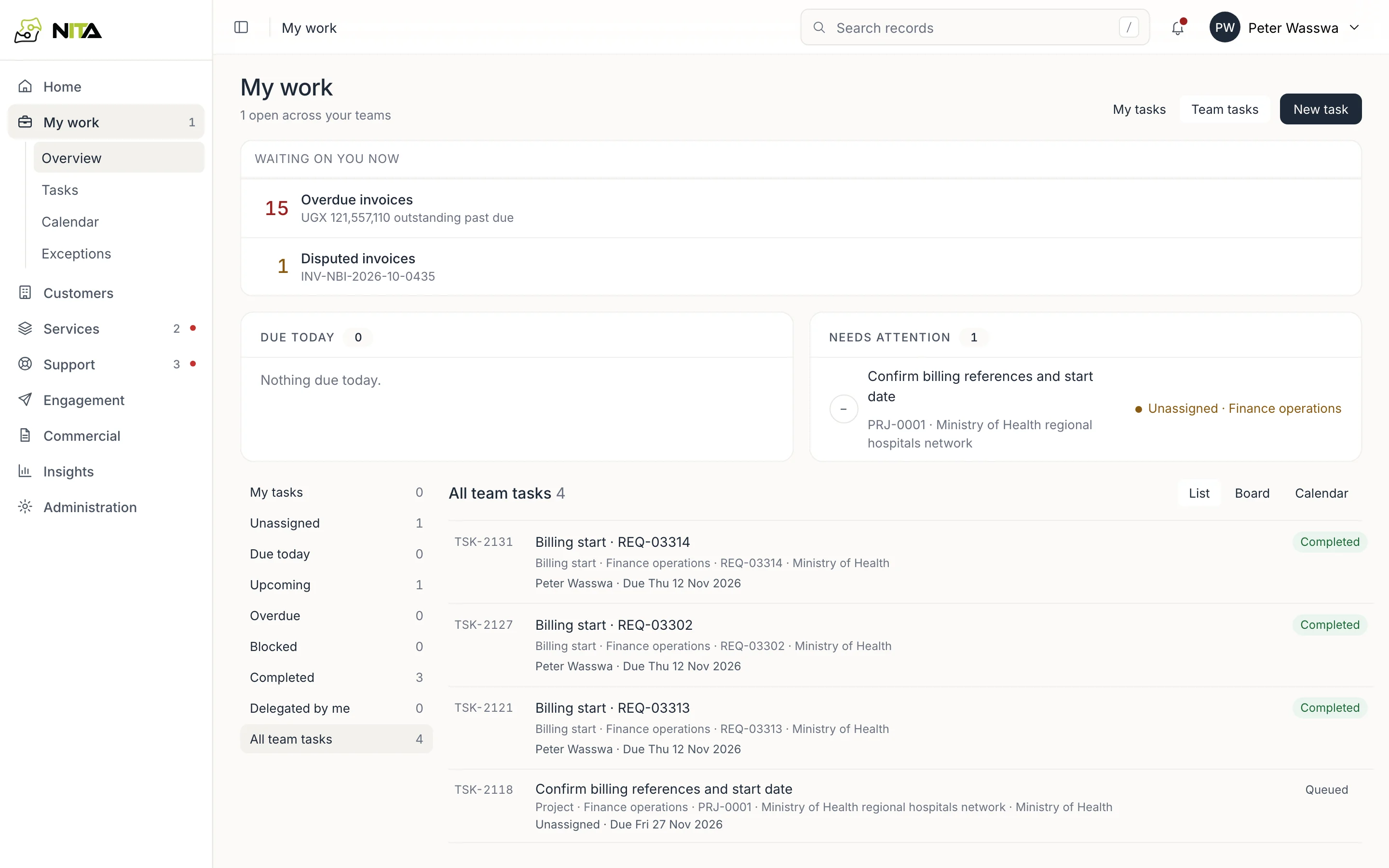
Billing start
When service delivery hands a new service over, a Billing start stage arrives in the Finance operations queue. Take it from the queue.
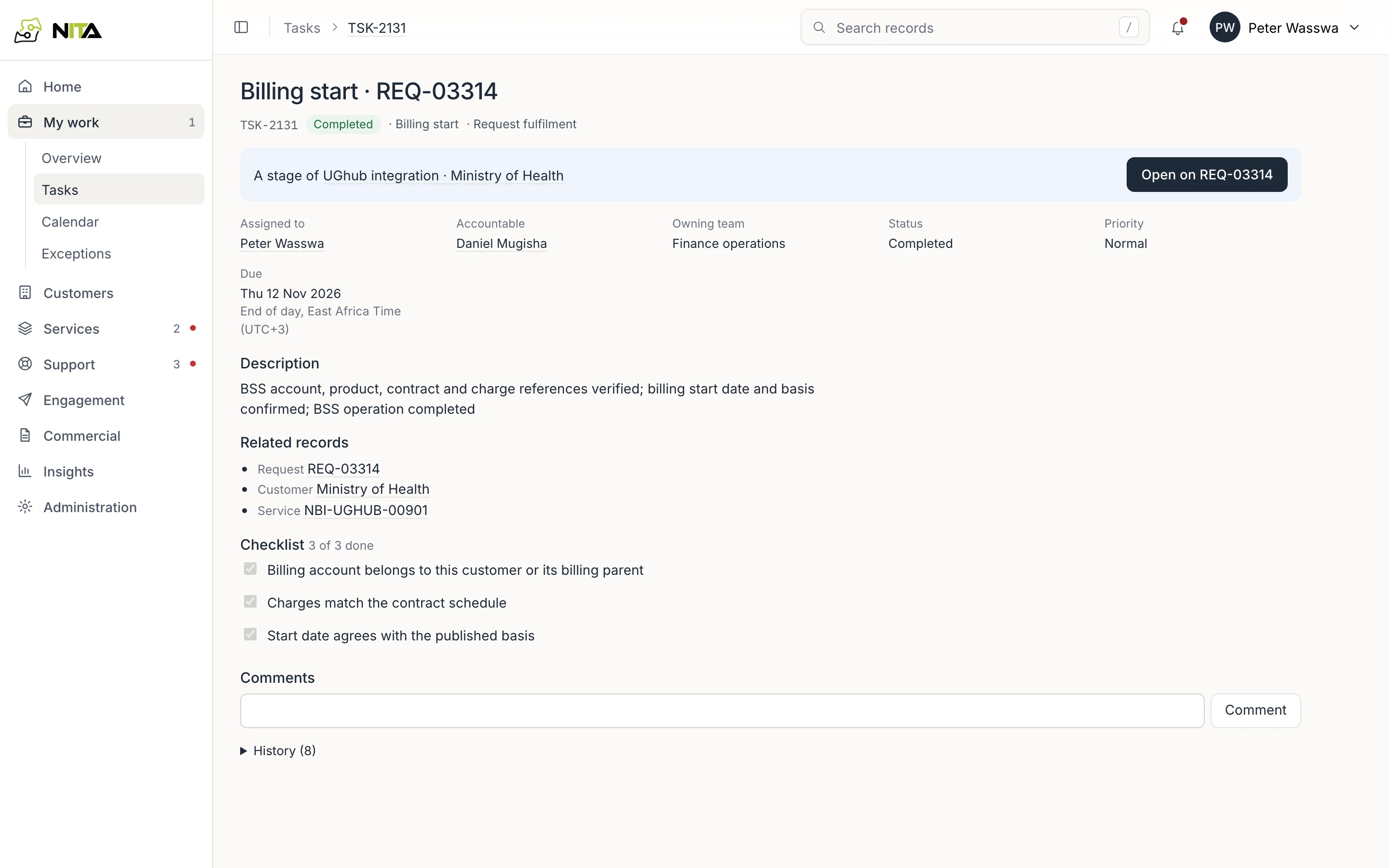
- The stage opens with the BSS account, product, contract and start date filled in from the customer, its contract and the service's activation date. Check each against BSS.
- Record the BSS charge reference and the basis for the start date.
- Work through the checklist: the billing account belongs to the customer (or its billing parent), charges match the contract schedule, and the start date agrees with the published basis.
- Submit for review. A second person in finance reviews it.
- Record the BSS entry reference. The request shows billing requested and billing confirmed, and the service is added to the contract's services.
See Deliver a new service for the whole request.
Transactions
Commercial → Transactions lists invoices, payments and service credits.
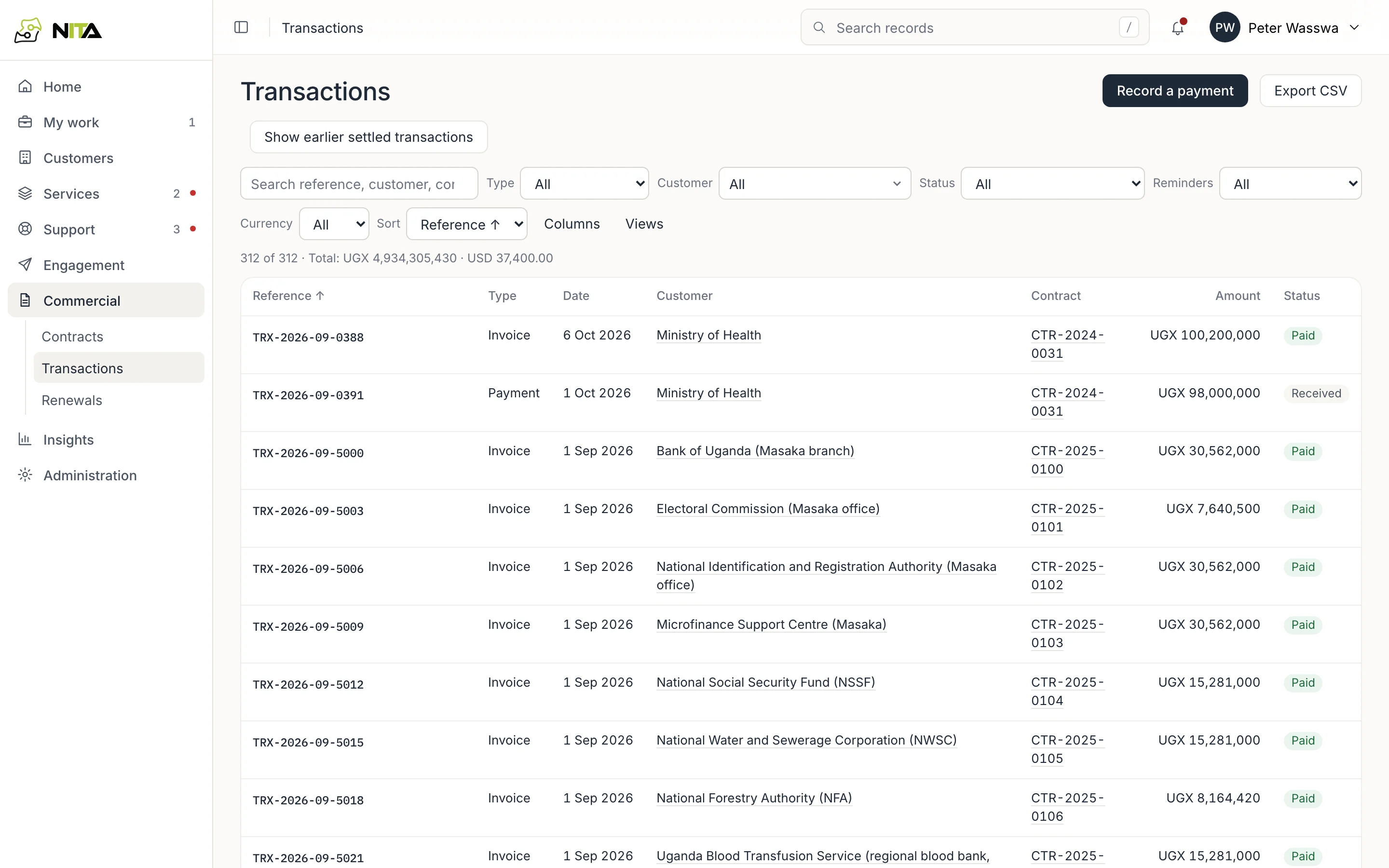
Filter by type, customer, status (Issued, Outstanding, Part paid, Overdue, Paid, Disputed, Received, Reversed and others), reminders and currency. The total is given per currency. Export CSV downloads the rows shown. Show earlier settled transactions loads older paid ones.
An invoice
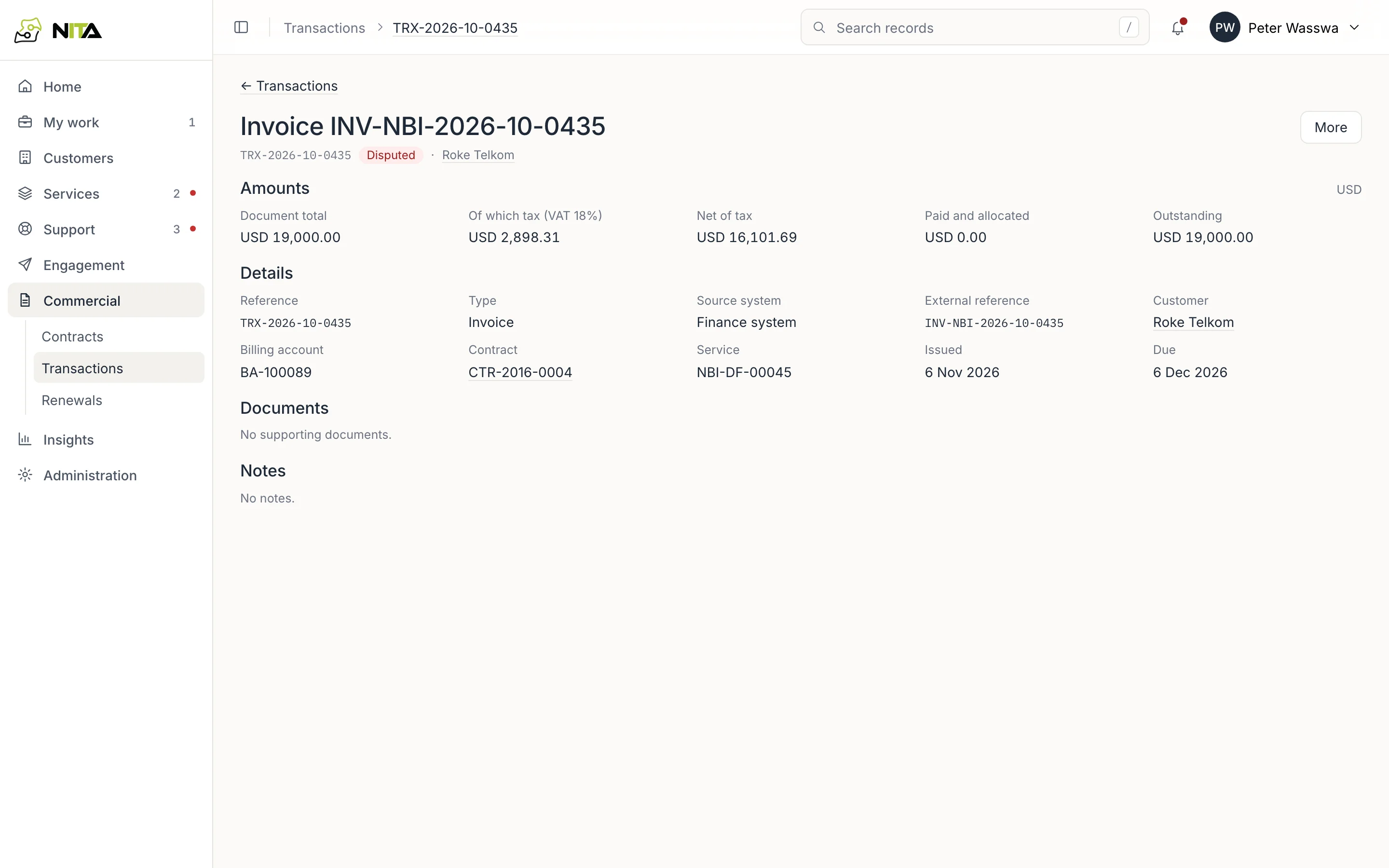
An invoice shows its document total, tax, net amount, amount paid and allocated, and amount outstanding, in the invoice currency. Details gives the external reference, customer, billing account, contract, service, issue and due dates. Documents and notes are kept on the record.
Record a payment
Record a payment: one bank transfer from the statement or remittance advice.
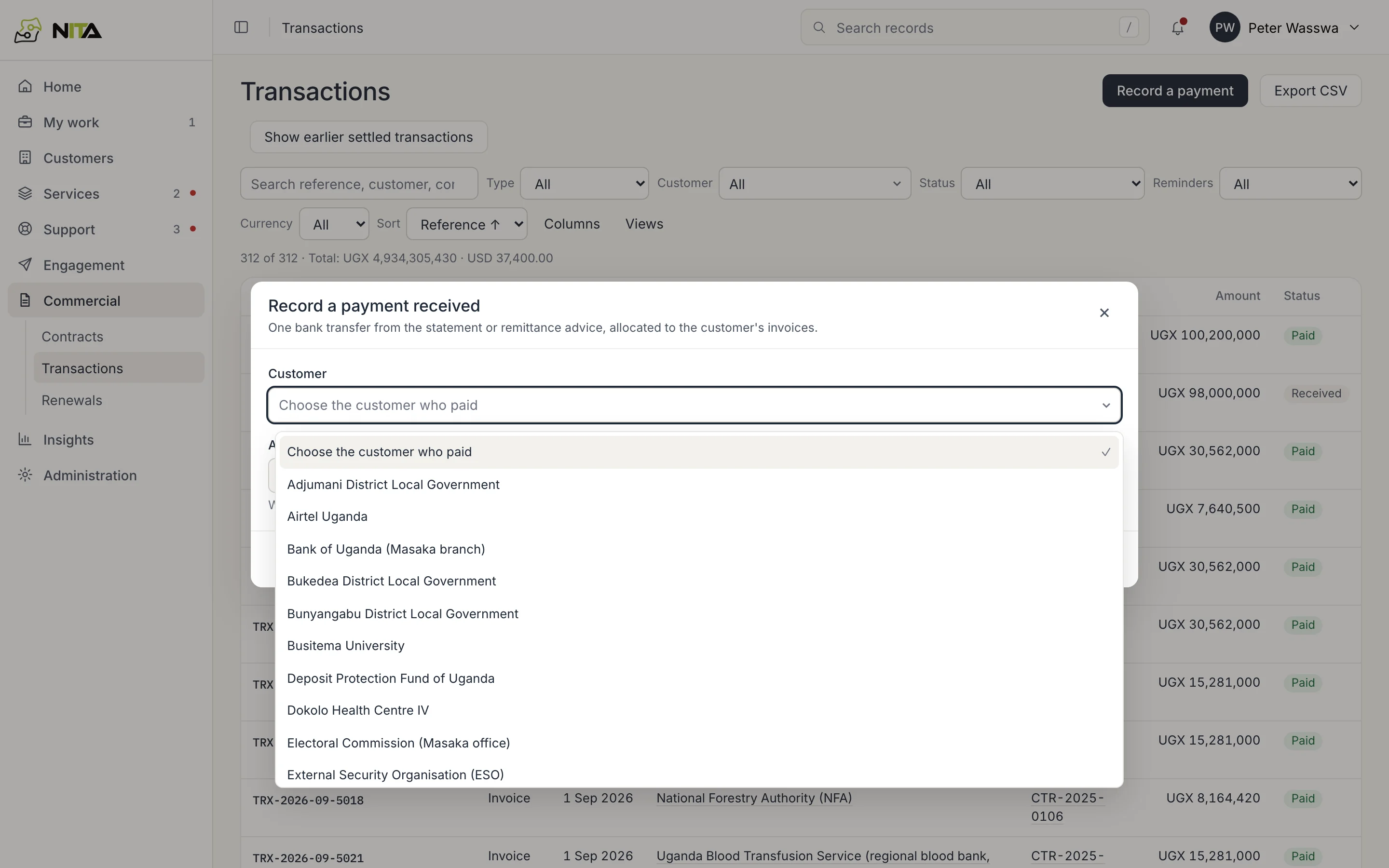
Enter the customer, amount received, date received and bank reference. The payment is allocated to the customer's open invoices, oldest first unless you choose the invoices. A recorded payment can be reversed with a reason.
Reminders and disputes
On an overdue invoice, Send reminder emails the customer's billing and finance contacts, or their authorised contacts if there are none. Reminders and replies on the invoice lists each reminder and the customer's replies.
An invoice the customer disputes is marked Disputed and listed in My work until it is resolved.